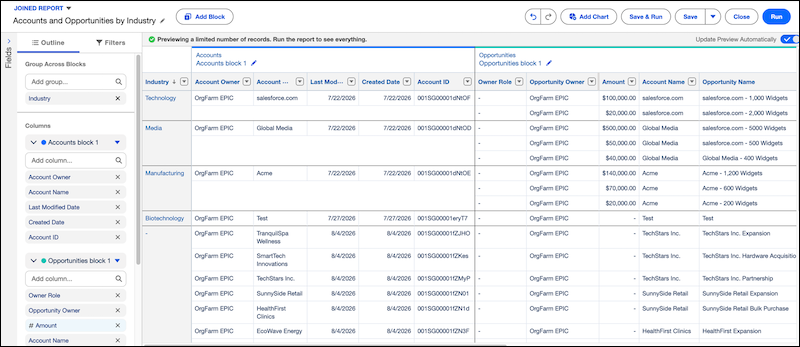
Use joined reports to compare data from multiple Data Model Objects (DMOs) in a single
report. Create separate report blocks from report types based on different DMOs, and group them
across blocks using a shared common field to compare data side by side.
Required Editions
| Available in: Lightning Experience |
| Available in: Data 360 in Developer, Enterprise,
Performance, and Unlimited Editions
|
Joined reports in Data 360 reports support report types built from Data Model Objects (DMOs)
only. Each report block must share at least one common field with the base block.
Joined reports in Data 360 reports use the same reporting model as joined reports in
Lightning reports. You can use report blocks, cross-block grouping, principal report types,
cross-block summary formulas, and block-level filters. For more information, see Combine Different Types of Information in a Joined
Report.
- Build a Joined Data 360 Report
Create a joined Data 360 report to compare data from related Data Model Objects (DMOs) in a single report. Joined Data 360 reports use the same report blocks, grouping, filtering, and cross-block summary formulas as the joined reports in Lightning reports.
- Considerations for Joined Reports in Data 360 Reports
Keep these considerations in mind when working with joined reports in Data 360 reports.