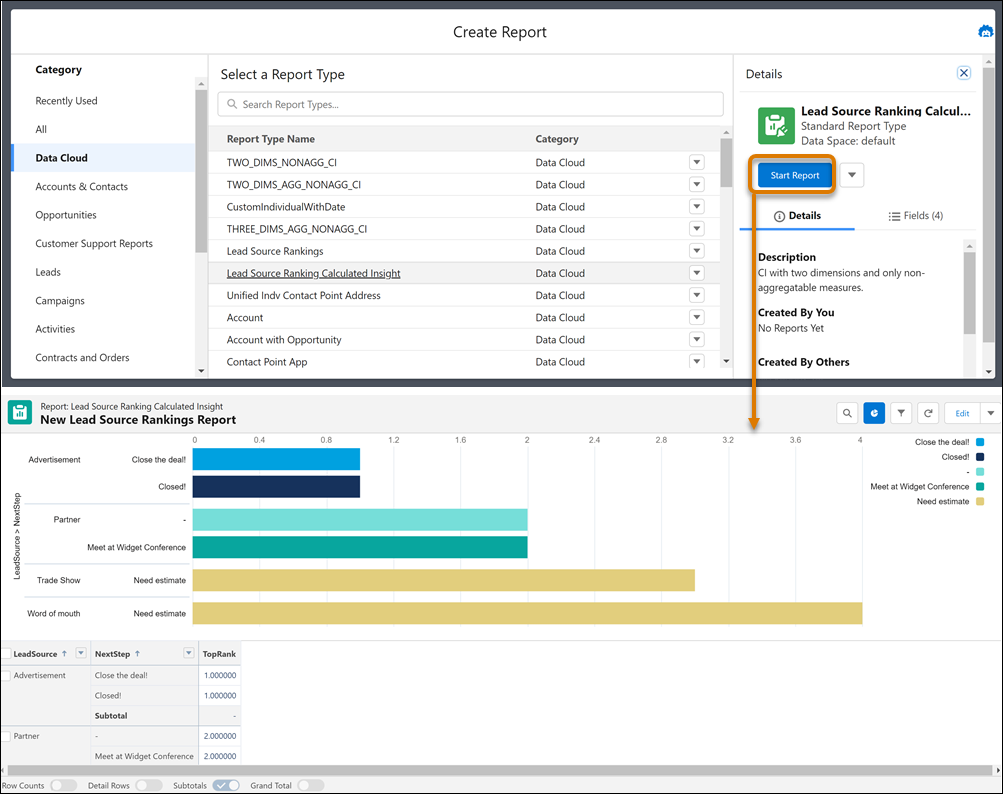
Create standard reports on calculated insights, semantic models, or single data model objects (DMOs) to determine which areas of your business to focus on.
Required Editions
| Available in: Lightning Experience |
| Available in: Data 360 in Developer, Enterprise, Performance, and Unlimited Editions |
| User Permissions Needed | |
|---|---|
| To create, edit, and delete reports in private folders: | Create and Customize Reports |
| To create, edit, and delete reports in public and private folders: | Report Builder (Lightning Experience) |
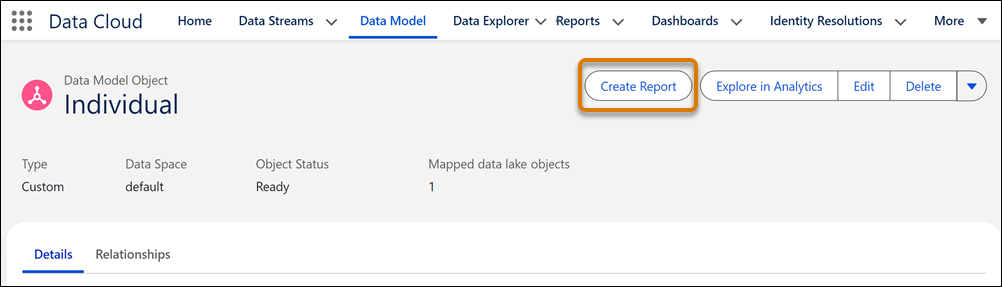
To create a report on a calculated insight, semantic model, or DMO directly in Data Cloud, select the object’s record page and click Create Report.
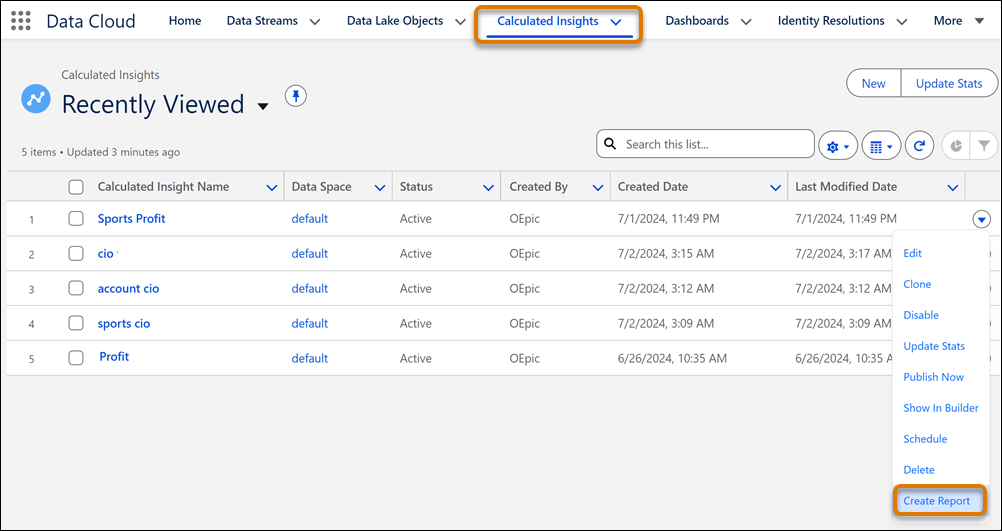
Or, go to the object’s list view, and click Create Report from an object’s Action menu.
Alternatively, you can create the report from the Reports tab.
- On the Reports tab, click Create Report.
- Select the Data 360 category.
- Select a calculated insight or DMO as the record type.
- Click Start Report.