Use shared tables to link multiple fact tables through a common dimension, to compare
records across different tables. This keeps your data model clean and unambiguous and ensures that
filters behave correctly across different datasets.
Required Editions
| User Permissions Needed |
| To create a shared table: |
Permission set:
AND
Semantic Models object
|
-
In Data Cloud, on the Semantic Layer tab, select a data model.
-
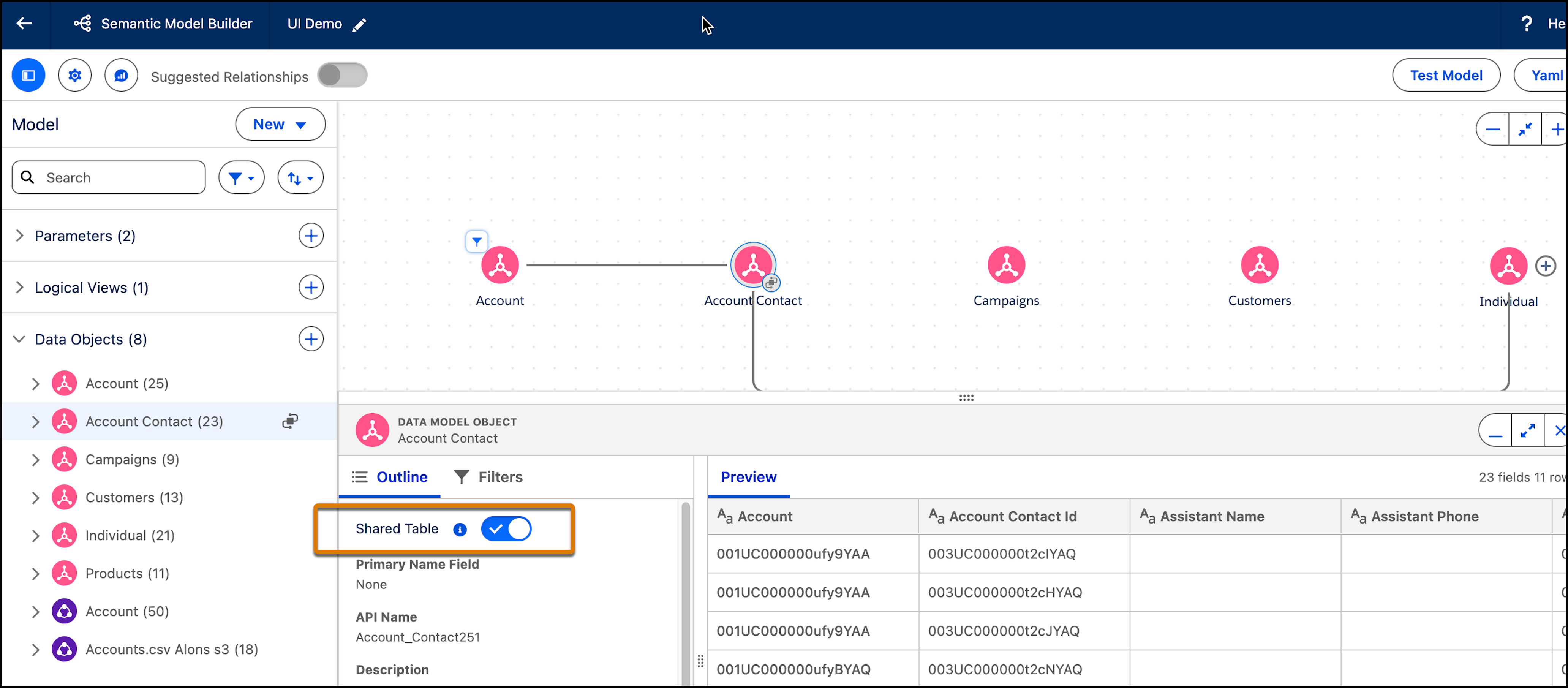
In the canvas, click on a standalone or connected data object.
The bottom panel with the object settings opens.
-
Turn on Shared Table.
The shared icon is added to the data model object to indicate that it includes a shared
table.