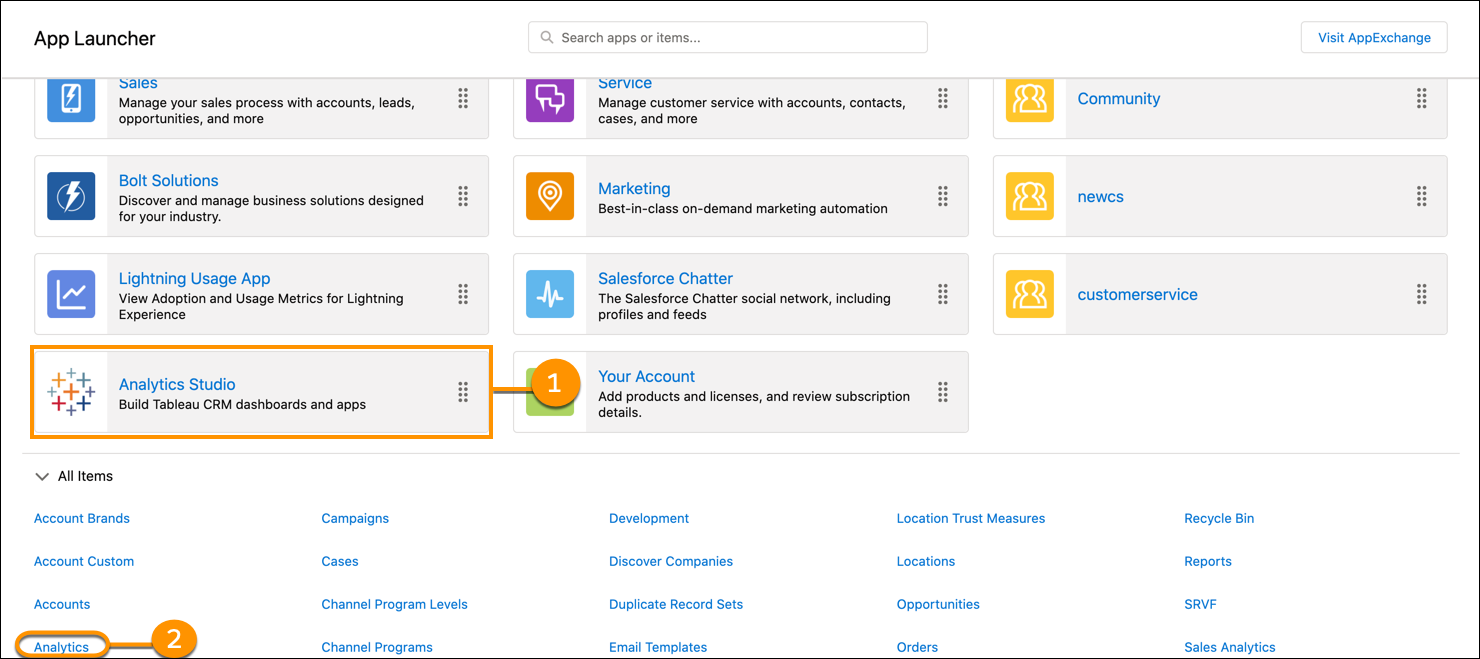
Access all your analytics from the Analytics tab within Salesforce. Alternatively, go to
your home page by opening the app menu or App Launcher in the Salesforce header and then finding
and opening CRM Analytics Studio.
Required Editions
| Available in Salesforce Classic and Lightning Experience. |
| Available with CRM Analytics, which is available for an extra cost in
Enterprise, Performance, and Unlimited Editions. Also available in
Developer Edition.
|
| User Permissions
Needed |
| To access Analytics: |
Use CRM Analytics |
-
To access your unified analytics in CRM Analytics Studio, from the App Launcher, find and
open CRM Analytics Studio.
-
To start in the Analytics tab, find and open the Analytics item.
Each environment allows easy movement to the other. When you opened the App Launcher, if you
clicked View All, you can click the CRM Analytics
Studio tile (1) or the Analytics item (2).
If you don’t see the Analytics tab, ask your admin to set it up like
any new tab.