
You can share a trended dashboard just as you can with any CRM Analytics dashboard.
Required Editions
| User Permissions Needed | |
|---|---|
| To trend reports in CRM Analytics: |
Use CRM Analytics OR Use CRM Analytics Templated Apps AND Trend Report Data in CRM Analytics |
You can share a trending dashboard just as you share any dashboard. You can post an image of it to a feed, or download and share an image. You can also embed your trending CRM Analytics dashboard as you would any other dashboard.
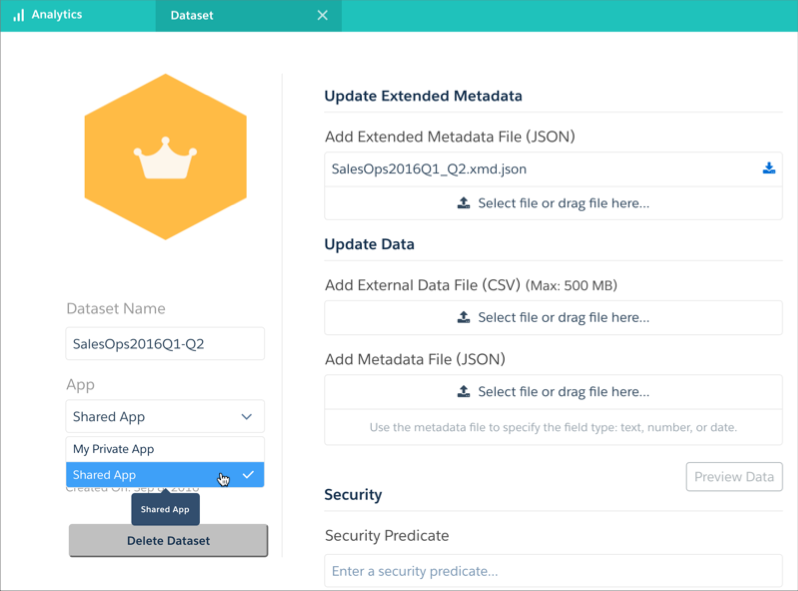
To share the dashboard directly using its URL, first share the trending dashboard’s underlying snapshots dataset by saving it to a CRM Analytics app that your target audience can access.

Sharing the trending CRM Analytics dashboard or the underlying dataset could expose data to users who normally would not have access to that data.
It is possible to share trending CRM Analytics dashboards with users who would normally be prevented from seeing data based on security settings. If you save a trending dashboard to any app that is not My Private App, then anyone with access to that app (and the underlying dataset) can view all data in that CRM Analytics dashboard regardless of any sharing restrictions or field-level security that has been set.