
The sliceDataset transformation removes fields from a dataset in your dataflow, leaving you with a subset of fields for use in a new dataset or in other transformations. This allows you to create multiple datasets, each with different sets of fields from a single dataset.

The transformation includes the mode parameter, which
lets you choose between two modes: drop or select. Set it to drop to
remove the fields you specify. Set it to select
to keep the fields you specify.

Here’s an example. Let’s say your dataflow contains an sfdcDigest node, ExtractOpportunities, that extracts all fields from the
Opportunity object. However, some of your users don’t want Id fields in their Opportunities
dataset. You resolve this by adding a sliceDataset node to your dataflow, specifying the
source node, the fields you want to remove from that node, and drop mode.
| sliceDataset Node in Dataflow Editor | sliceDataset Node in Dataflow JSON |
|---|---|
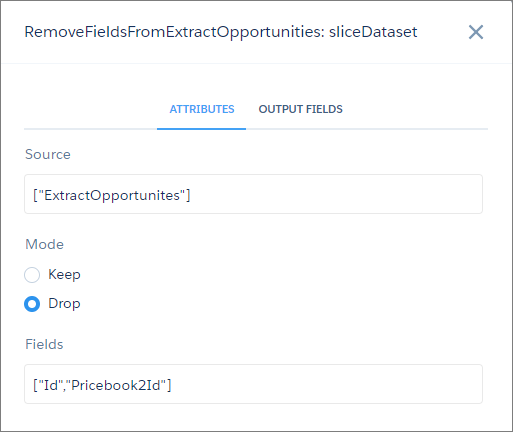 |
|
- sliceDataset Parameters
Add a sliceDataset transformation to a dataflow either in the dataflow editor, or directly in the JSON dataflow definition file. The parameters you specify are the same for both methods.