
In CRM Analytic, use the Predict Missing Values transformation in a Data Prep recipe to complete your data by filling in missing values in a text column. CRM Analytics Intelligently predicts values based on values in other strongly correlated columns in your data.
Required Editions
Predict Missing Values Transformation: Fill In Missing Values
| User Permissions Needed | |
|---|---|
| To create a recipe: | Edit CRM Analytics Dataflows OR Edit Dataset Recipes |
Consider these limitations before using this feature.
- If there aren’t enough rows to make accurate predictions, CRM Analytics doesn’t insert predicted values.
- You can't apply transformations on predicted columns.
- Recipes that predict values can take longer to run.
- In a Transform node of a Data Prep recipe, select the text (dimension) column with missing values in the Preview tab.
- In the Transform toolbar, click the Predict Missing Values button (
 ).
).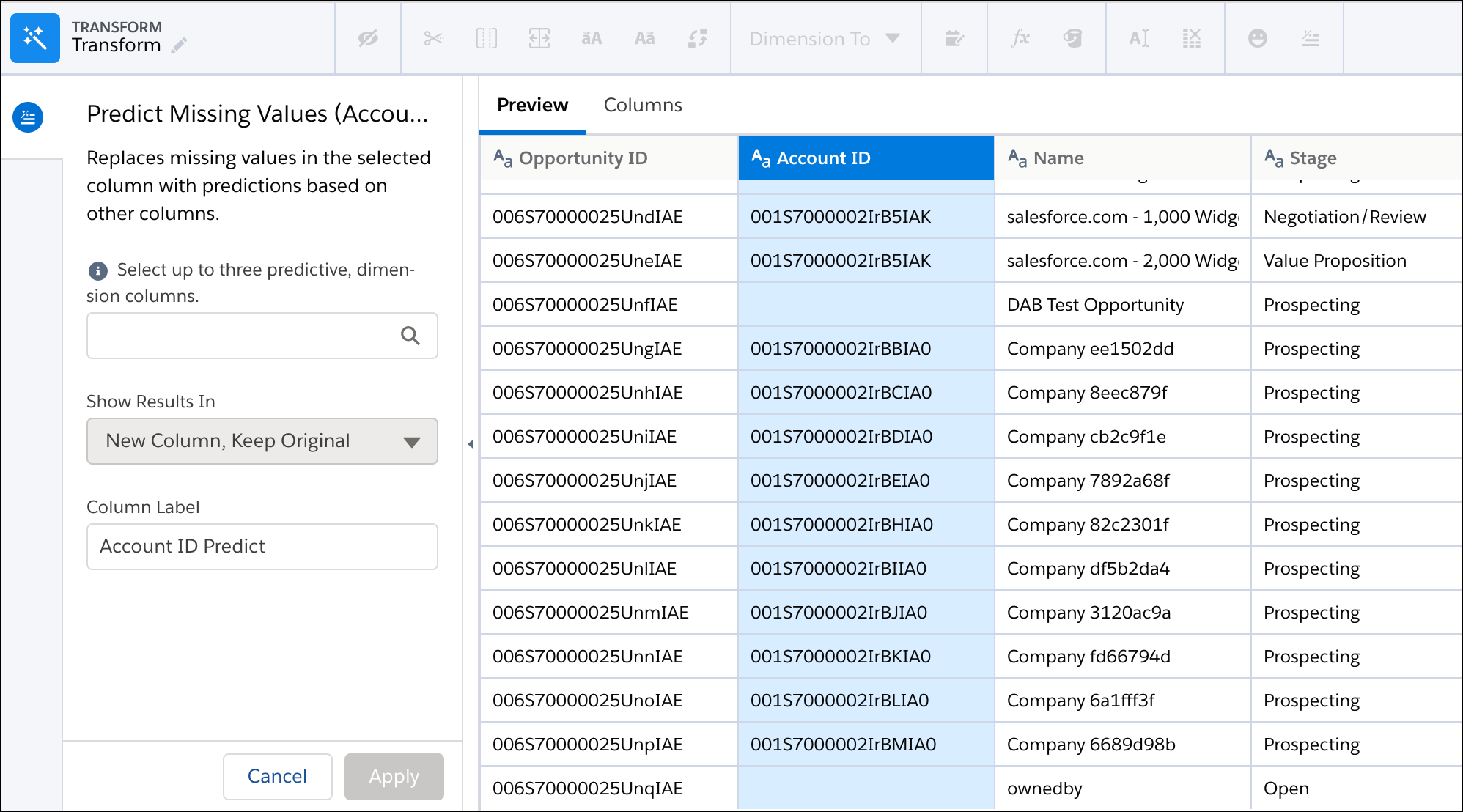
- Select up to three text columns to use to predict the missing values for the selected
column.
 Tip To make an accurate prediction, each column must have less than 200 unique values. Also, verify that these predictive columns contain clean, quality data. For example, you have an Education predictive column that contains values such as “Bachelors Degree” and “Bachelors.” Use the bucket transformation to bucket field values with the same meaning. Then use the column with the clean data as a predictive column. For more information about bucketing, see Bucket Transformations (see the following link).
 - If needed, change the column label. This label appears as the column header in the dataset.
- Click Apply to add the transformation to the Transform node.
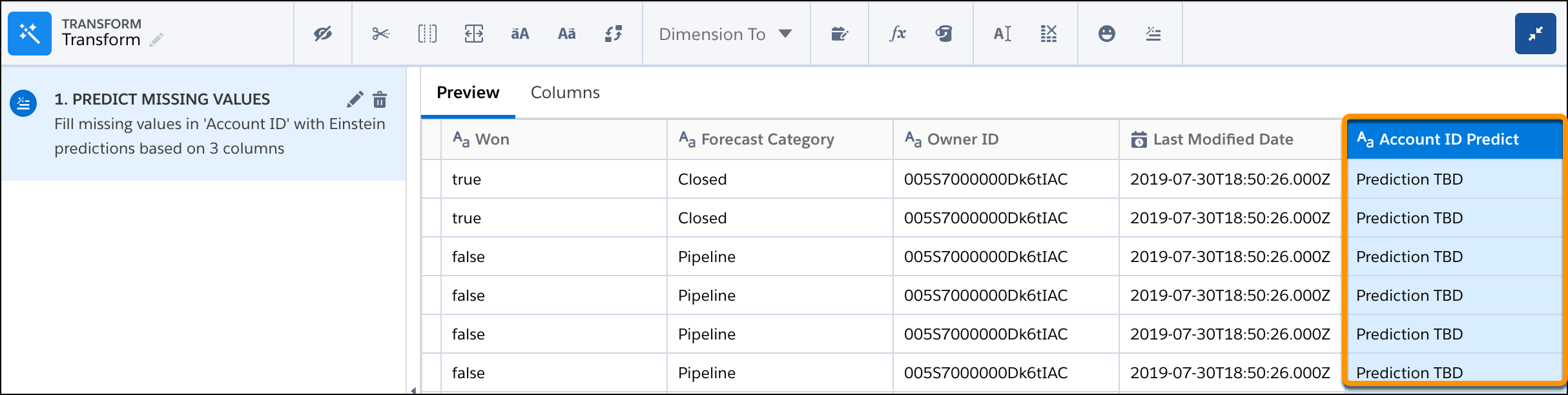
The preview shows the original column with the missing values and the new column with “Predict” at the end of the header. The preview shows “Prediction TBD” for predicted values in the new column. The predicted values don’t appear until after you run the recipe.
- To view the Graph area, click the Collapse button (
 ).
).
Run the recipe to generate the predictions. You can view the dataset as a values table to see the predictions. If needed, add the Drop Columns transformation after the Predict Missing Values transformation to drop the original column from the dataset.