In CRM Analytics, use the Discovery Predict transformation to populate your datasets
with predictive and prescriptive intelligence. When you run a Data Prep recipe with a Discovery
Predict node, Einstein calculates and saves predicted outcomes on a row-by-row basis. You can
optionally store descriptions of top predictors and improvements. With the Discovery Predict
node, you can quickly evaluate predictions across a large set of data, assess multiple models
before deploying them into production, and aggregate this information in a
dashboard.
Required Editions
Discovery Predict Transformation: Get Einstein Discovery Predictions
- Edit a Data Prep recipe.
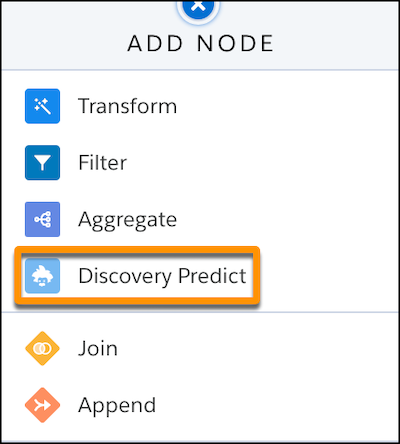
- Where you want to insert the node, click Add Node (+) and choose Discovery
Predict.
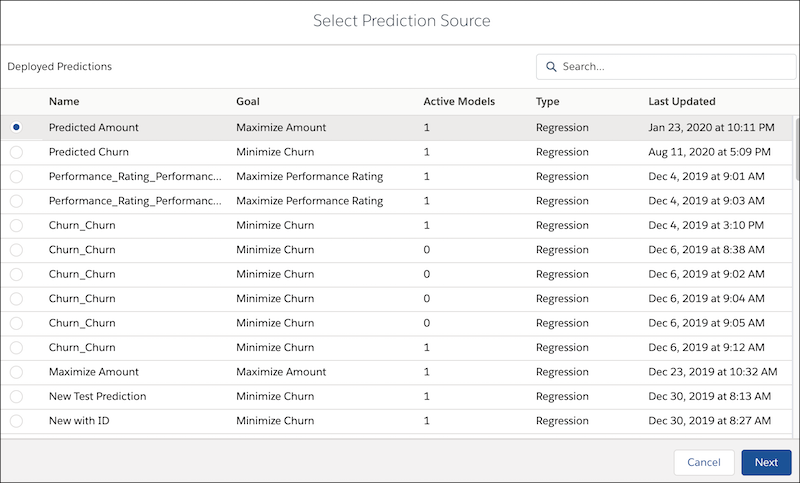
- Select a deployed prediction, then click Next.
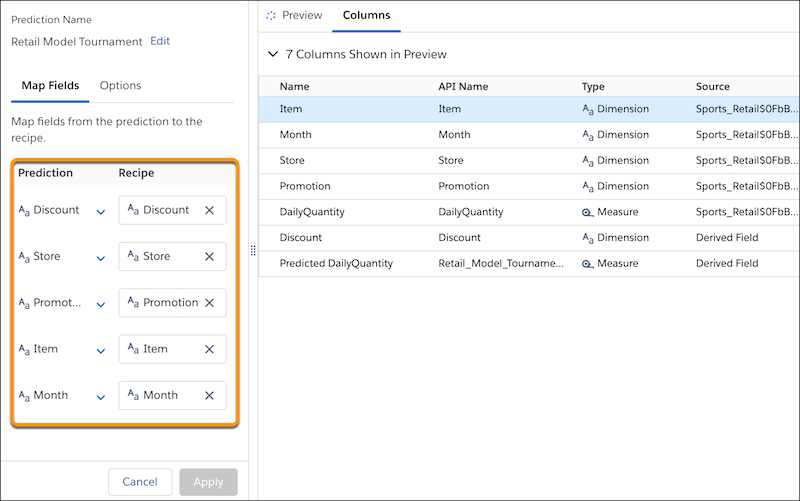
- Map all fields from the prediction to the recipe.
This example shows all fields from
all active models, as well as segmentation filters.
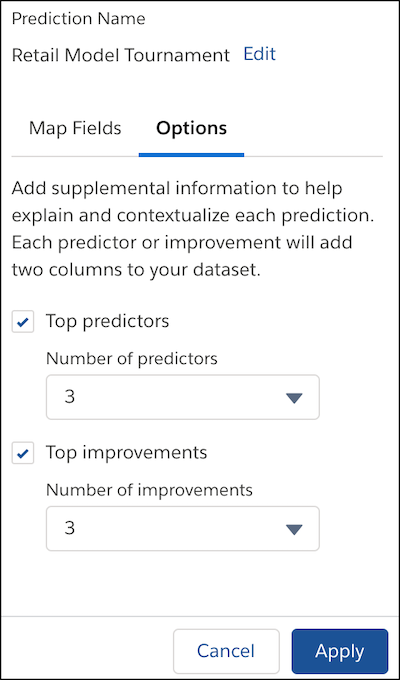
- If you want to include prediction and improvement text in the dataset, click the
Options subtab.
| Issue |
Description |
| Top predictors |
Enable Top predictors and specify the number of
entries you want to save to the dataset. |
| Top improvements |
Enable Top improvements and specify the number of
entries you want to save to the dataset.
This option is available only for
predictions that use:
- numeric or binary classification models, and
- the Generalized Linear Model (GLM) algorithm
If the selected prediction uses a multiclass classification model, or if
it uses a different algorithm, then getting top improvements is not an
available option. To learn more about algorithms in Einstein Discovery story
settings, see Edit Story Settings.
|
- Click Apply.
Einstein adds the Discovery Predict node to your
recipe.
- Save the recipe.
Run the recipe to get predictions.