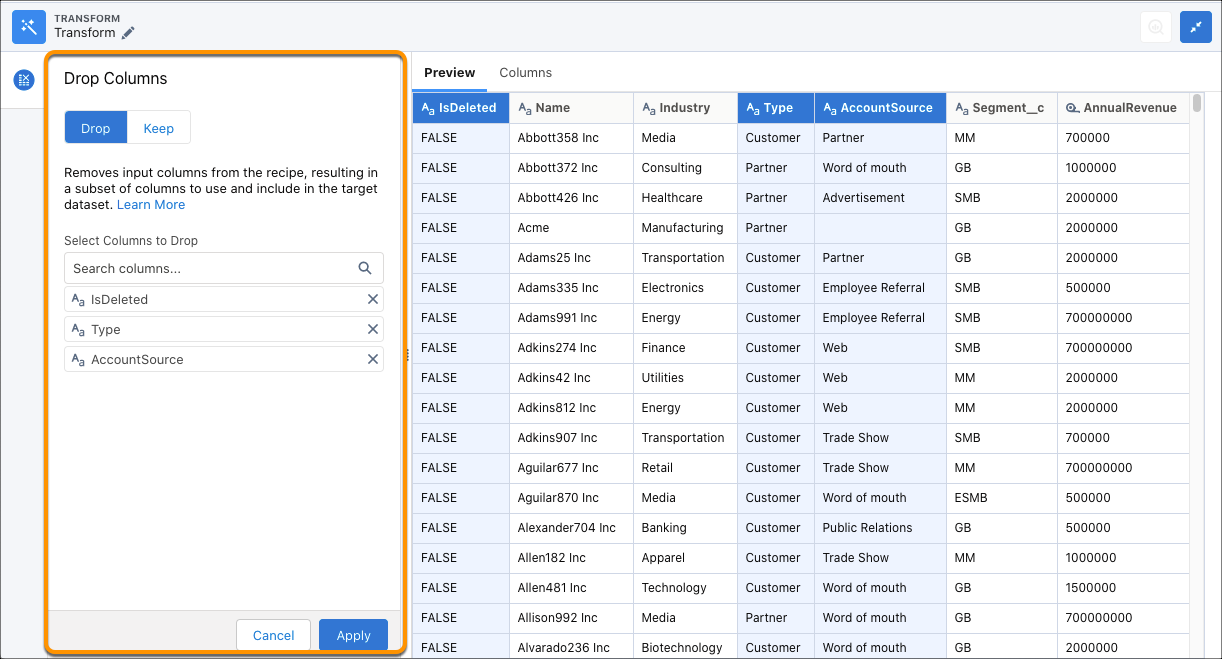
In CRM Analytics, drop unwanted columns from a Data Prep recipe. For example, you can
add a Drop Columns transformation after a Formula transformation to drop input columns used for
a calculated column.
Required Editions
Drop Columns Transformation: Drop Columns from the Recipe
| User Permissions
Needed |
| To create a recipe: |
Edit CRM Analytics Dataflows OR Edit Dataset Recipes |
- In a Transform node of a Data Prep recipe, select the column in the Preview tab.
- In the Transform toolbar, click the Drop Columns button (
 ).
).The
dropped column appears in the Drop Columns step.
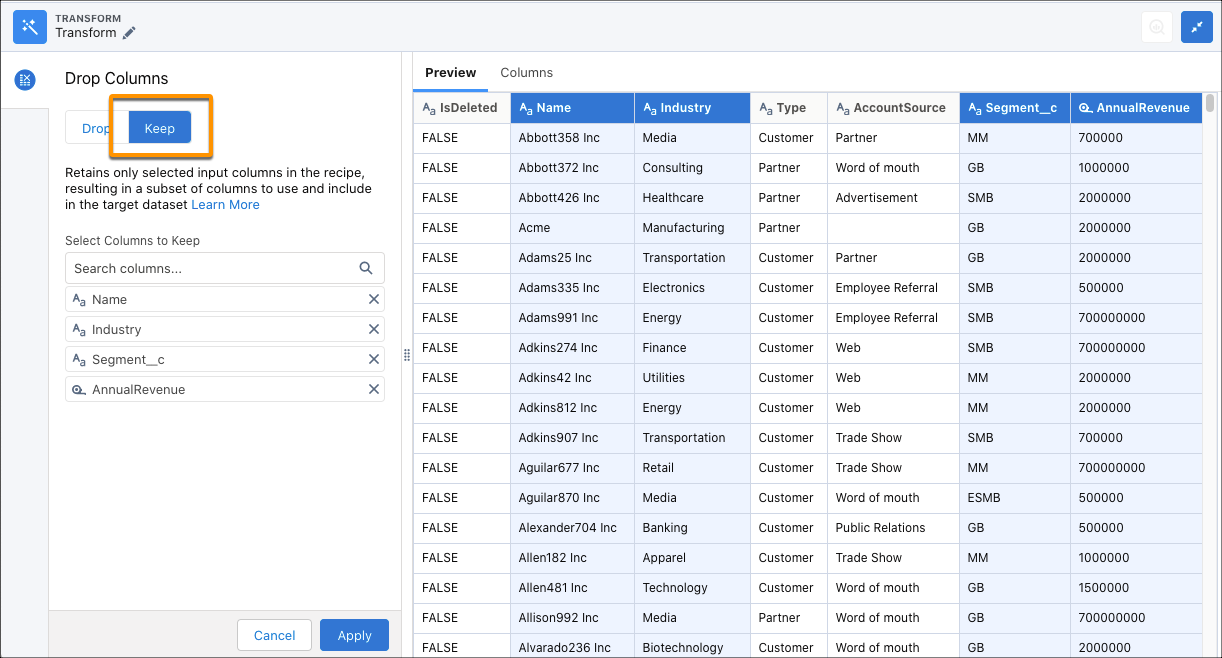
- Alternatively, to keep the columns selected instead of removing them click
Keep.
- To include additional columns, enter their label in the Select Columns to Drop/Keep
field.
- Click Apply to add the transformation to the Transform
node.
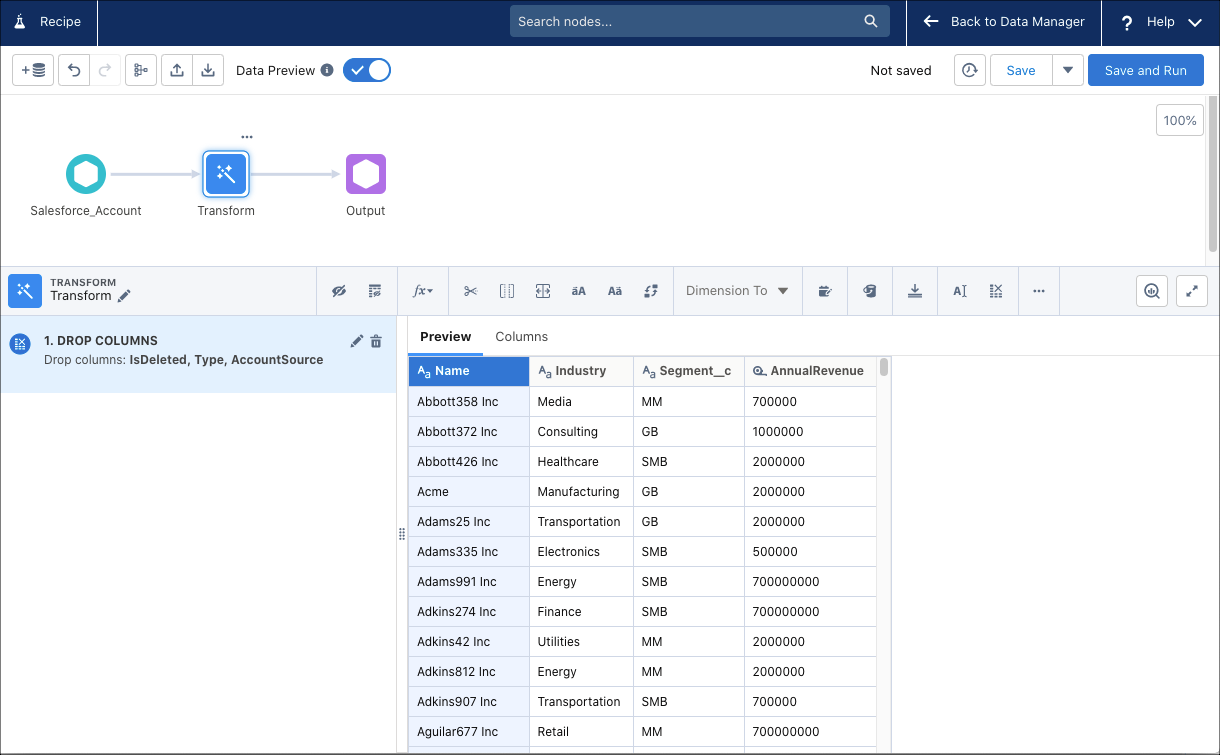
- To view the Graph area, click the Collapse button (
 ).
).
- Save the recipe.
From this point forward, dropped columns can’t be used in recipe transformations and
nodes. They also no longer appear in Preview.