
In CRM Analytics, return the column date with the specified days or months added or removed.
Required Editions
Add or Subtract Days or Months
| User Permissions Needed | |
|---|---|
| To create a recipe: | Edit CRM Analytics Dataflows OR Edit Dataset Recipes |
- In a Transform node of a Data Prep recipe, select one date column in the Preview tab.
- Select the Formula button (
 ) in the Transform toolbar.
 - Select Add or Subtract Days or Months.
- Configure the transformation.
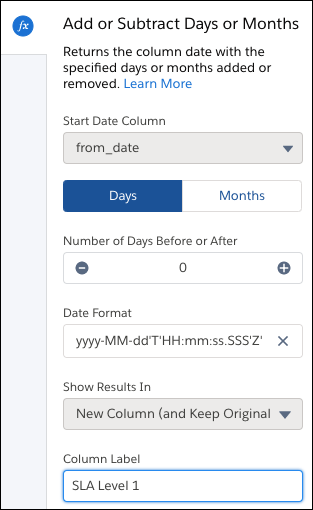
- Start Date Column is automatically filled with the date column you previously chose. Cancel and restart to choose a different Start Date.
- Choose Days or Months to add or subtract.
- Select the number to add or subtract with the plus and minus buttons.
- Choose the date format of the output column.
- Optionally, change the label of the column that stores the result data in the Column Label field.
- Click Apply to add the transformation to the Transform
node.
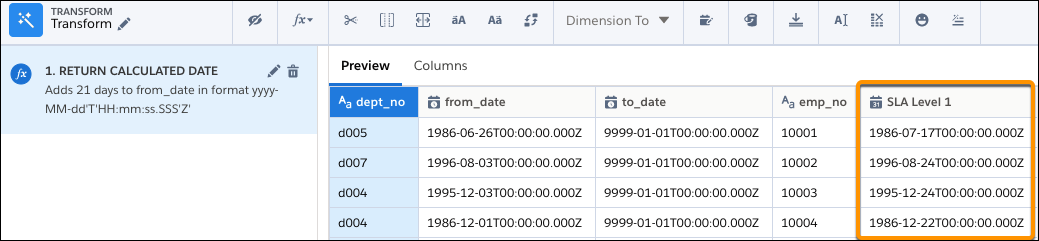
The Preview tab shows the new calculated date column.
- To view the Graph area, click the Collapse button (
 ).
). - Save the recipe.