
The export transformation creates a data file and a schema file from data in a specified source node in your dataflow. After the dataflow runs, Einstein Discovery users can access these files through the public API.

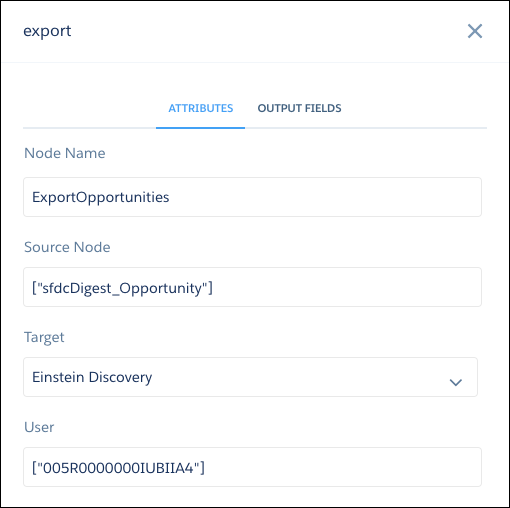
When you add an export transformation to a dataflow, you specify a source and a target parameter. The source is the node in the dataflow that outputs the data you want to export, and the target is Einstein Discovery. You also specify a user, which determines who can access the data in Einstein Discovery. If the source is a dataset configured with a security predicate, CRM Analytics applies the predicate based on the specified user. For example, if the security predicate allows the user to access only dataset records that they own, then only those dataset records are exported to Einstein Discovery.

Here’s an example. Let’s say your dataflow contains an sfdcDigest node, ExtractOpportunities, which extracts all fields from the
Opportunity object. To make this data available in Einstein Discovery, add an export node to
the dataflow, specifying the source node and a target of EinsteinDiscovery.
| export Node in Dataflow Editor | export Node in Dataflow JSON |
|---|---|
 |
|
- export Parameters
Add an export transformation to a dataflow either in the dataflow editor, or directly in the JSON dataflow definition file. The parameters you specify are the same for both methods.