When you load data into a dataset, CRM Analytics tags a date field as a dimension if it
contains unexpected string values or dates in different formats. To use date functionality, such
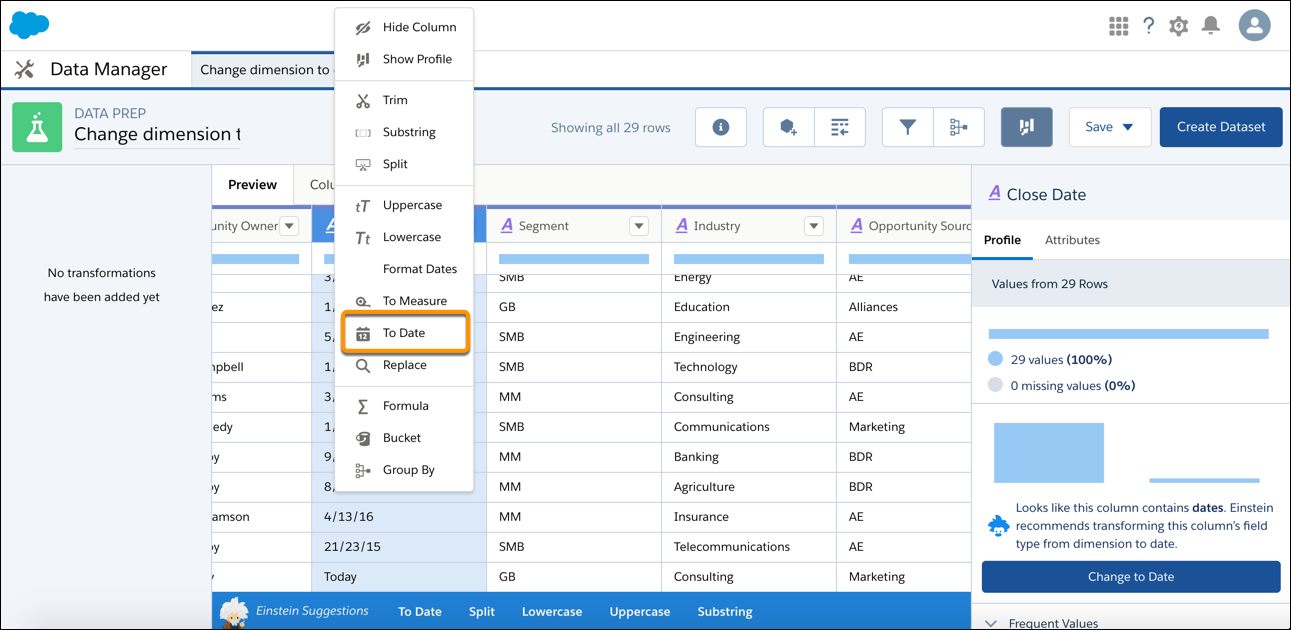
as grouping by month, use the To Date transformation to change the dimension field type to date.
Required Editions
| User Permissions Needed |
| To create a recipe: |
Edit Analytics Dataflows OR Edit Dataset Recipes |
- On the column header of the dimension field, click
 , and then select To Date.
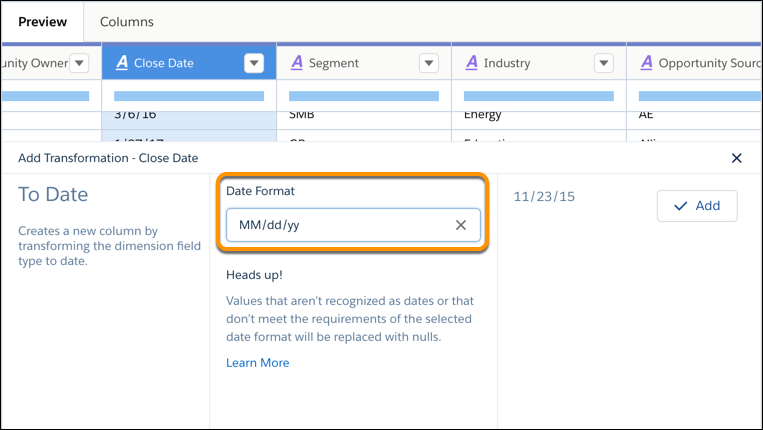
- In the Date Format field, select the date format to display the dates.
- Click Add and save the recipe.
Run the recipe to create a new field with the date field type and convert the date values to
the specified format. If the transformation can’t parse a date value, it replaces the value with
null.