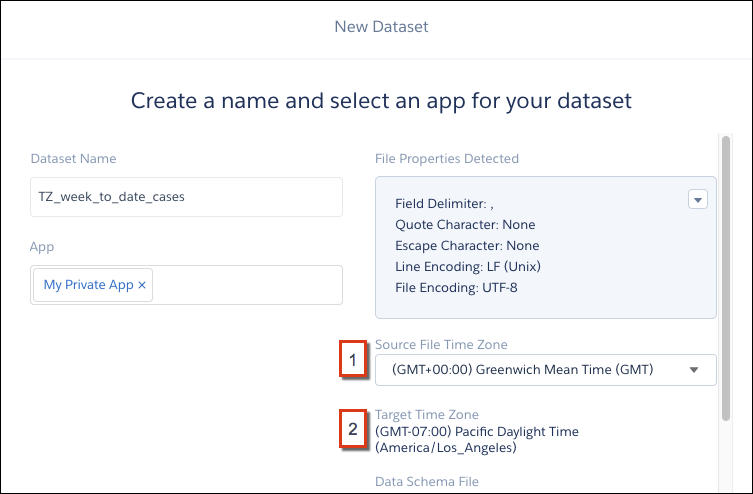
When you upload .csv data to create or update a dataset, you can select the time zone
of the data if it’s not GMT.
Required Editions
| Available in Salesforce Classic and Lightning Experience. |
| Available with CRM Analytics, which is available for an extra cost in
Enterprise, Performance, and Unlimited Editions. Also available in
Developer Edition.
|
- Upload your .CSV file to create a dataset.
- At the page where you create a name and select an app for the dataset, specify the
source and target time zone. From the
Source File Time Zone picklist (1), select the time zone of the data. The Target Time Zone
(2) is the time zone selected for your org in settings. CRM Analytics converts date-time
values in the file from the source time-zone to the target time zone in the resulting
dataset.