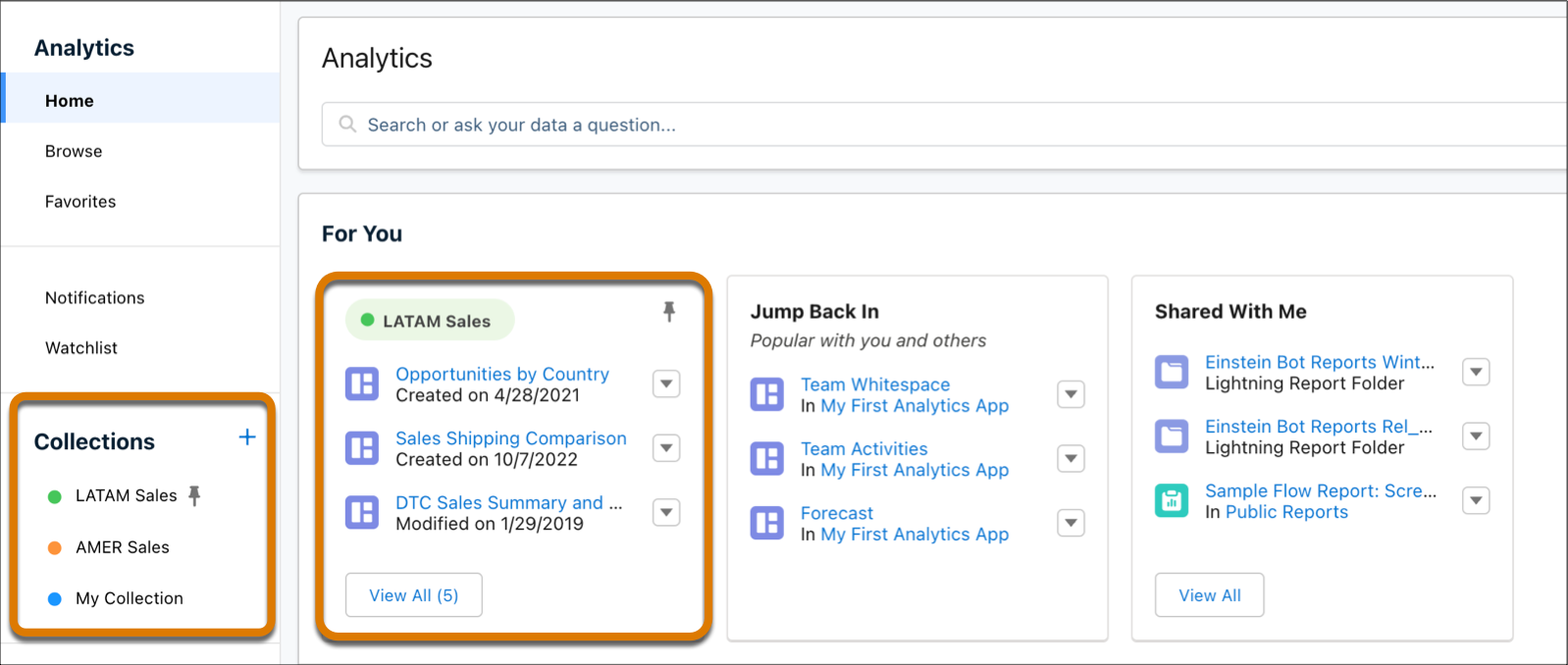
Collections enable you to curate analytics to create a more personalized experience that
makes it easier to find and use the information that matters most to you. Your analytics can be
drawn from different apps and folders into a single collection that brings together all items in
one place. In addition, collections can be used to personalize the home page and save you time and
effort in finding the information you need.
Required Editions
| Available in: Lightning Experience |
| Available in: Essentials, Group, Enterprise, Professional,
Unlimited, and Developer Editions.
|
| Also available with CRM Analytics, which is available for an extra cost in
Performance, Enterprise, Unlimited, and Developer
Editions.
|
| User Permissions Needed |
| To use a collection: |
- Enhanced Folder Sharing
- Run Reports AND Create and Customize Dashboards
|
| To use a collection with CRM Analytics items: |
Use CRM Analytics |
- Create a Collection
Create collections of important items to personalize the home page and have quick access to them.
- Add Items to a Collection
Curate analytics items for your collection. Items can exist simultaneously in multiple collections.
- Preserve and Share CRM Analytics Dashboard Views in a Collection
Create dashboard views with selected filters and options then add them to your collections to share a specific view of the dashboard with others.
- Share a Collection
Curate a collection and share it with your colleagues to contribute content.
- Pin and Hide a Collection
End users can pin and hide their collections giving them more options with customizing their homepage. Admins and managers have the option to pin collections to end-user homepages and promote trusted content among groups and teams.
- Edit Collections
You can edit your collection properties, such as name and description, and also delete the collection altogether. Shared users with the Manager role can also edit and delete the collection.
- Arrange Items in a Collection
Organize items in your collection to your liking.
- Remove Items from a Collection
Easily remove items that are no longer relevant from a collection.
- Add Collections to Lightning Pages
Insert and display collections to your Lightning pages using the CRM Analytics Collection component.
- Subscribe to Multiple Shared Collections
Subscribe to collections of lenses and receive a daily or weekly email with updates on your most important charts and metrics, and table data in .csv attachments. Subscribe to as many as four collections that you created or that were shared with you. Each collection subscription has its own schedule for when you receive CRM Analytics email.
