Curate a collection and share it with your colleagues to contribute content.
Required Editions
| Available in: Lightning Experience |
| Available in: Essentials, Group, Enterprise, Professional,
Unlimited, and Developer Editions.
|
| Also available with CRM Analytics, which is available for an extra cost in
Performance, Enterprise, Unlimited, and Developer
Editions.
|
| User Permissions Needed |
| To use collections: |
- Enhanced Folder Sharing
- Run Reports AND Create and Customize Dashboards
|
| To access CRM Analytics items in a collection: |
Use CRM Analytics |
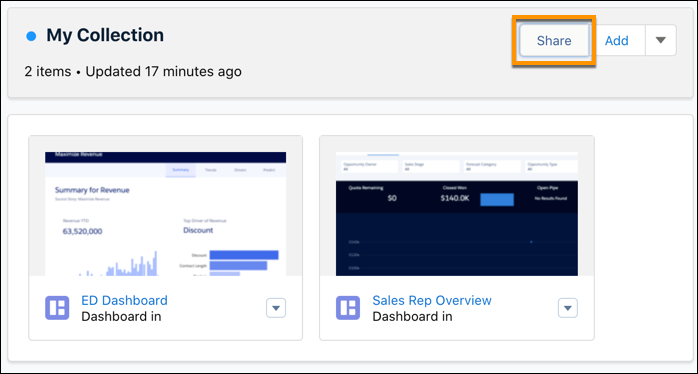
- Open a collection.
- Click the Share button.
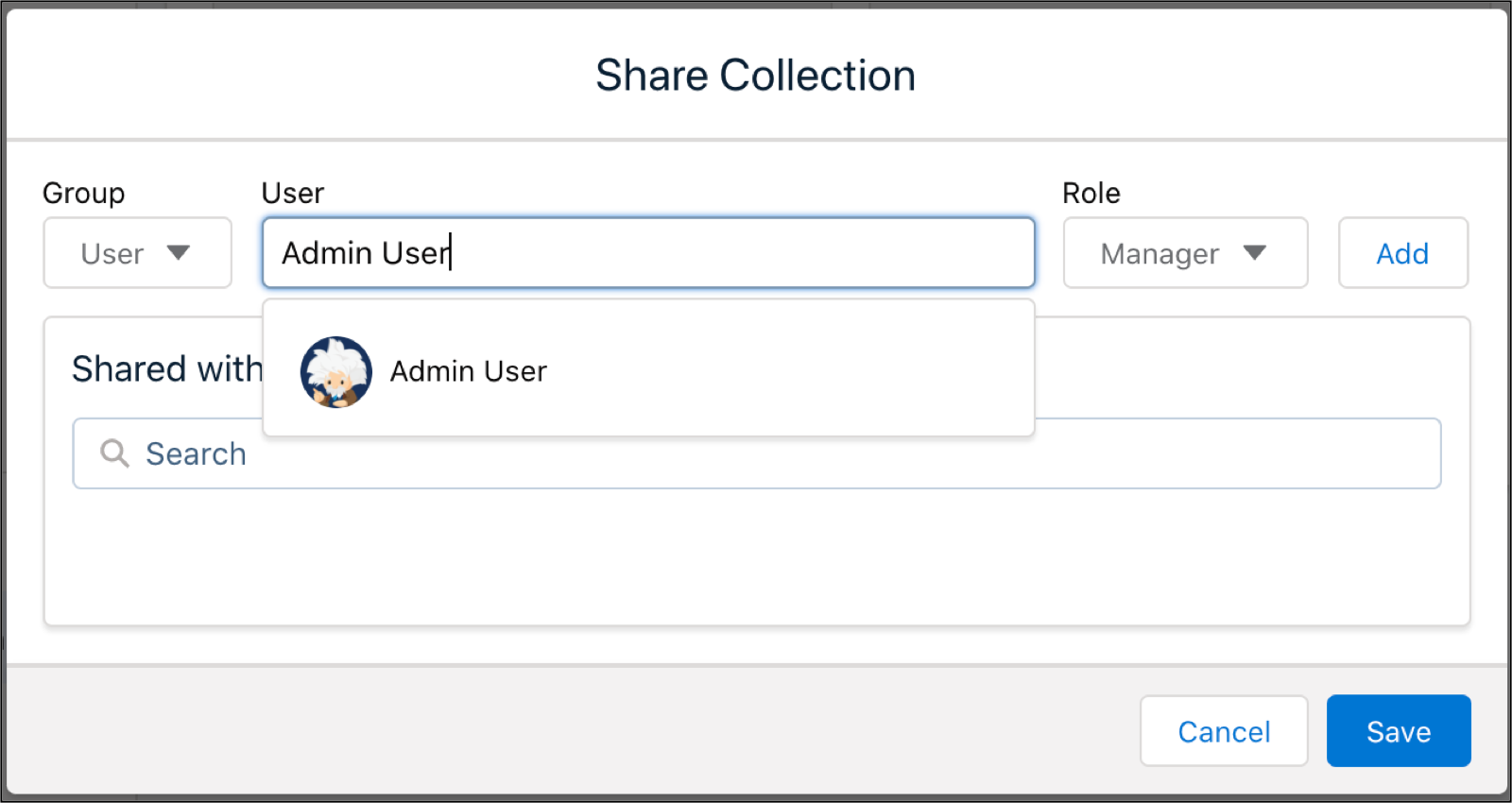
- Use the Group dropdown menu to filter your search by user, group, or
role.
- Type in a name in the User field. Click the match that it
finds.
- Assign a role by clicking the Role dropdown menu.
| Collection Roles |
| Viewer |
View contents of the collection. |
| Editor |
Add, remove, and reorder items in the collection. |
| Manager |
Change sharing settings, edit collection properties, and delete the
collection. |
- Click Add.
- Click Save.