Curate analytics items for your collection. Items can exist simultaneously in multiple
collections.
Required Editions
| Available in: Lightning Experience |
| Available in: Essentials, Group, Enterprise, Professional,
Unlimited, and Developer Editions.
|
| Also available with CRM Analytics, which is available for an extra cost in
Performance, Enterprise, Unlimited, and Developer
Editions.
|
| User Permissions Needed |
| To manage a collection: |
- Enhanced Folder Sharing
- Run Reports AND Create and Customize Dashboards
|
| To manage a collection with CRM Analytics items: |
Use CRM Analytics |
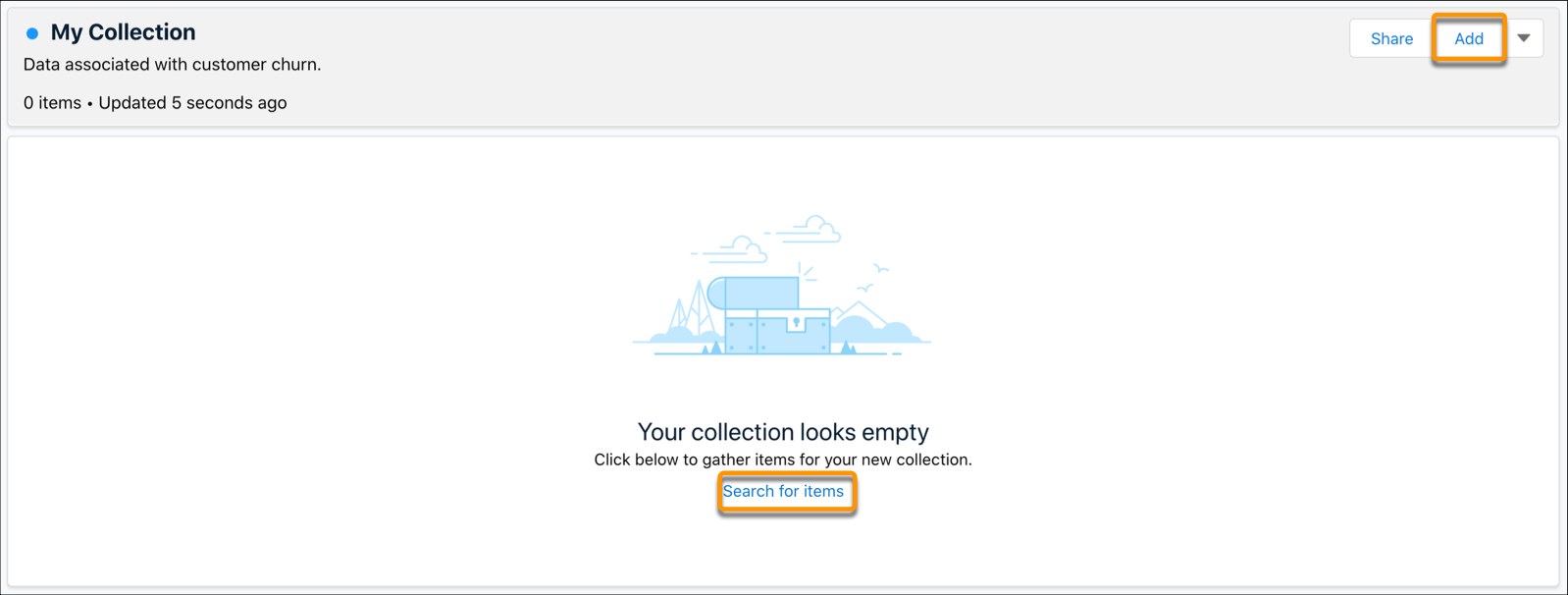
- Add items to an empty collection.
- Click Search for items or Add.
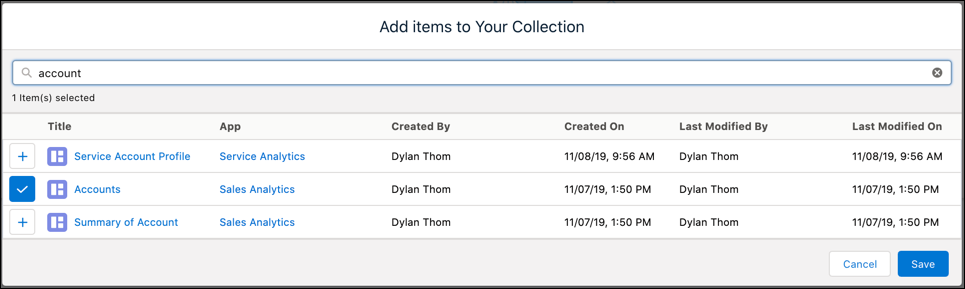
- Type in at least two characters in the search bar to locate an item. Filter search
results by adding more characters to your search.
- Click the + next to the item you want to add to your
collection.
- Click the Save.
- Add items to an existing collection.
- Open your collection.
- Click Add.
- Type in at least two characters in the search bar to locate an item. Filter search
results by adding more characters to your search.
- Click the + next to the item you want to add to your
collection.
- Click the Save.
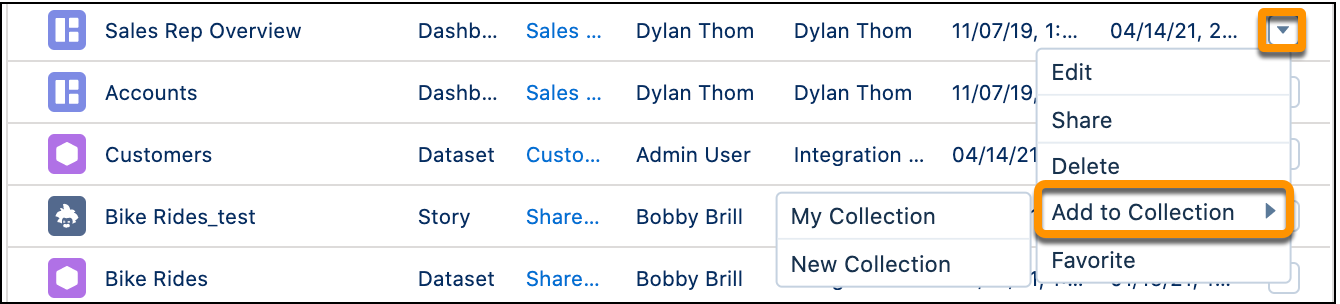
- Add items from the home page.
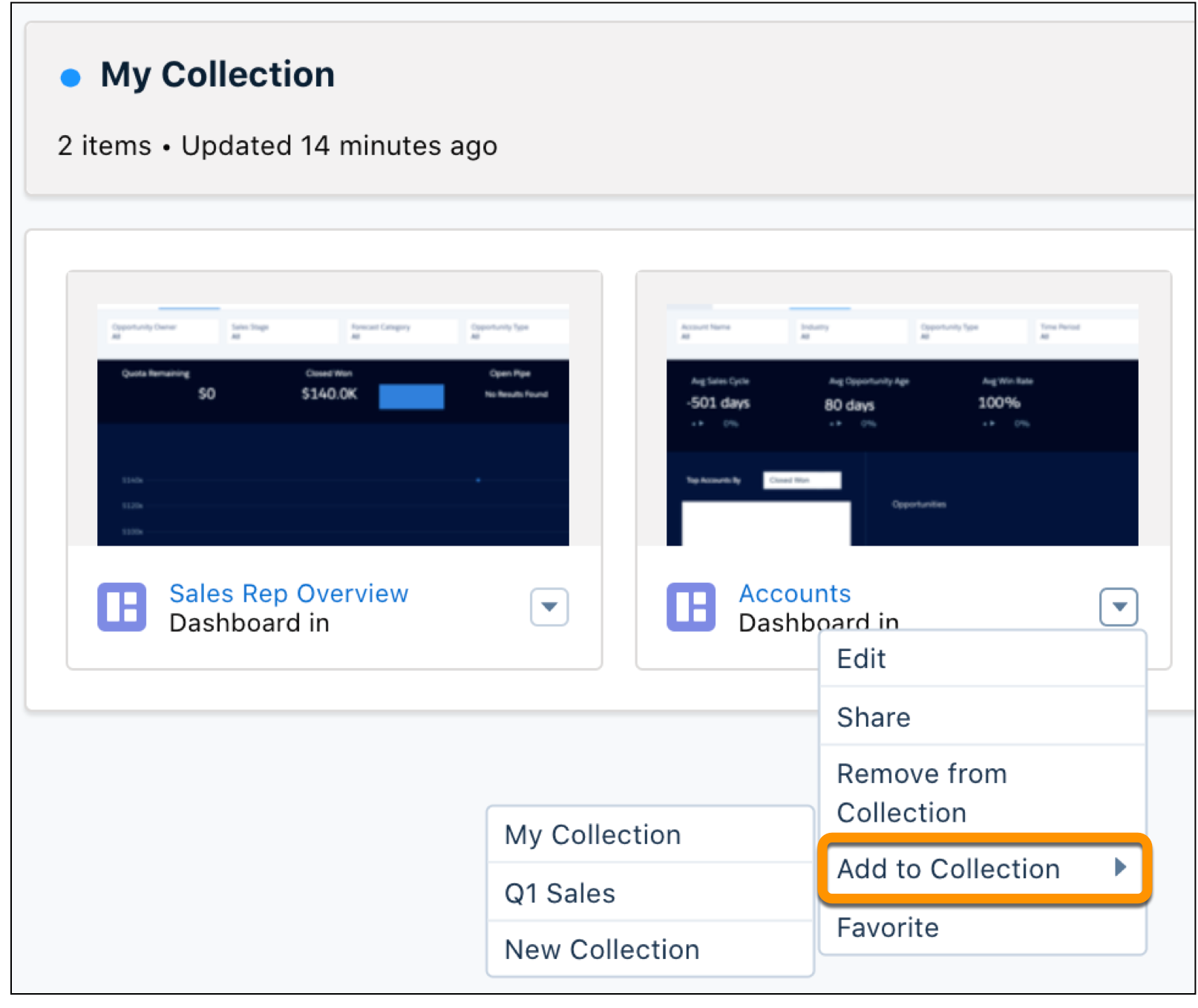
- Click the action menu next to the item on the home page.
- Click Add to Collection then click your collection.
- You can also click New Collection to create a new collection and add the item there.
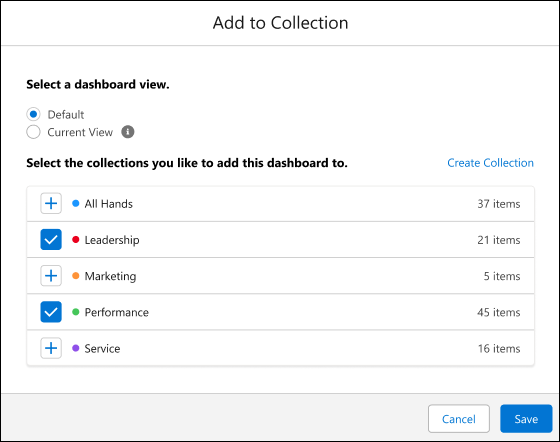
- Add an open dashboard to a collection.
- Click
 while in an open CRM Analytics dashboard.
- Select the view you want to add to the collection: Default adds the dashboard in its
original form to a collection, Current View adds the dashboard view with applied filters and
menu selections.
- To add the dashboard, select the collection or click Create
Collection to start a new one.
- Click Save.
- Add a collection item to another collection. Collection items can exist in multiple
collections.
- Open your collection.
- Click the action menu next to the item in the collection.
- Click Add to Collection then click the collection. You can also
click New Collection to create a collection and add the item
there.