
You can drill deeper into your data to explore the underlying information and surface hidden insights.
Required Editions
| Available in Salesforce Classic and Lightning Experience. |
| Available with CRM Analytics, which is available for an extra cost in Enterprise, Performance, and Unlimited Editions. Also available in Developer Edition. |
| User Permissions Needed | |
|---|---|
| To view visualizations: | Use CRM Analytics |
-
Select the data you want to drill into by clicking datapoints in a chart or rows in a
table.
For multiple selections, continue clicking, or click and drag to use a selection box. To deselect datapoints or rows, click them. To undo all selections, click the space just outside the datapoints or table.
 Note Drill selections are not available in values tables.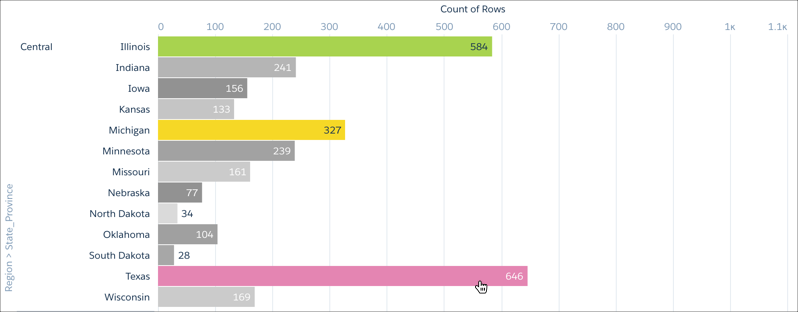
-
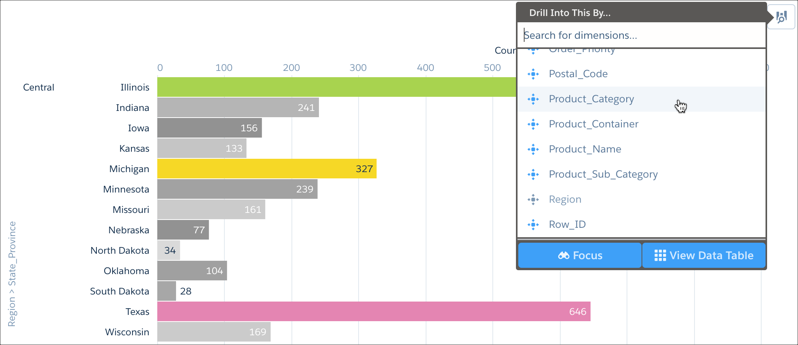
To open the Drill Into This By... menu, right-click the data or click
 .
.
-
To view the underlying data for a dimension, select it from the Drill Into This By...
menu.
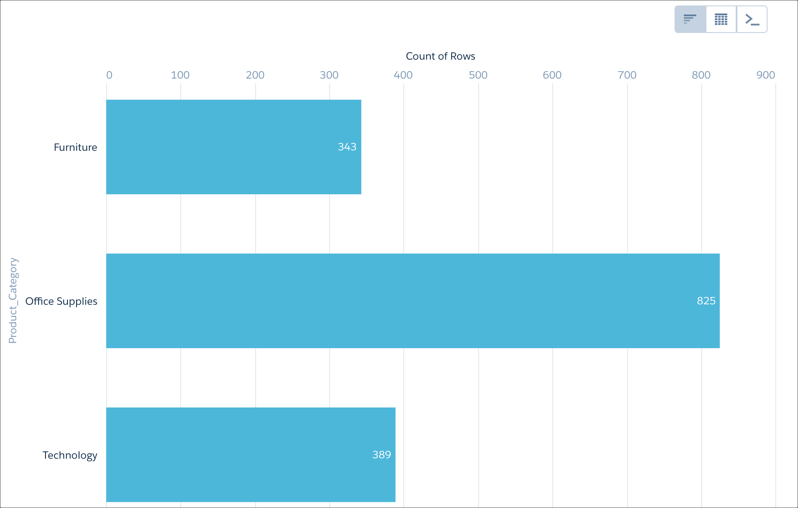
A new visualization grouped by the selected dimension and filtered by the selected data appears in place of the previous visualization.
To return to the previous table or visualization, click
 .
.