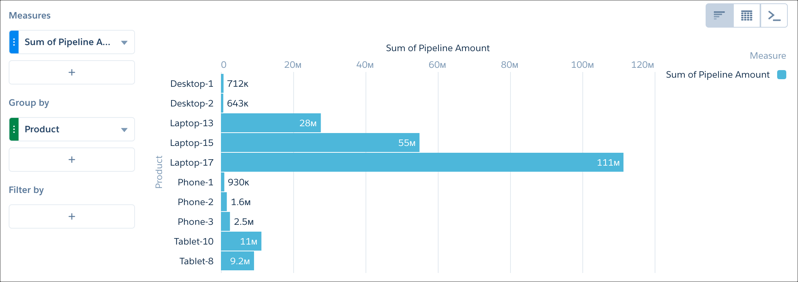
Your choice of measure defines your entire visualization and determines the scope of
your exploration. For example, change the measure and the aggregation method from “Count of
Opportunities” to “Sum of Amount.” Then add a second measure to see 2 visualizations side by
side.
Required Editions
| Available in Salesforce Classic and Lightning Experience. |
| Available with CRM Analytics, which is available for an extra cost in
Enterprise, Performance, and Unlimited Editions. Also available in
Developer Edition.
|
| User Permissions
Needed |
| To view visualizations: |
Use CRM Analytics |
-
To explore it in a lens, click a CRM Analytics dataset.
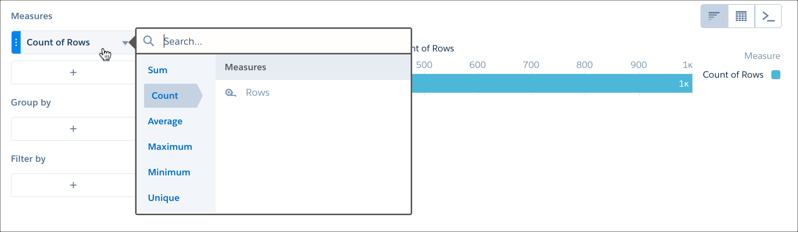
By default, the initial measure is Count of Rows.
-
To open the Measures selection menu, click Count of Rows.
-
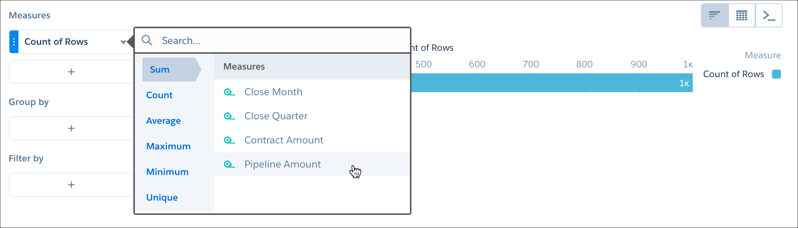
Click Sum, and click the measure you want to visualize.
After you group the data, the chart displays the chosen measure by group
value.