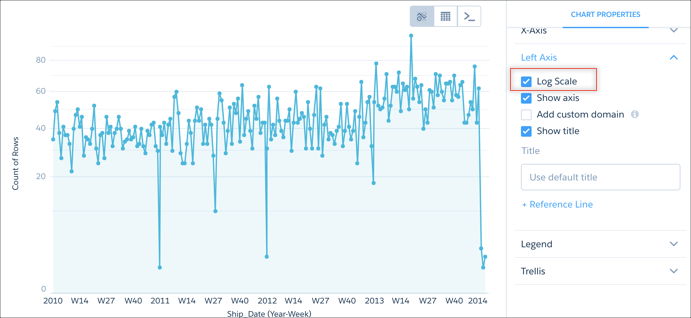
With some data, a chart displays values that range widely on an axis and make the visualization more difficult to understand. You can constrict the range's scale by applying a logarithmic scale. Scaling is available for certain charts only.
Required Editions
| Available in Salesforce Classic and Lightning Experience. |
| Available with CRM Analytics, which is available for an extra cost in
Enterprise, Performance, and Unlimited Editions. Also available in
Developer Edition.
|
| User Permissions Needed |
| To view visualizations: |
Use CRM Analytics |
-
To open the chart's properties, click
 .
.
-
Open the panel for the vertical axis, and click Log Scale.
Depending on the type of chart being used, the vertical axis, or y axis, could also be called the left or right axis.