
Process unstructured data during model creation and categorize sentiment as positive, negative, or neutral.
Required Editions

Note Einstein Discovery stories are now models. We wish we could snap our fingers to update
the name everywhere, but you can expect to see the previous name in a few places until we
replace it.
| Available in Salesforce Classic and Lightning Experience. |
| Available with CRM Analytics, which is available for an extra cost in Enterprise, Performance, and Unlimited Editions. Also available in Developer Edition. |
| User Permissions Needed | |
|---|---|
| To configure text fields in a model: | Create and Update Einstein Discovery Models |
- In Model Setup, select a variable that contains unstructured data, such as comments, and
click Sentiment Analysis from the Transform
dropdown menu.
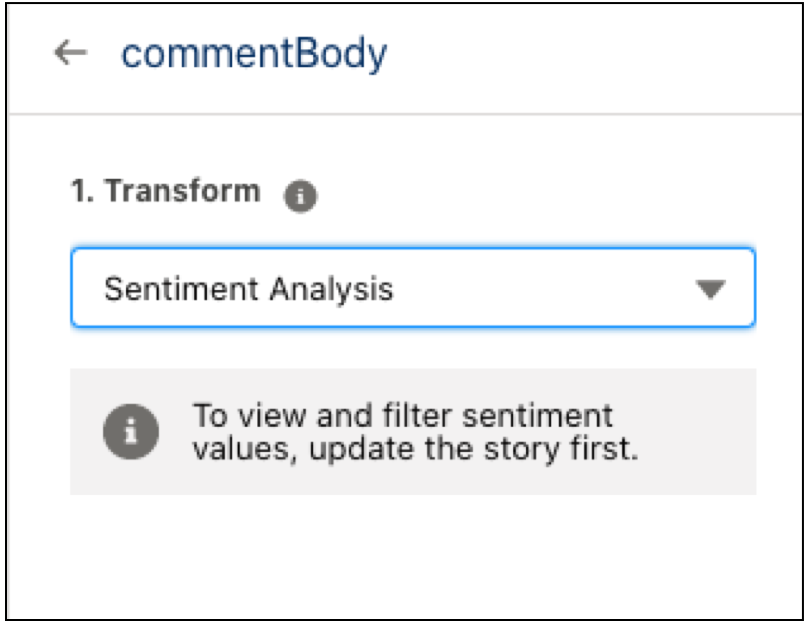
- Click Update Model. Return to Model Setup after the update is
complete.
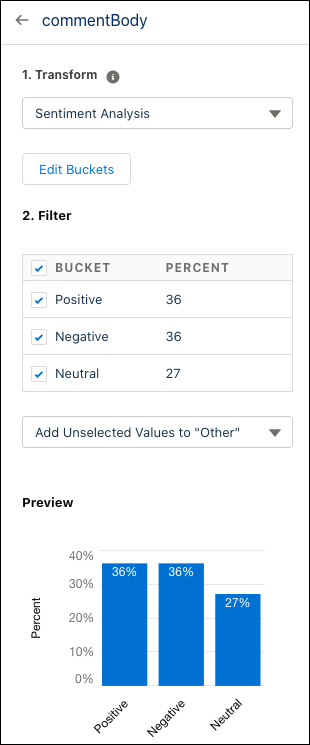
- You can adjust bucket names by clicking Edit Buckets then the pencil
to update the name.
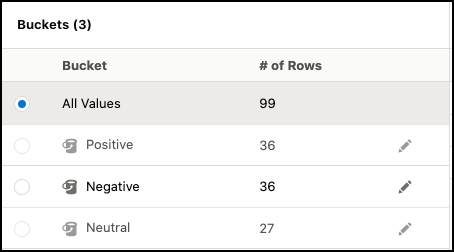
- Uncheck bucketed sentiments and use the dropdown menu to exclude sentiments from the model or store them into an “Other” category.