
Open a model to explore relationships in your data.
Required Editions

Note Einstein Discovery stories are now models. We wish we could snap our fingers to update
the name everywhere, but you can expect to see the previous name in a few places until we
replace it.
| Available in Salesforce Classic and Lightning Experience. |
| Available with CRM Analytics, which is available for an extra cost in Enterprise, Performance, and Unlimited Editions. Also available in Developer Edition. |
| User Permissions Needed | |
|---|---|
| To open a model: | Use Einstein Discovery |
To open a model:
-
In your Salesforce org, from the App Launcher (
 ), find and open CRM Analytics
Studio.
), find and open CRM Analytics
Studio.
-
Find the model you want to open. To filter the list, select the
Models subtab.
If you don’t see the Models subtab, ask your administrator about your user permissions and whether Einstein Discovery is set up for your org.
-
Click the model you want to open.
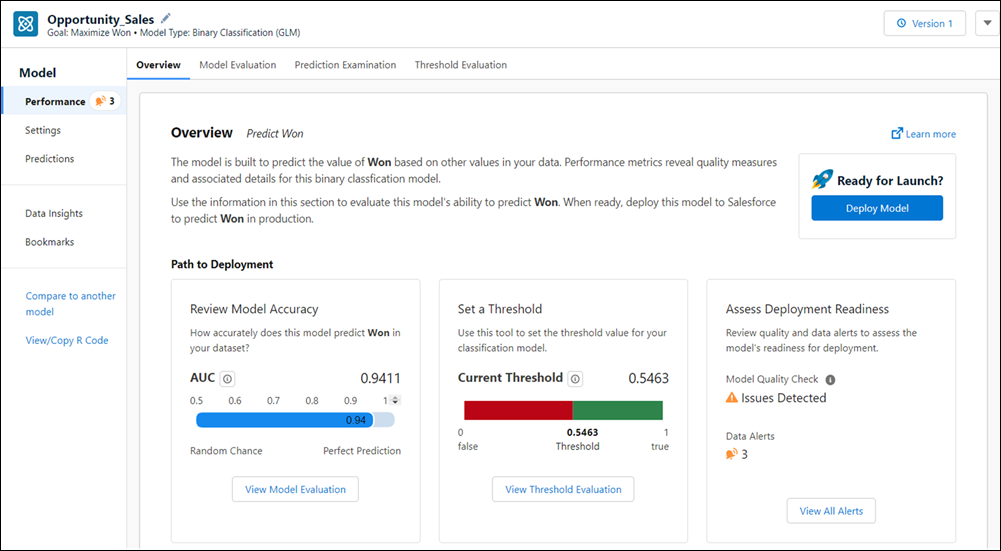
Einstein Discovery displays the model. You can have multiple models open at the same time.