
The model interface consists of a navigation pane, tools and actions, and a variable filter panel.

Note Einstein Discovery stories are now models. We wish we could snap our fingers to update
the name everywhere, but you can expect to see the previous name in a few places until we
replace it.
Elements of the Model Interface
When a model is open, the interface consists of these regions.
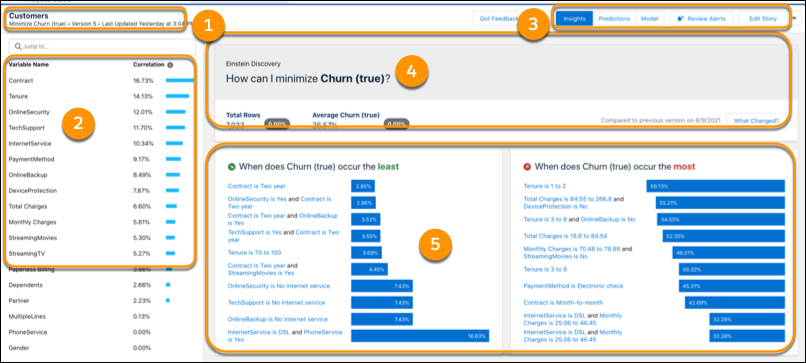
| Area | Name | Description |
|---|---|---|
| 1 | Headline | Name of this model, goal, and model type. |
| 2 | Model Tools |
Version—Displays selected version and opens the Version History Action menu:
|
| 3 | Navigation Pane | Move between Model Performance, Settings, and Predictions. Access Data Insights and Bookmarks. Compare models and view R code (for Binary Classification and Regression models). |
Headline
The basics of the model. This section consists of these regions.
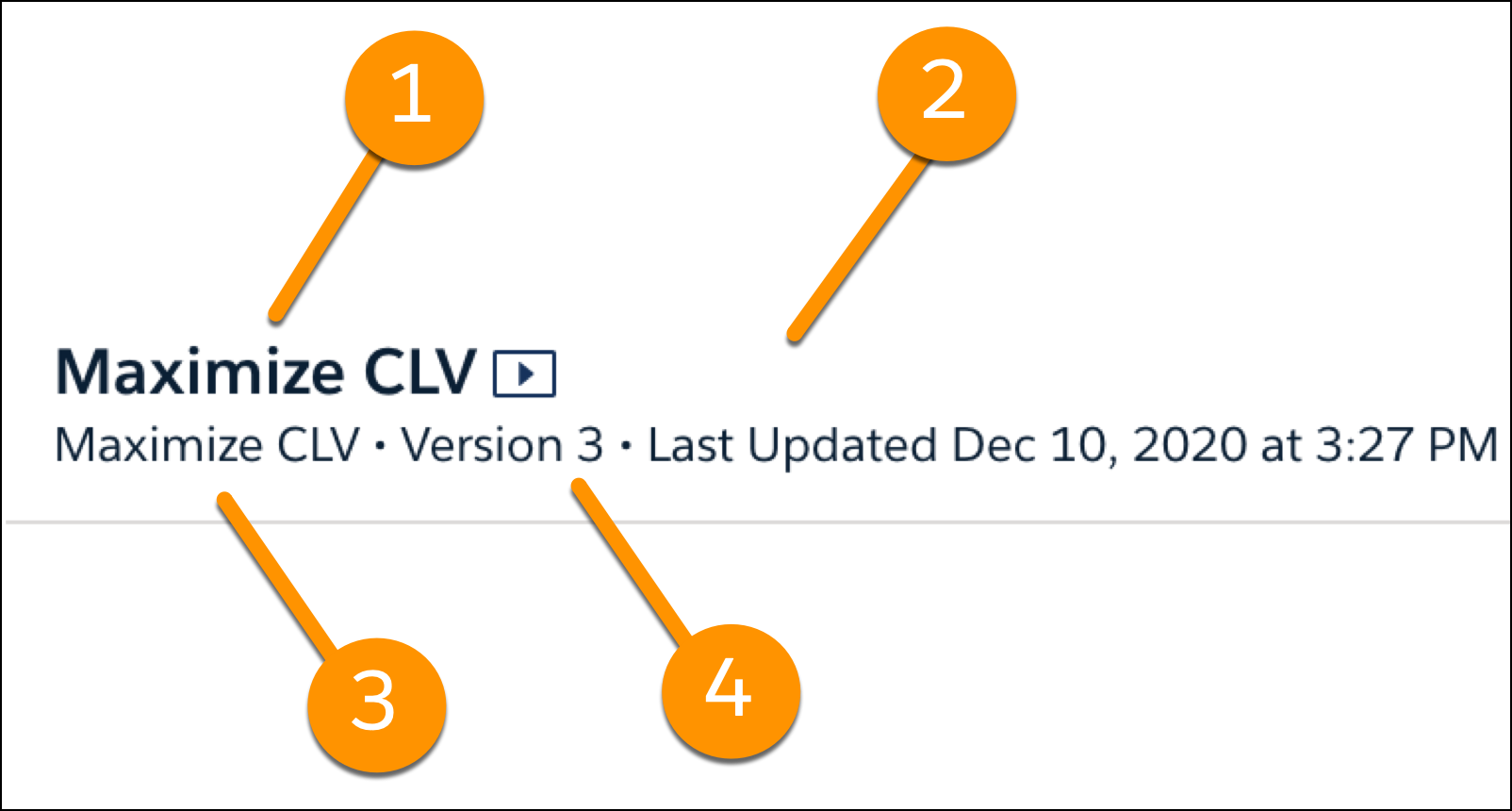
| Area | Name | Description |
|---|---|---|
| 1 | Model Name | Name of this model |
| 2 | Model Goal | Desired outcome. |
| 3 | Model Type |
Type of model:
|