
Build and train models using your own data, then distribute them to others—within or outside your company—using managed or unmanaged packages. Others can enjoy the benefits of your models’ predictions and improvements without needing the data to train the models themselves. Einstein Discovery supports both first-generation packaging (1GP) and second-generation packaging (2GP).
To add prediction definitions and models to a package:
- In Package Manager, create a package.
- In the Components tab, click Add.
-
In the Component Type list, select Analytics
Model or Analytics Model Configuration or
Analytics Model Prediction Definition.
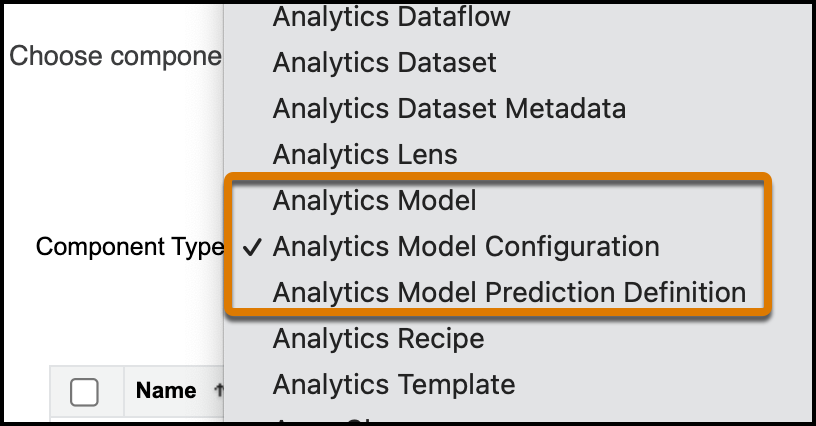
Component Description Analytics Model The Einstein Discovery model, or the custom equation based on statistical understanding of past outcomes to predict future outcomes. Analytics Model Configuration The metadata for the Einstein Discovery model. Use for editing or retraining the model in the target environment after migration. Analytics Model Prediction Definition The parent resource of a model (or group of models) in Einstein Discovery. Use to consume model predictions and manage jobs. - In the list of results, select one or more models or prediction definitions.
- Click Add Component
To learn more about managed packages, see First-Generation Managed Packages in the First-Generation Managed Packaging Developer Guide, or Second-Generation Managed Packages in the Second-Generation Managed Packaging Developer Guide.