
The Overview tab shows an at-a-glance summary of your model’s quality.

Navigate to the Overview Tab
In Performance, click Overview.
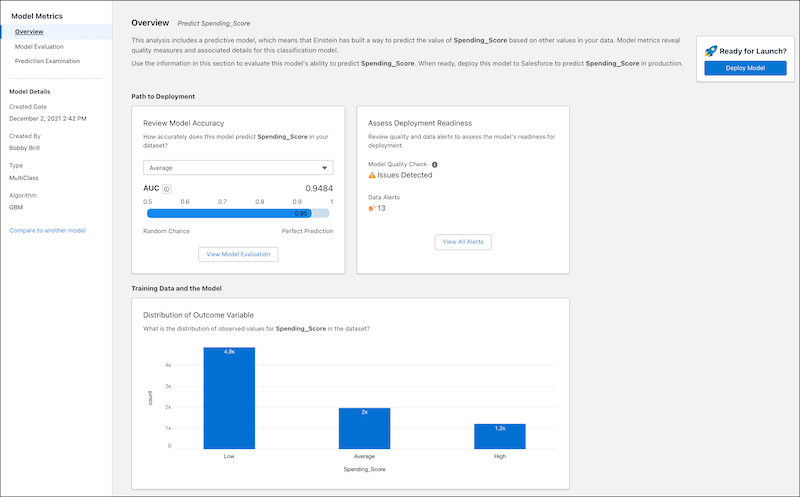
Path to Deployment
| Area | Description |
|---|---|
| Review Model Accuracy |
To view a model’s accuracy for a given class, select the class from the list. The AUC (Area Under the Curve) measures the model’s rate of correct classification for the selected class. Range:
Click View Model Evaluation to see the Model Evaluation Tab for Multiclass Classification Use Cases. |
| Assess Deployment Readiness |
Summarizes the results of quality tests on the training data, certain model metrics, and validation.
Click View All Alerts to Handle Quality Alerts. |
Training Data and the Model
The Distribution of Outcome Variable chart shows the distribution of outcome values in the training data for each class.