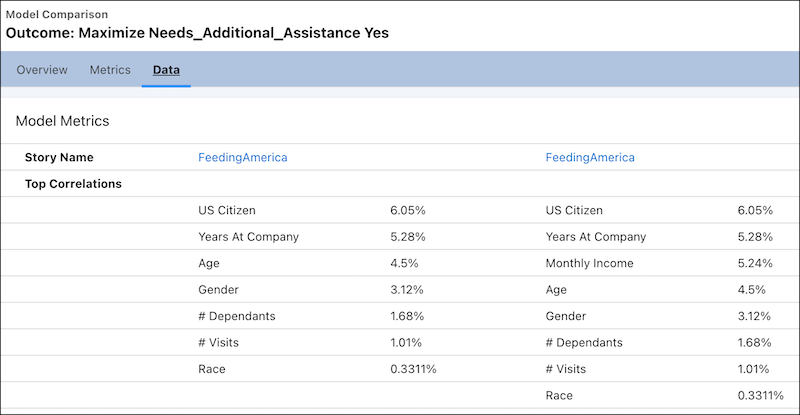
Compare metrics for multiple models side by side to see how they stack up against each other. For example, comparing segments in your data can reveal the most important variables in each segment.

Note Einstein Discovery stories are now models. We wish we could snap our fingers to update
the name everywhere, but you can expect to see the previous name in a few places until we
replace it.
To compare models:
-
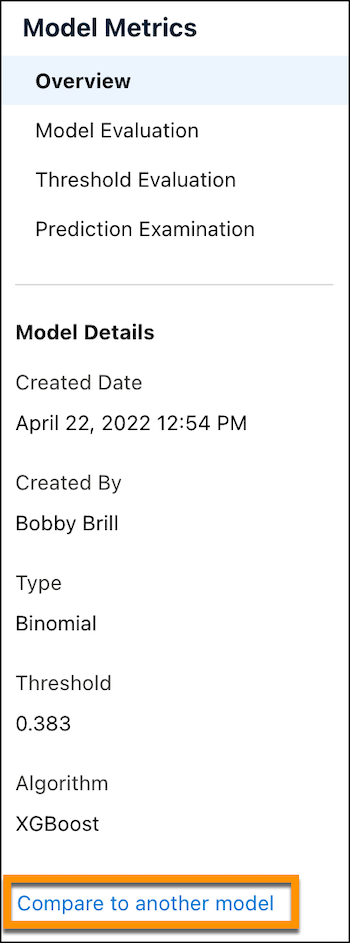
In Model Metrics, click Compare to another model.
-
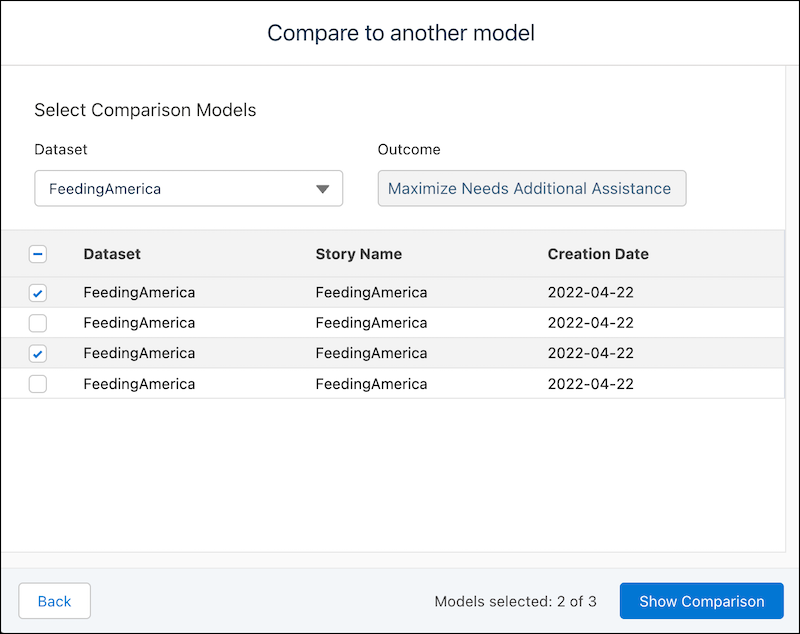
Select two or three models to compare.
-
Click Show Comparison.
Einstein Discovery compares the selected models, and then opens a new tab showing an overview of the results.
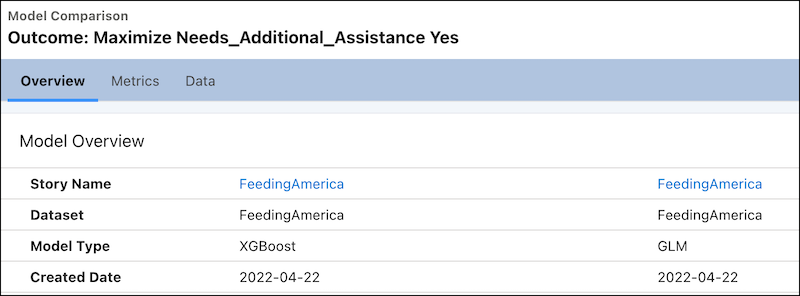
Name Description Model Name Name of the model. Dataset Name of the dataset associated with the model. Model Type Type of model. Example: RegressionGLM Created Date Model version date. -
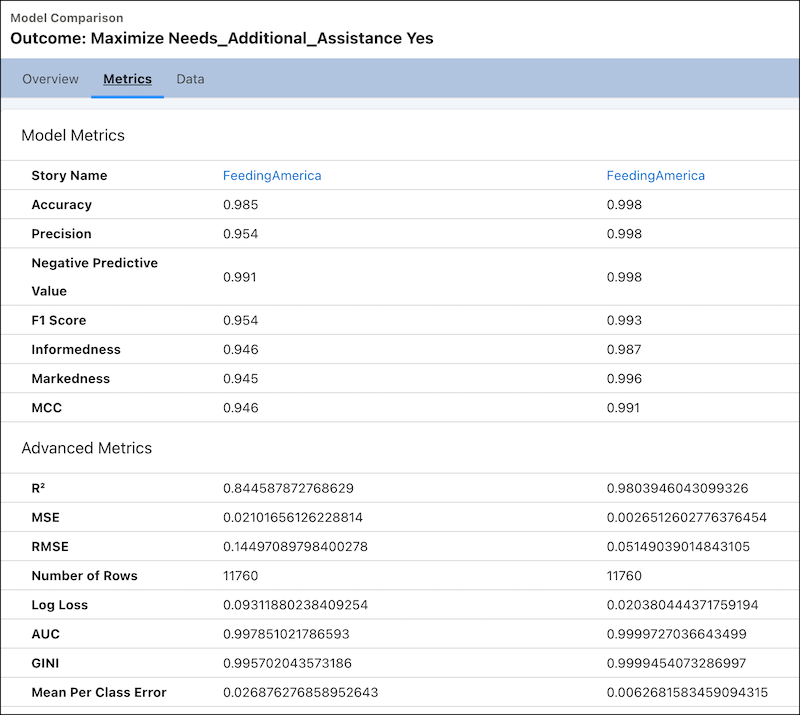
To view comparative metrics, click the Metrics tab.
-
To view the top correlations in the data, click the Data tab.