
If you deploy this model to a new or existing prediction definition, decide which Salesforce object, if any, you want to associate with the prediction.
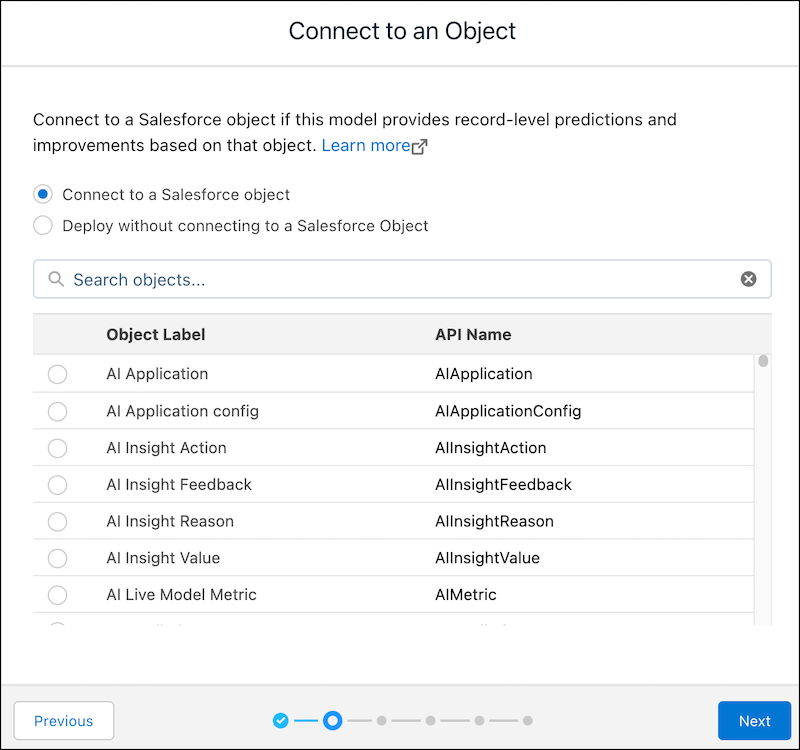
If this model doesn’t depend on a Salesforce object, select Deploy without connecting to a Salesforce object and click Next to proceed to Configure Segmentation Filters. Skip selecting a Salesforce object only if you intend to use the model for these use cases:
- Programmatic predictions via the Get Predictions and Improvements with Einstein Prediction Service
- Dataset scoring via the prediction Transformation component in CRM Analytics dataflows
In all other cases, selecting a Salesforce object during deployment is required.
You can't connect an Einstein Discovery model to a Data 360 object.
-
Select the target Salesforce object that you want to add this model to.
Einstein Discovery scans the object and alerts you whether you’re missing any fields required to make predictions. If you have missing fields, deploying the model requires development work by the Salesforce Admin to expose the predictions.
- Click Next.