
You can include company logos to brand the CRM Analytics dashboard, icons to categorize results, or graphics to animate the dashboard.
Required Editions
| User Permissions Needed | |
|---|---|
| To add images to CRM Analytics dashboards: | Create CRM Analytics Applications |
| Create and Edit CRM Analytics Dashboards | |
To upload image files to CRM Analytics, Chatter must be enabled in the org.
You can also add images as backgrounds for container widgets and layouts. CRM Analytics in a web browser supports .svg, .png. jpeg, .jpg, .gif, .bmp. The CRM Analytics mobile app supports all these file types, except .svg.

Tip To overlay one image on top of
another, place an image widget inside a container widget. To display a background image for
the entire dashboard, add a background image in the layout properties. Click  in the upper left corner to show the layout
properties.
in the upper left corner to show the layout
properties.
in the upper left corner to show the layout
properties.- Drag the image widget to the dashboard canvas.
-
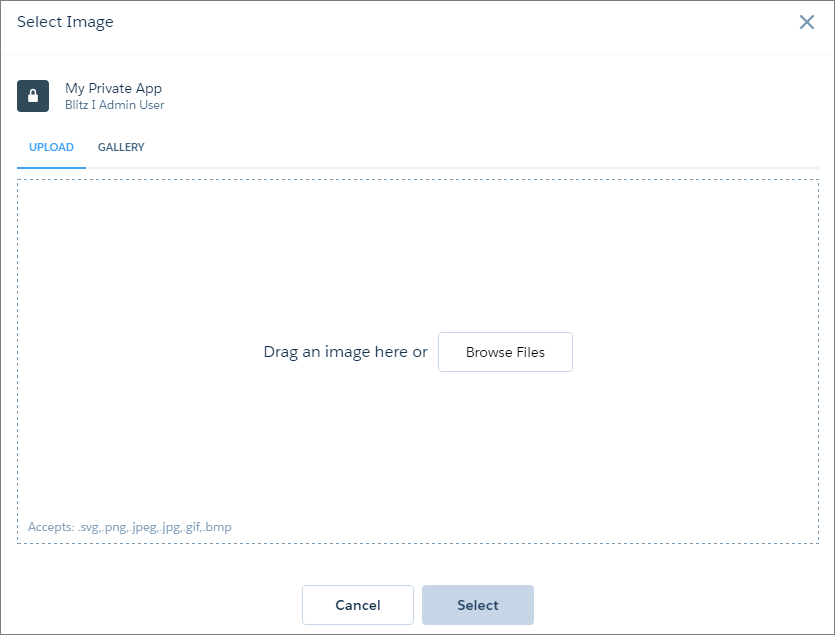
Click Image inside the image widget.
-
To upload a new image, click Browse Files. Or, select an
uploaded image from the Gallery tab.
CRM Analytics uploads images to the gallery for the app displayed at the top-left corner of the screen. Each image file must be no more than 2 GB.
 Note When moving a dashboard with images to another app with different users and permissions, the images must be uploaded to the new app.
 -
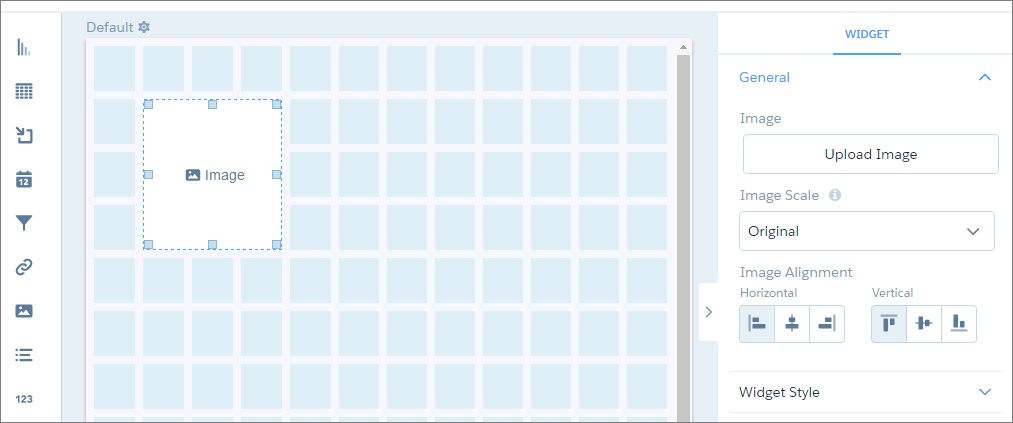
To change the widget properties, select the
widget.
The Widget panel groups the widget properties into sections. So that you don’t accidentally overlook any properties, expand any collapsed sections.
- To preview your changes to the dashboard, click the Preview button.
-
Save the dashboard.
Note If the Image widget doesn’t render images, verify that third-party cookies in your browser are enabled.