
Themes enable you to create and apply uniform color and style properties for dashboard widgets.
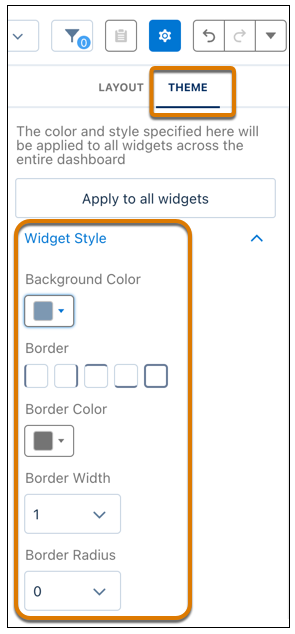
- Click the Dashboard Properties button.
-
Click the Theme tab and create the desired style in the Widget
Style section for widgets to inherit.
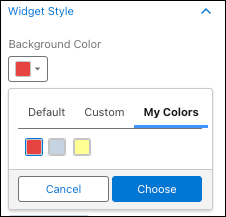
Select previously used and custom colors from the My Colors tab.
 Note When a widget must have a style that’s apart from a theme, uncheck Use defaults in the widget’s property. When you want a widget to inherit a theme, use Apply to all widgets on the Theme tab.