Keep these considerations in mind when switching to the Query Editor to update a query.
- Column Names, Hidden Columns, Column Formatting, and Conditional Formatting:
- Column enhancements that are done in the CRM Analytics interface aren't preserved when you switch to the Query Editor and must be reapplied. Examples include customizing column names, hiding redundant columns, formatting numeric columns, and conditional formatting based on a query.
- Projected Field Names and Subtotals
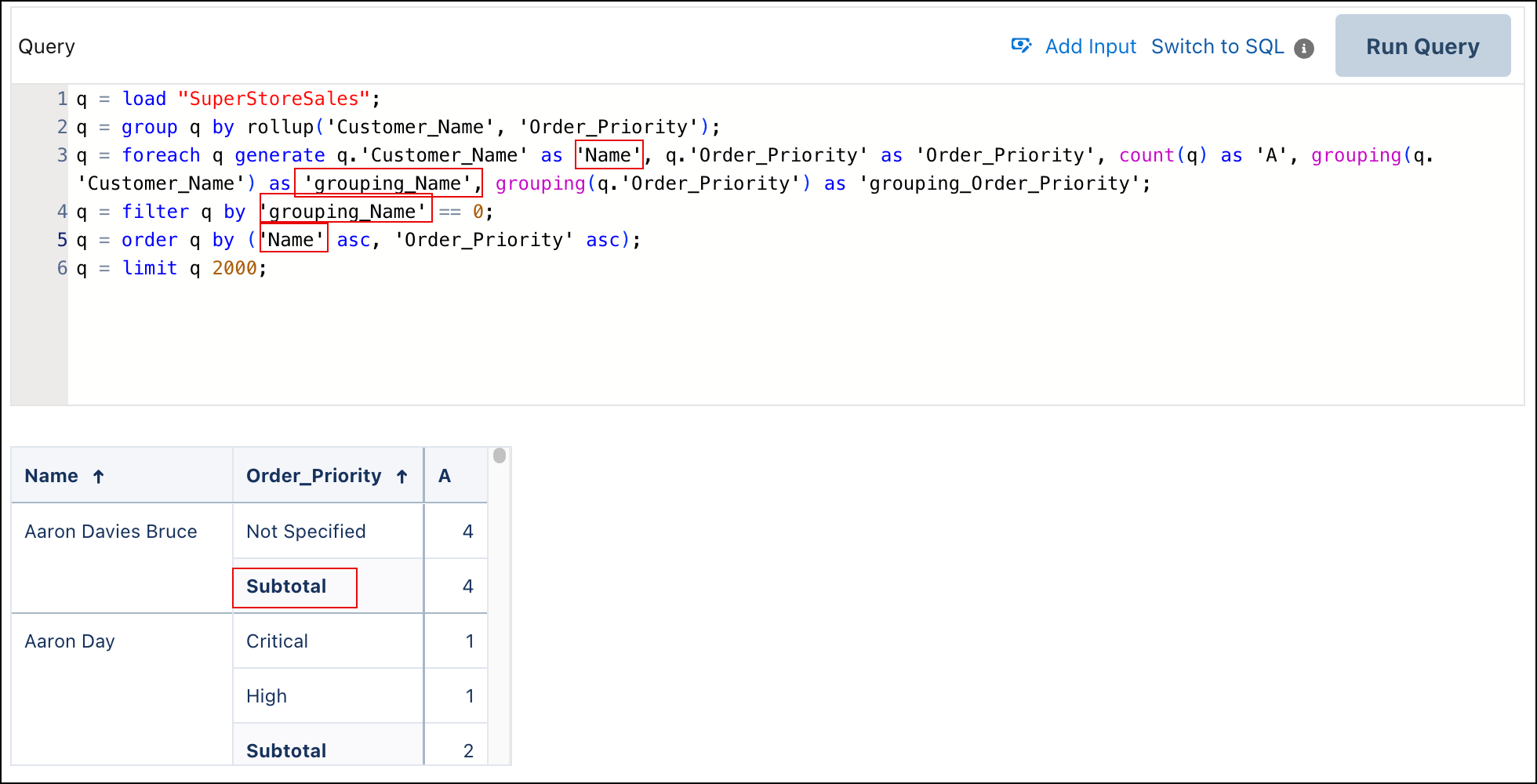
- If you change a projected field name within the Query Editor, ensure that its corresponding projected subtotal field name is updated to match. Consistency between projected field names and their subtotal field names is crucial for accurate data representation and calculations.

Example In this example, Customer_Name is updated to project
Name. As a result, the Subtotal column name is
dropped because it can't find Customer_Name.
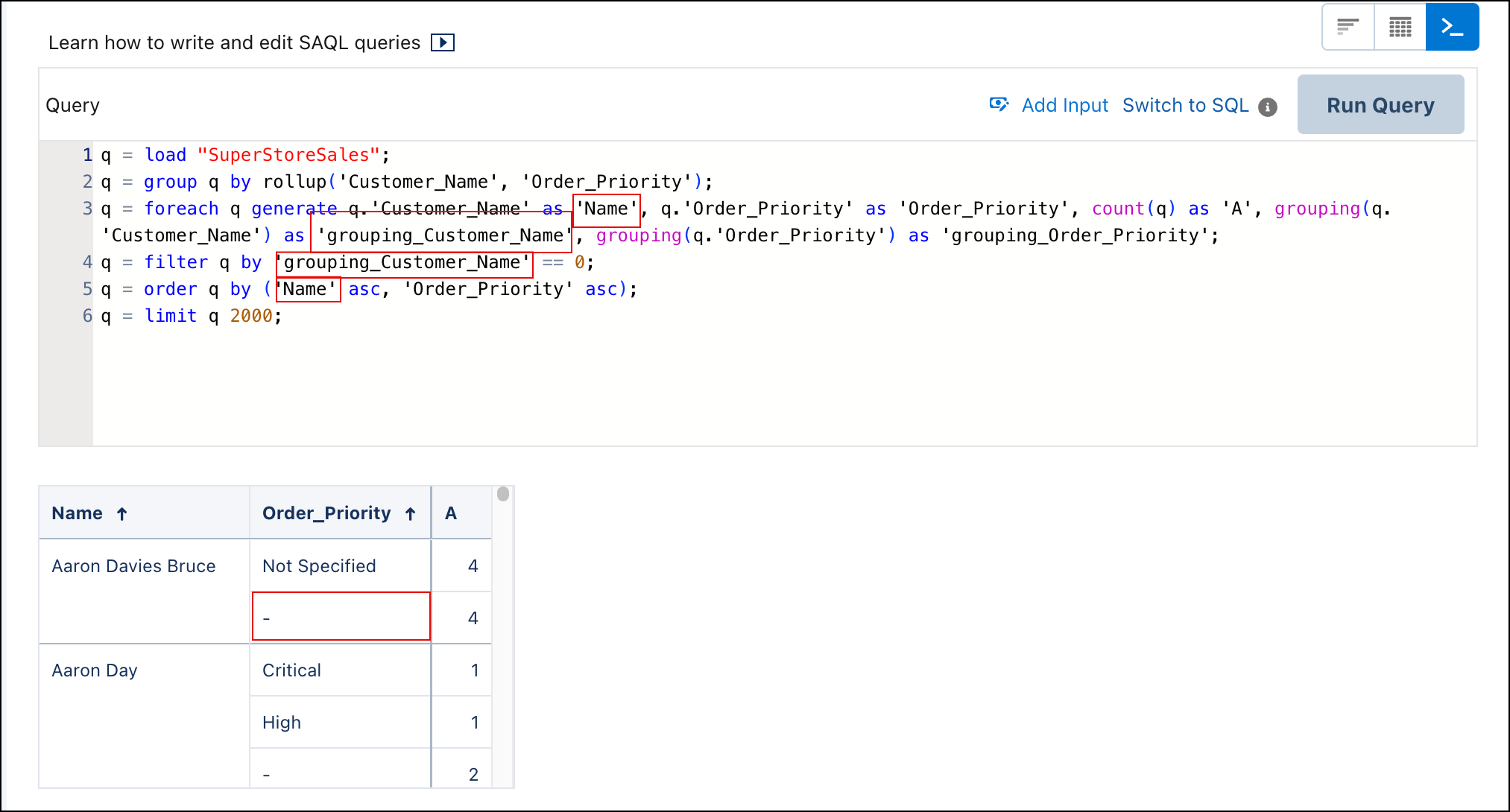
Update the corresponding projected subtotal field name to match.