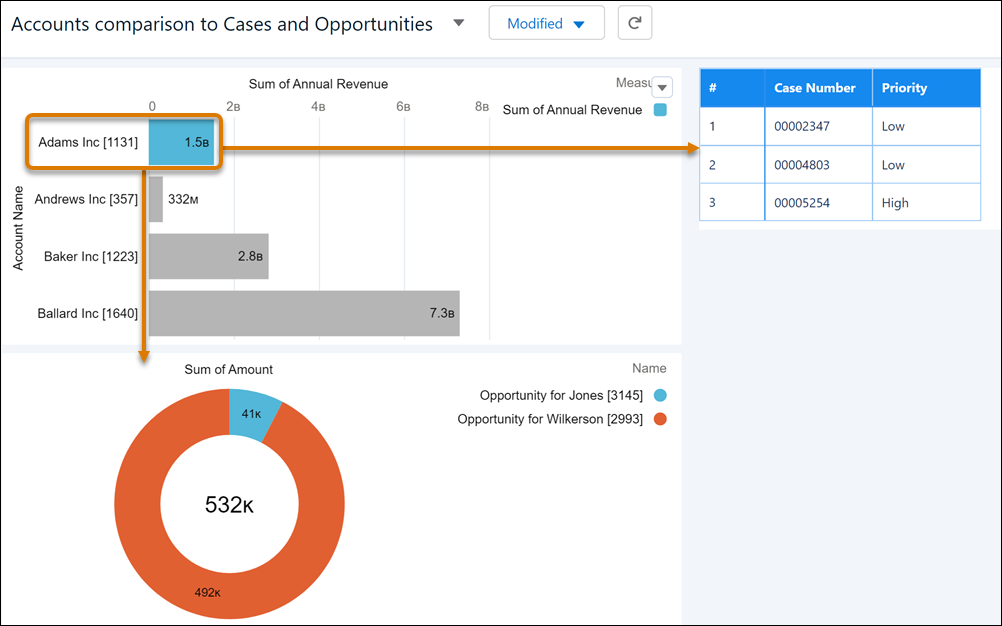
Surface trends between Salesforce objects with parent-child relationships in a single dashboard. For example, on a dashboard that’s set up to monitor Salesforce account records, you can track related opportunities and cases. To facet queries based on parent-child relationships in the dashboard designer, connect them using common fields between them.
Parent-child faceting between steps built on Salesforce objects is enabled by default on new dashboards.
-
To edit the dashboard containing queries on Salesforce objects with parent-child
relationships, click
 .
.
-
Click
 in the
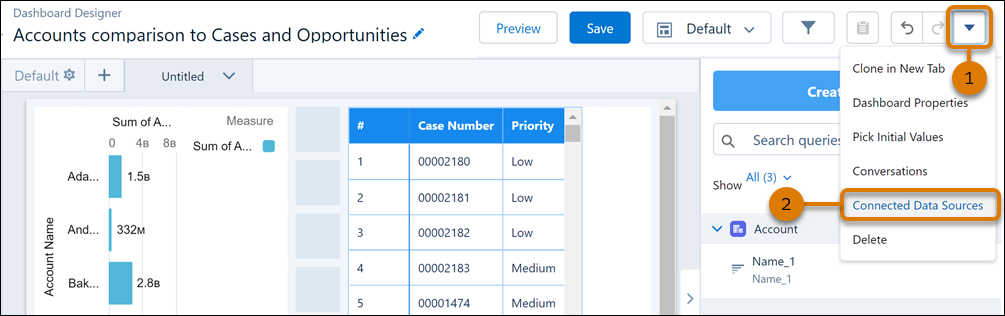
dashboard designer (1) and then select Connected Data Sources
(2).
in the
dashboard designer (1) and then select Connected Data Sources
(2).
-
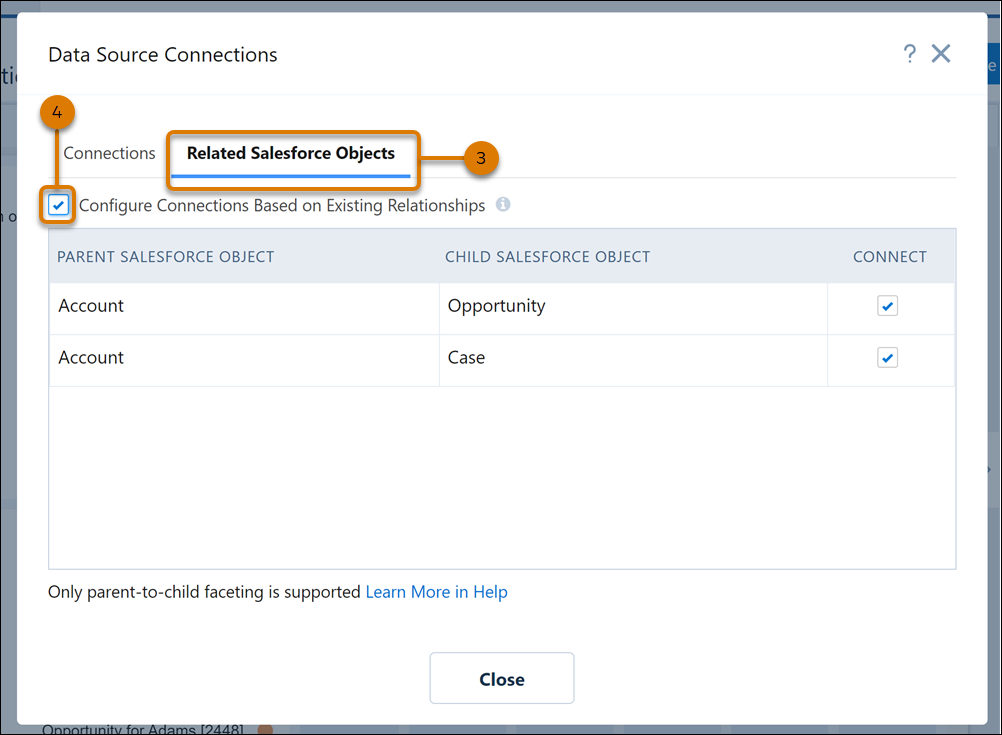
In Data Source Connections, on the Related Salesforce Objects
tab (3), select Configure Connections Based on Existing
Relationships (4). If you’d like to exclude faceting for a Salesforce
object, uncheck the box next to it.
- Close the window and save your changes.
In preview mode, click an account to review related opportunities and cases.