For a quick review of related data while reviewing metrics in a scrollable layout, add
tooltips to a repeater. You can design a separate tooltip for text, numbers, images, and bullet,
gauge, polar gauge, or flat gauge charts in the repeater. The options available vary depending
on the widget type. For example, on a number widget, you can choose a default or custom tooltip,
while you can include custom text, data point details, and visualizations in a chart widget’s
tooltip.
Required Editions
| User Permissions
Needed |
| To customize dashboard widgets: |
Create and Edit Analytics Dashboards |
-
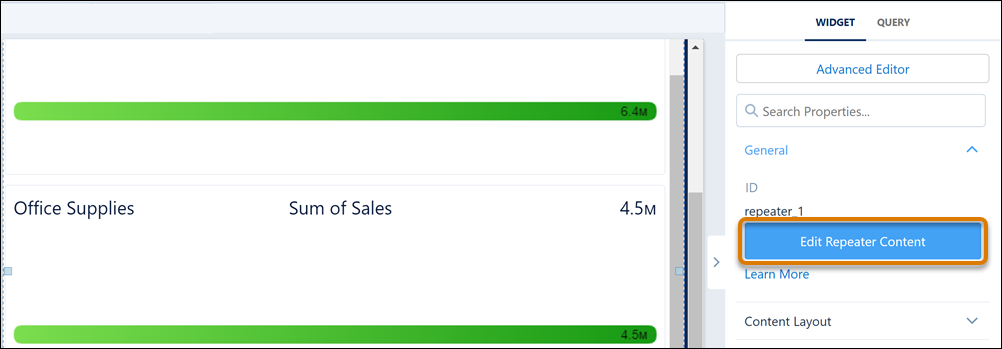
In the dashboard designer, with the repeater widget selected, click Edit
Repeater Content.
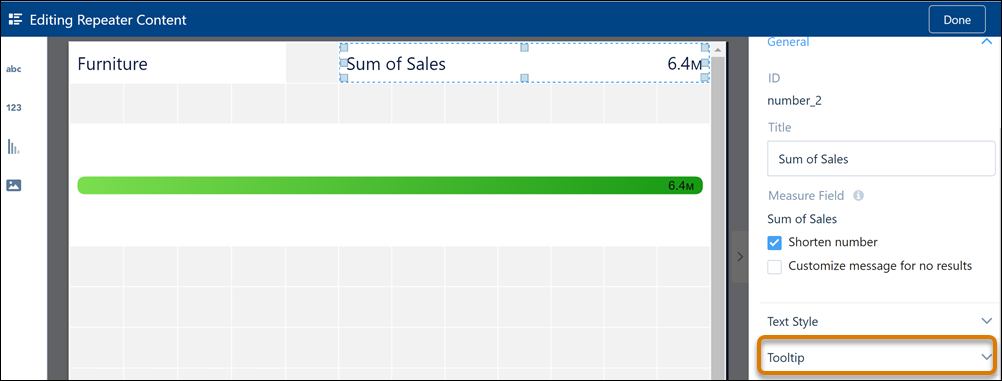
-
In the repeater widget, select the widget to which you want to add the tooltip, and
then click Tooltip.
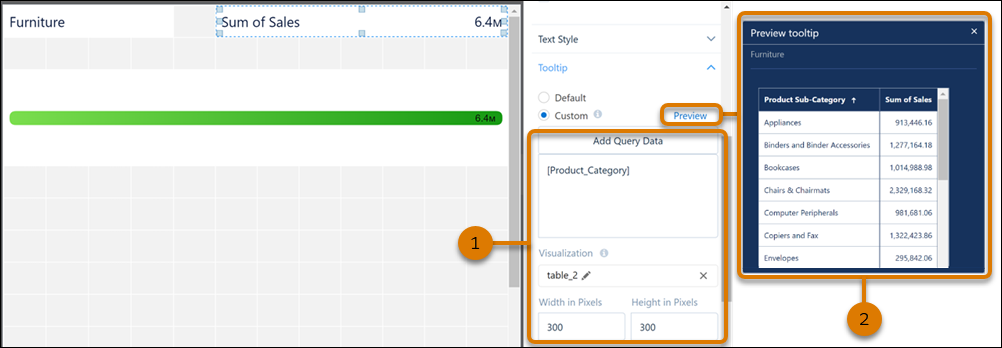
-
Set tooltip content and its size (1). Preview the tooltip when done (2).
-
Use a similar process to create tooltips for other widgets in the repeater
widget.
-
Preview your changes and save your dashboard.