
Dashboards are printer-friendly, and you can print or save PDF files of dashboards from your browser.
Required Editions
| Available in Salesforce Classic and Lightning Experience. |
| Available with CRM Analytics, which is available for an extra cost in Enterprise, Performance, and Unlimited Editions. Also available in Developer Edition. |
| User Permissions Needed | |
|---|---|
| To print CRM Analytics dashboards: | Use CRM Analytics |
Printing is available in the dashboard preview mode in CRM Analytics Studio.
- Click
 to open the
menu, and select Print Preview.
to open the
menu, and select Print Preview.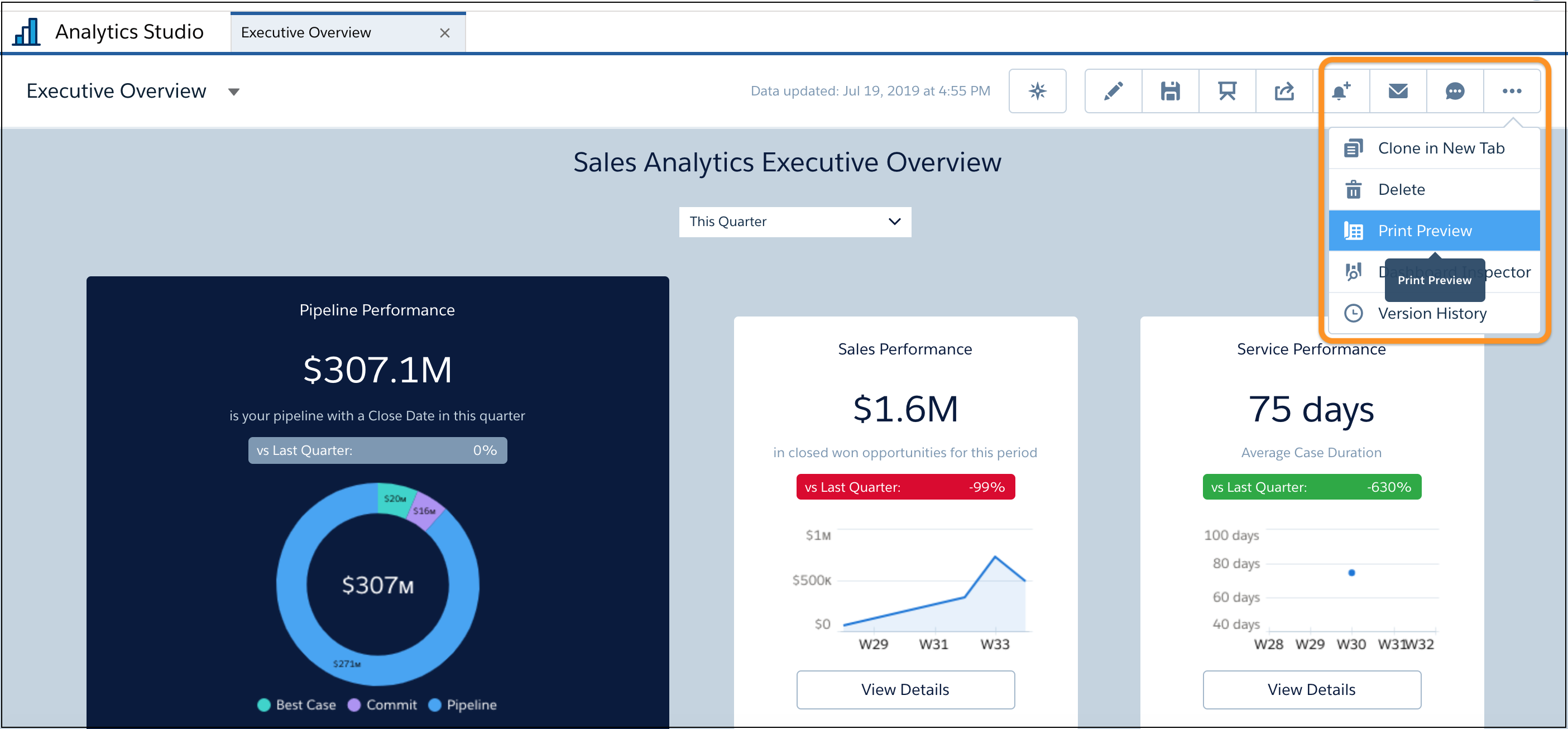
A snapshot of your dashboard opens.
- Click Print to open your browser’s print dialog, where you can
send the image to your printer or save it as a PDF file. To print wide dashboards, click
the Use Full Width
 button. To include background color or images, click More
settings and select Background graphics.
button. To include background color or images, click More
settings and select Background graphics.The Cancel button closes the print preview and returns you to the running dashboard.
When printing a dashboard, consider the following.
- Printing is supported in Chrome browsers only.
- The Print action is not included with embedded dashboards.
- The print is a snapshot of the dashboard with your current filters and selections. If a widget is scrollable, only the current view of the widget prints. If the dashboard has multiple pages, only the currently open page prints.
- Colors and page orientation are based on your print settings.