
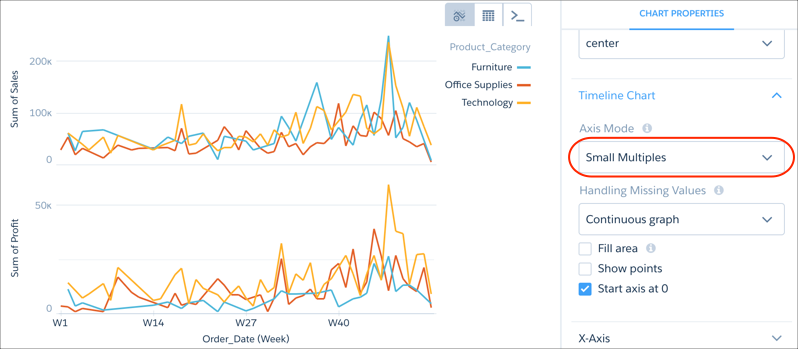
Charts that display multiple measures are sometimes hard to read. To fix that, display each measure separately.
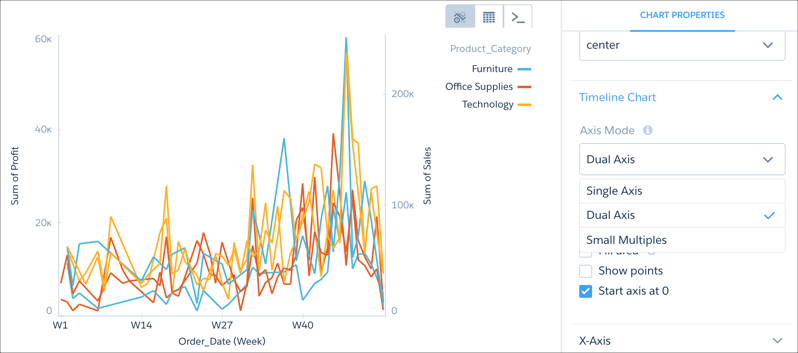
Select Small Multiples from Axis Mode to separate the measures and make the chart easier to understand.

Tip While viewing the dashboard, click the title of a measure axis to sort the results. Each click
cycles through the sort order options: ascending, descending, and alphabetical. You can use
this method to sort all charts with measure axes, except scatterplot or charts that also have a
time axis.