Take advantage of formatting options for chart numbers in lenses and dashboards. Display
the entire number value when precision is important, or the compact version for improved
readability, or a percentage relative to the total value represented in the chart for easier
comparisons.
Required Editions
| Available in Salesforce Classic and Lightning Experience. |
| Available with CRM Analytics, which is available for an extra cost in
Enterprise, Performance, and Unlimited Editions. Also available in
Developer Edition.
|
| User Permissions Needed |
| To view visualizations: |
Use CRM Analytics |
-
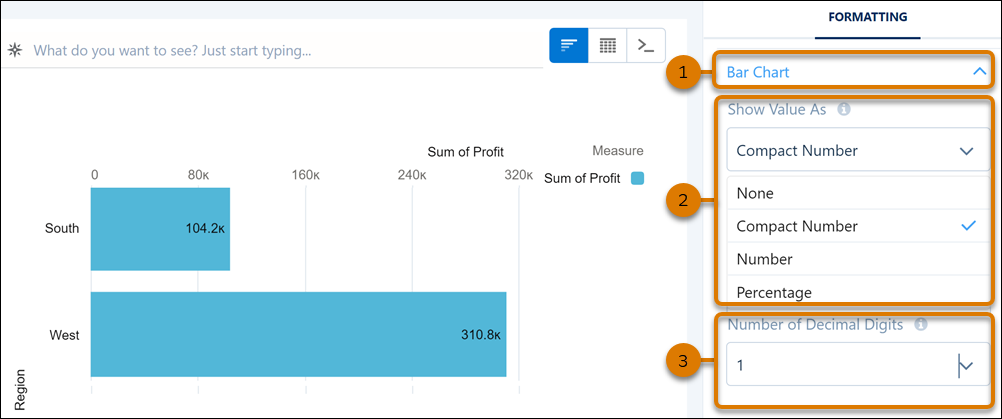
In a lens, click the chart’s formatting panel. Or in a dashboard, click the chart widget’s
properties panel.
-
Click the chart’s properties section (1).
-
From the Show Value As menu, choose an option (2).
-
When you select the compact version, you can also specify the number of decimal places to
include (3).
When using this feature, number formats applied
to a column are also respected.
