Bulk Actions available on the Analytics Browse and Favorites pages let you quickly make updates to batches of assets.
Required Editions
| Available in: both Salesforce Classic and Lightning Experience |
| Available in: Essentials, Group (View Only), Professional, Enterprise, Performance, Unlimited, and Developer Editions |
| Available in: Enhanced Folder Sharing |
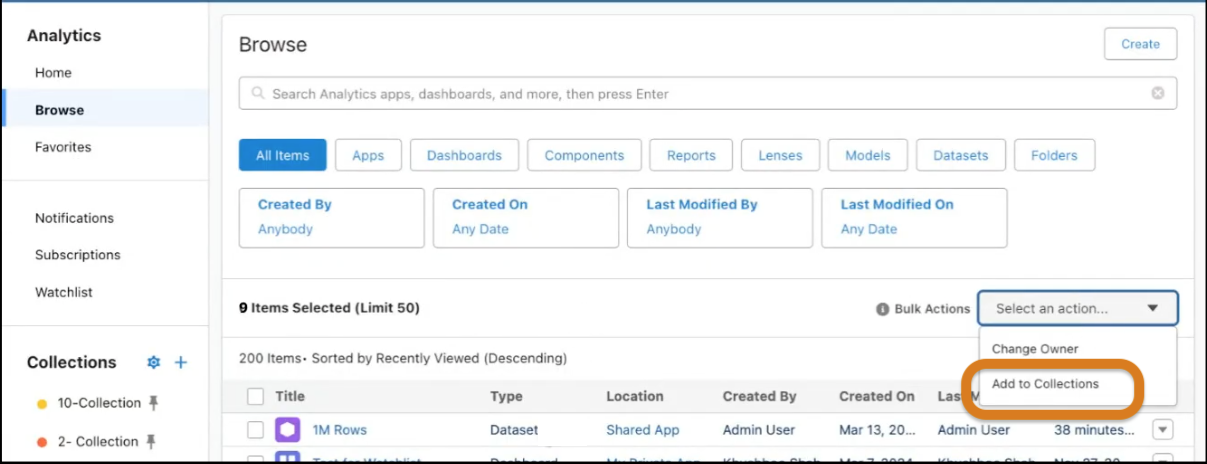
On the Analytics tab or in Analytics Studio, click Browse or Favorites. Select up to 50 items. From the Bulk Actions dropdown menu, select the action to perform.
- Change Dashboard Owner
- Add Assets to Collections in Bulk
- Favorite Your Analytics
- Hide or Show Assets
Add Assets to Collections in Bulk
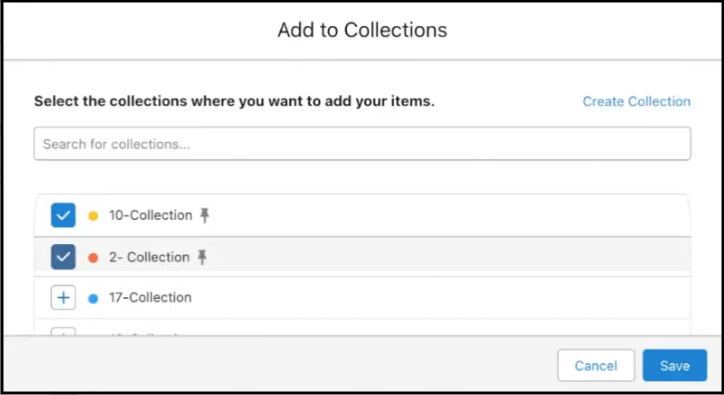
With the Add to Collections option in the Bulk Actions menu, you can add items to collections in batches. You can also add multiple items to multiple collections with one action.
On the Analytics tab or in Analytics Studio, click Browse or Favorites. Select the items you want to add. From the Bulk Actions dropdown menu, select Add to Collections.
Select one or more collections to add your items to.