
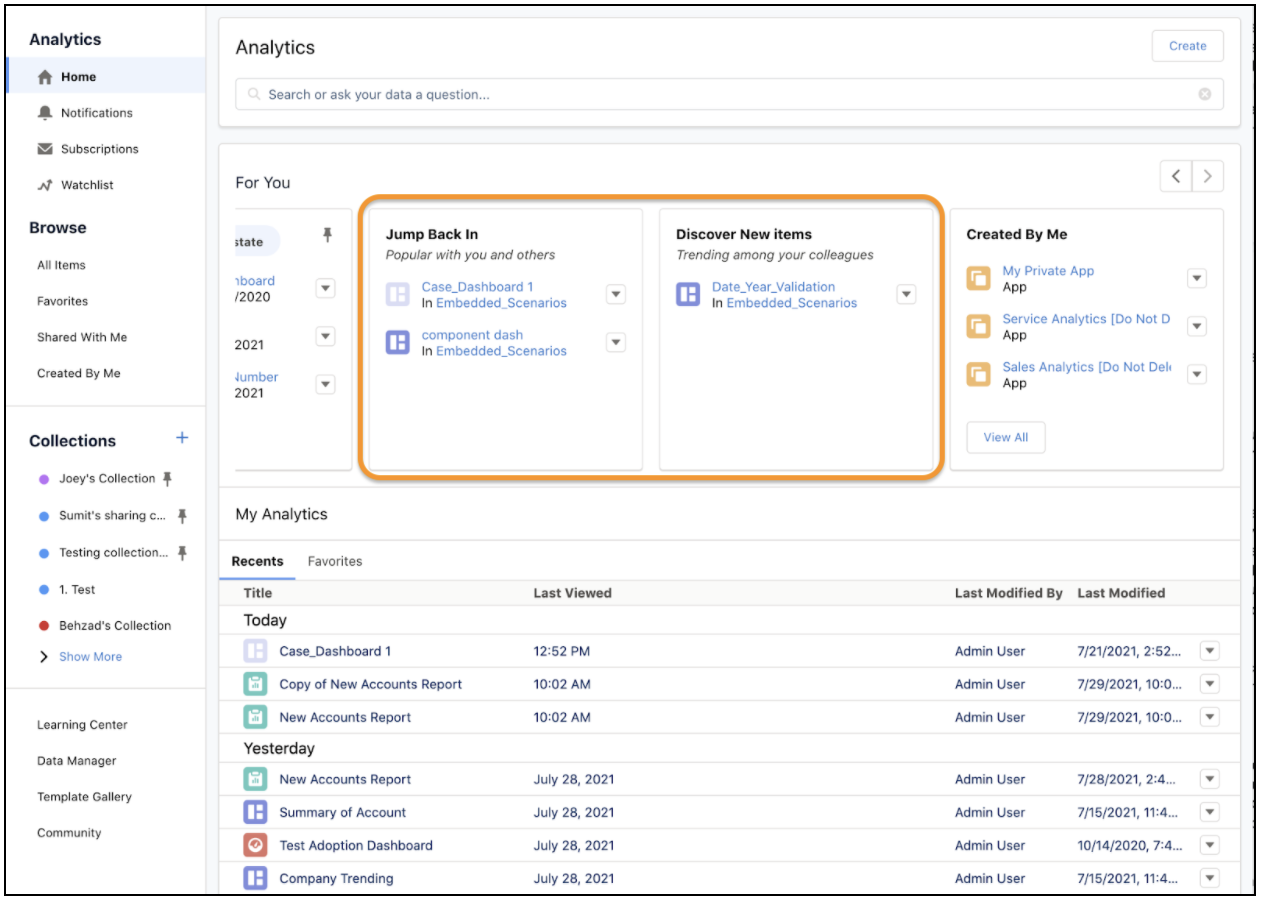
The CRM Analytics home page surfaces lists of items suggested for you based on your usage and your org, and the lists are dynamic and update automatically as you work. Two of the lists employ CRM Analytics intelligence and unique view of your org to pinpoint your important analytics, show what’s currently popular, and increase discoverability of analytics you haven’t seen before.
Smart recommendations appear as soon as you start working in CRM Analytics, if your org has multiple people using dashboards. If you haven’t used CRM Analytics in your org in the past month, some lists don't appear. After you’ve started searching and querying, CRM Analytics learns what to recommend.

Note Recommendations adhere to CRM Analytics user sharing rules and row-level security.
Smart recommendation cards show only dashboards that you can access.
- Jump Back In lists dashboards you viewed lately that are also popular with colleagues in your org. The dashboards are listed in most viewed order, providing insight into what people with usage patterns similar to yours are viewing.
- Discover New Items lists dashboards you haven’t seen but could be relevant to you, based on their popularity over the last 30 days. If colleagues are viewing them, these dashboards could have insights for you.