
Delete apps to start app creation all over or to get rid of apps you no longer use.
Required Editions
| User Permissions Needed | |
|---|---|
| To create and manage CRM Analytics apps: | Manage CRM Analytics Templated Apps |
| Edit CRM Analytics Dataflows | |

Important If you delete your app, CRM Analytics doesn’t retain the wizard answers
you selected for that version of the app. You have to start the creation process over. If
you wish to reuse settings from the app, keep it until you’ve recreated the app and then
delete it.
- Navigate to CRM Analytics Studio and open the app. Make sure you’re viewing the app’s landing page and that you can see the app name at upper left, with a list of dashboards in the center panel.
- Click the triangle in the upper left corner and select
Delete.
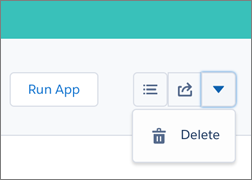
- In the next screen, Sales Analytics asks you to confirm that you want to delete your app. If you are, click the Delete XX Asset(s) button.
- CRM Analytics deletes your app.