If you have Manager access to an app, you can delete it. Deleting an app permanently
removes all of its lenses, dashboards, and datasets from CRM Analytics.
Required Editions
| Available in Salesforce Classic and Lightning Experience. |
| Available with CRM Analytics, which is available for an extra cost in
Enterprise, Performance, and Unlimited Editions. Also available in
Developer Edition.
|
| User Permissions
Needed |
| To delete an app: |
Use CRM Analytics and Manager access to the app |
-
Open the app, and then click Delete.
If applicable, CRM
Analytics lists the lenses and dashboards outside of your app that will be affected. When
the datasets belonging to your app are deleted, any lens or dashboard that references
those datasets becomes unusable.
-
Click Delete Asset(s).

 Warning You can’t recover a deleted app.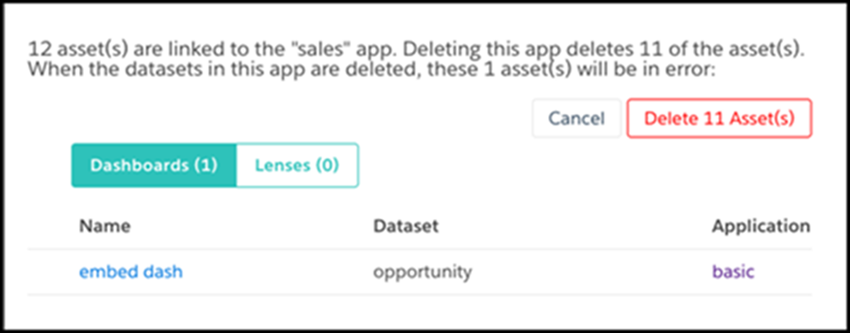
 Important Only lenses and dashboards to which you have access appear in the list. If you don’t have access to them, lenses and dashboards aren’t listed even though they have references to datasets in your app.