
Review existing data model object (DMO) mappings and create DMOs for any unmapped source objects.
This step has two tabs: Mapped, for source objects already mapped to a DMO, and Require Action, for source objects that still need a DMO.
-
On the Mapped tab, review how source objects map to their target
DMOs.
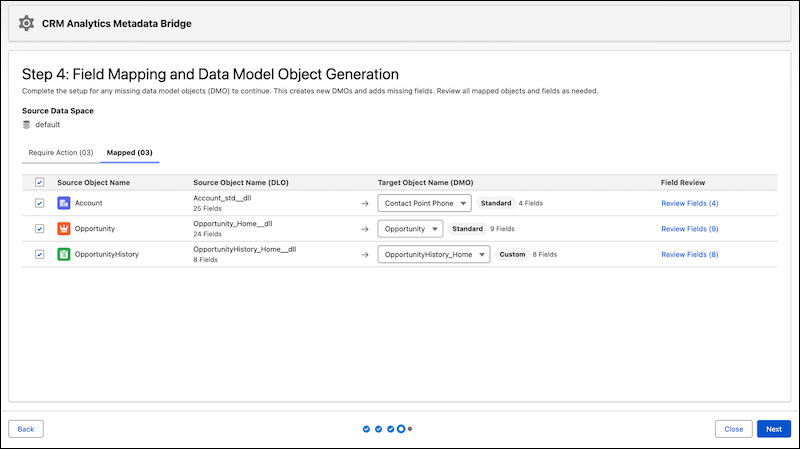
-
To change a DMO mapping, select a different target from the target object name
dropdown.
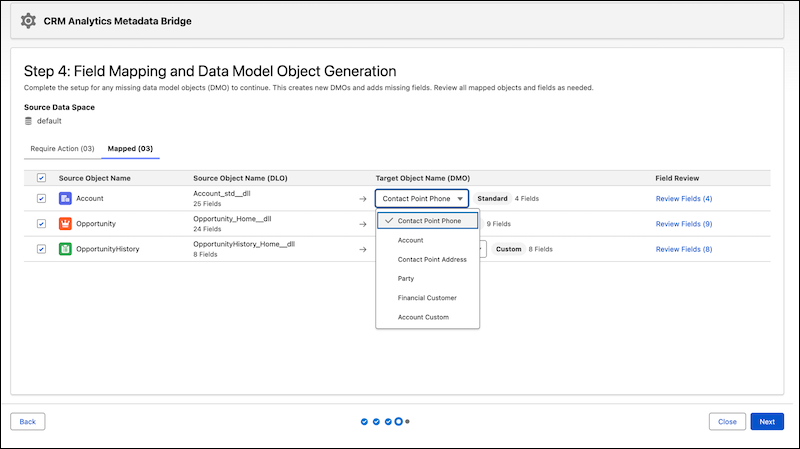
- Click Review Fields on any row to see the field-level mappings for that object.
-
To change a DMO mapping, select a different target from the target object name
dropdown.
-
On the Require Action tab, identify source objects that don't yet
have a corresponding DMO in Data 360.
-
For each source object that you want to map, click Setup.
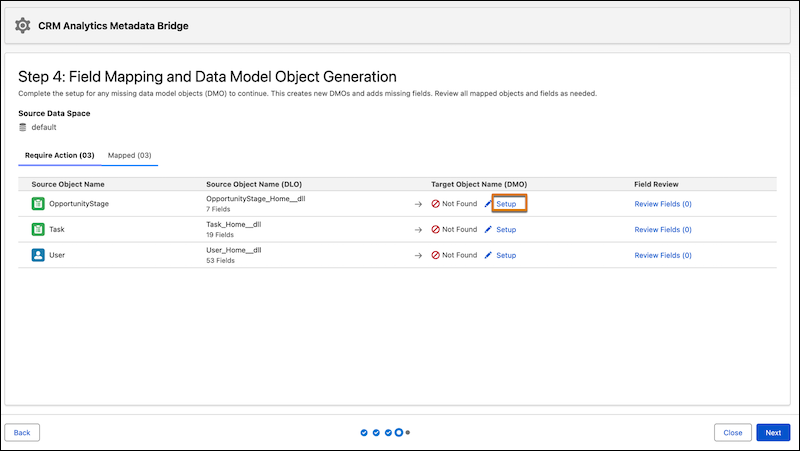
-
In the Generate a DMO dialog, review and confirm the object
details.
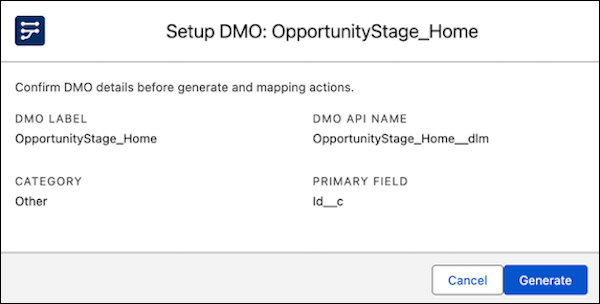
- Click Generate to create the DMO.
-
For each source object that you want to map, click Setup.
- After all source objects have a DMO mapping, the Require Action tab is disabled and you can click Next to proceed.
Continue to Generate Your Semantic Model.