Compare and review Tableau and CRM Analytics data side by side in a CRM Analytics
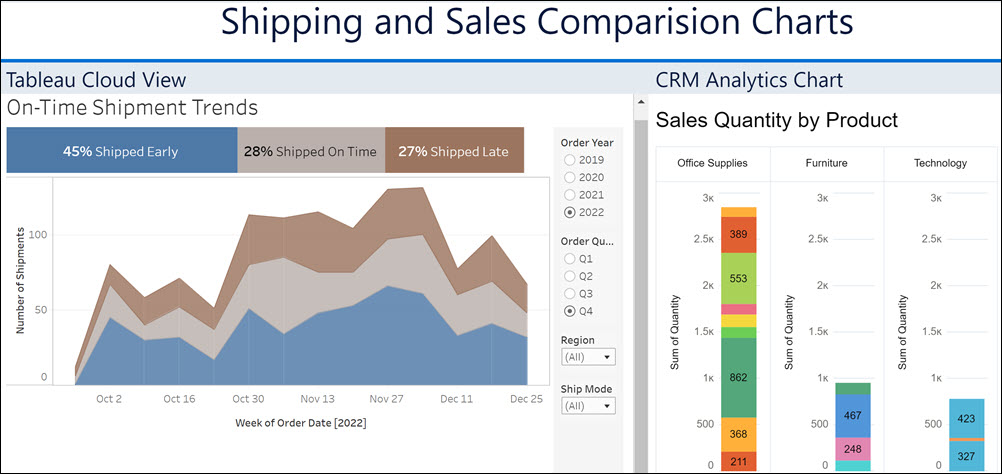
dashboard. Embed a published Tableau Cloud or Tableau Server view in a CRM Analytics dashboard to
analyze your data without switching between two accounts. For example, keep tabs on your shipment
trends from Tableau in the same CRM Analytics dashboard that you track sales orders.
Required Editions
| Available in Salesforce Classic and Lightning Experience. |
| Available with CRM Analytics, which is available for an extra cost in
Enterprise, Performance, and Unlimited Editions. Also available in
Developer Edition.
|
To see a published
Tableau view in a CRM Analytics dashboard, users must have access to both the Tableau view and
the CRM Analytics app to which it’s published.
-
Open the dashboard that contains the sales order data.
-
To add the Tableau view, drop a component widget (
 ) onto the dashboard and click
Component.
) onto the dashboard and click
Component.
-
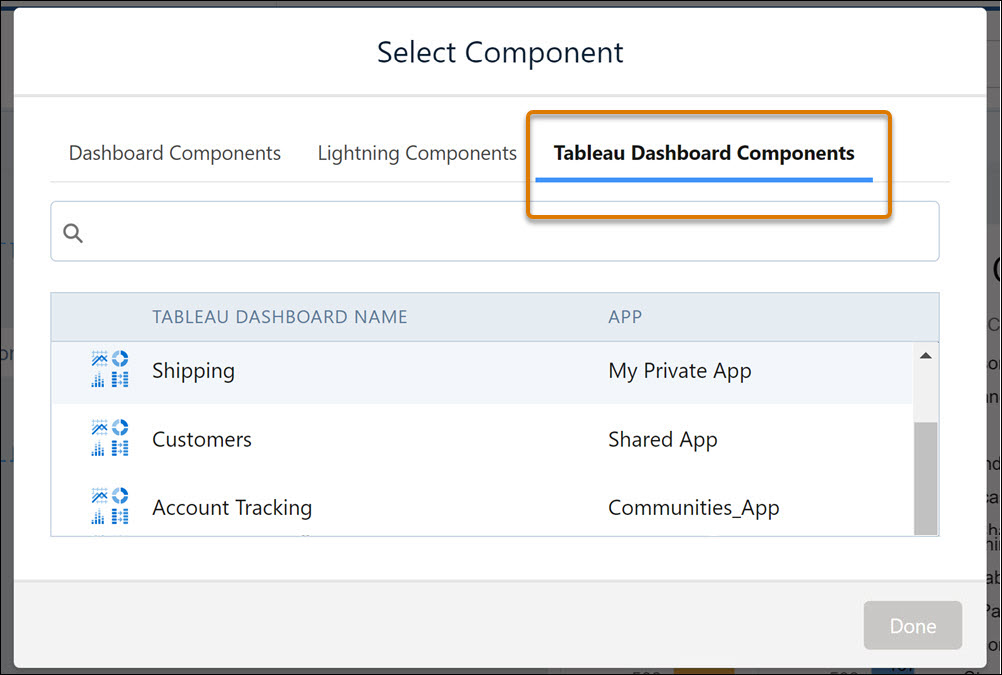
In the Select Component window, select the Tableau view from the Tableau Dashboard
Components list.
-
Save your dashboard and then preview it.