Find the last report or dashboard that you worked with or see what’s available on the
Analytics tab. Browse enables you to quickly locate the items you’re looking for by filtering
through different categories.
Required Editions
| Available in: Lightning Experience |
| Available in: Essentials, Group, Enterprise,
Professional, Unlimited, and Developer Editions.
|
| User Permissions
Needed |
| To browse the Analytics tab: |
- Enhanced Folder Sharing
- Run Reports AND Create and Customize Dashboards
|
| To browse the Analytics tab with CRM Analytics items: |
Use CRM Analytics |
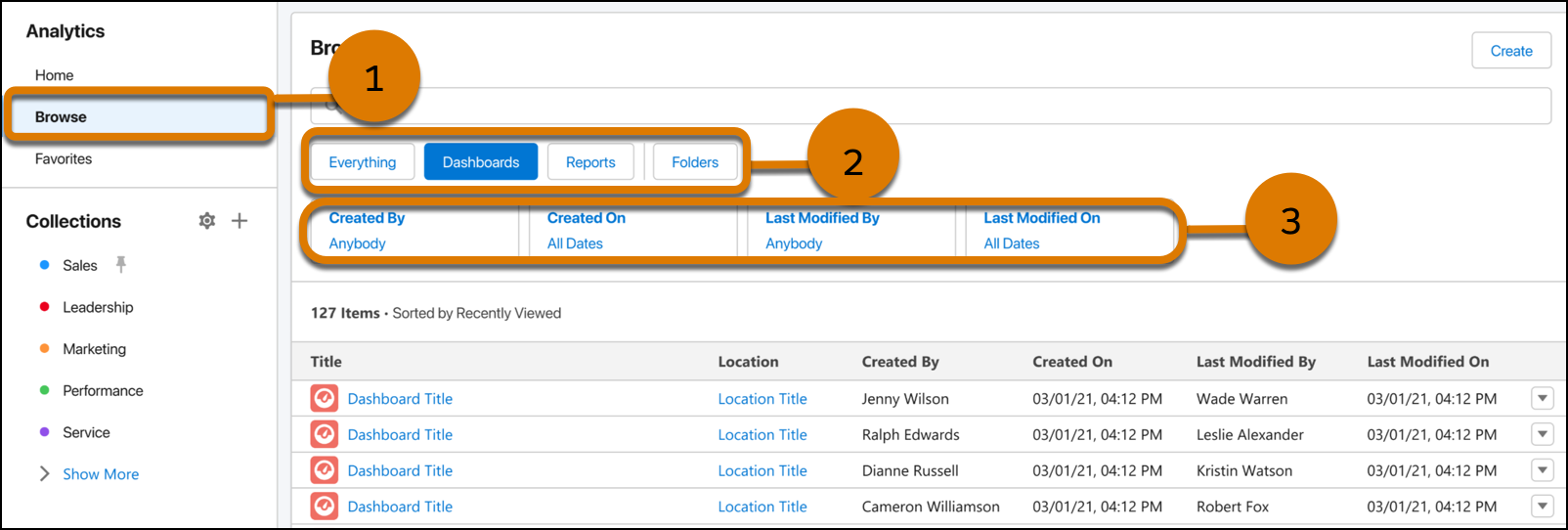
Click Browse (1) that shows all your analytics organized by type. Within Browse are filters that
set the current context and determine the results that are returned. Click an asset filter
(2) to narrow down the browse page to a selection, then click additional filters (3) to
narrow your search further by date or owner.
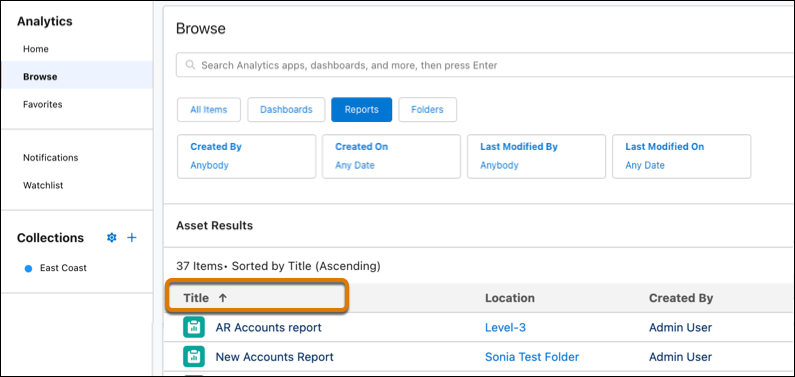
Click column headers to sort search results in ascending or descending order.
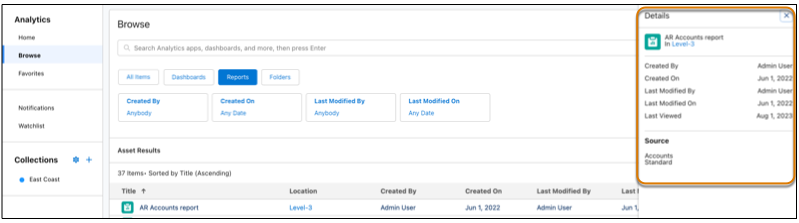
Click Details in the row-action menu to view asset metadata.