Keep up with changing user needs by updating which objects are searchable in a
configuration for LWR Experience sites.
Required Editions
| Available in: Einstein Search in Lightning Experience |
| User Permissions Needed |
| To use Search Manager: |
Customize Application AND View Setup |
-
From Setup, in the Quick Find box, enter Search Manager, and
then select Query Configurations.
- From the action dropdown on the Experience site configuration to edit, select Edit.
- Click
 .
.
- In the Edit Configuration Settings window, click Continue.
- Add or remove objects from the Selected Objects list.
- Save your changes.
- Reapply the configuration to your LWR site.
- From Setup, in the Quick Find box, enter All Sites, and then
select All Sites.
- Next to the site that you want to apply the search configuration to, click
Builder.
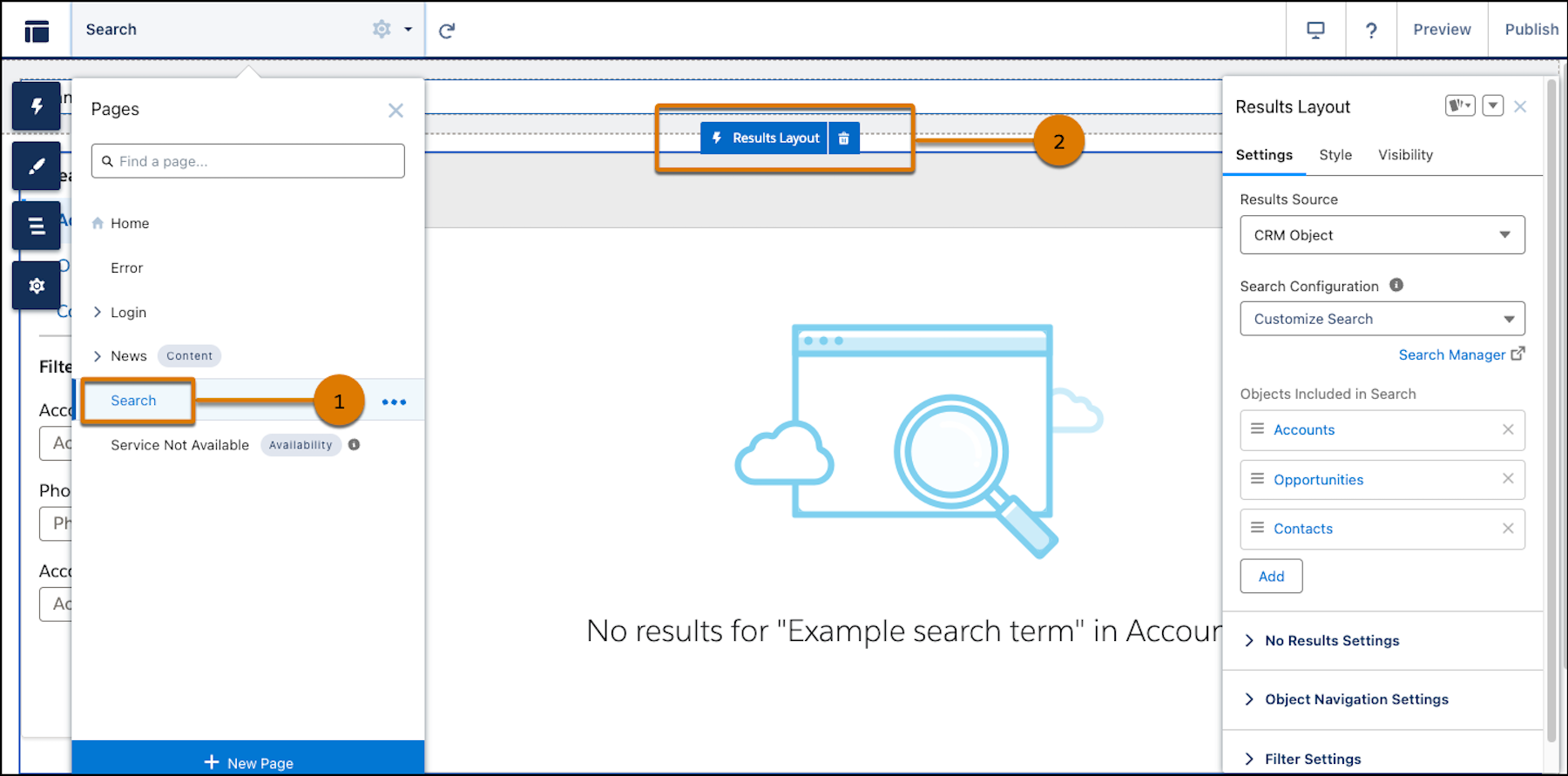
- Go to the Search page (1) and click the Results Layout component
(2).
- Select a different search configuration from the Search Configuration dropdown.
- Select the configuration that you edited. Your edits appear under Objects included in
Search.
- Click Publish.