
Einstein Search is on by default for your entire Salesforce org and enhanced with features at no additional cost.
Required Editions
| Available in: Lightning Experience and all versions of the Salesforce Mobile app |
| Available in: Essentials, Professional, Enterprise, Performance, and Unlimited Editions |
| User Permissions Needed | |
|---|---|
| To modify Einstein Search settings | Customize Application |

Note For Einstein Search and personalization, you’re not required to supply any data to make
it work. Einstein Search is turned on by default. If you disable Einstein Search, select
Actionable Instant Results in Einstein Search Setup to enable it.
Personalization is also turned on by default and offers better results immediately.
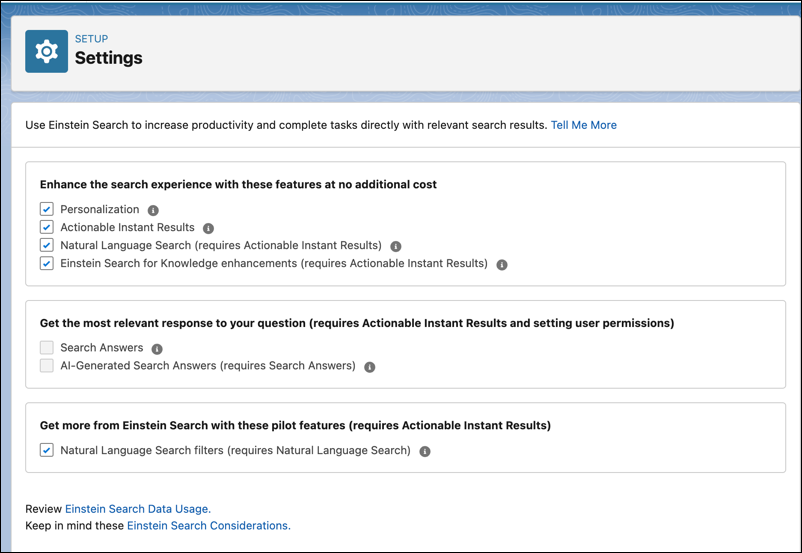
- From Setup, in the Quick Find box, enter Einstein Search, and then select Settings.
- Choose the features you want and opt-out of features by disabling them.
You can enable Search Answers only if you have the required Service Cloud Einstein SKUs.
- Save your changes.