
Manage your Help Agent to finish where you last left off or to improve its accuracy and effectiveness. For example, you can edit or delete an existing agent, view details for each agent version, and deactivate or activate an agent.
-
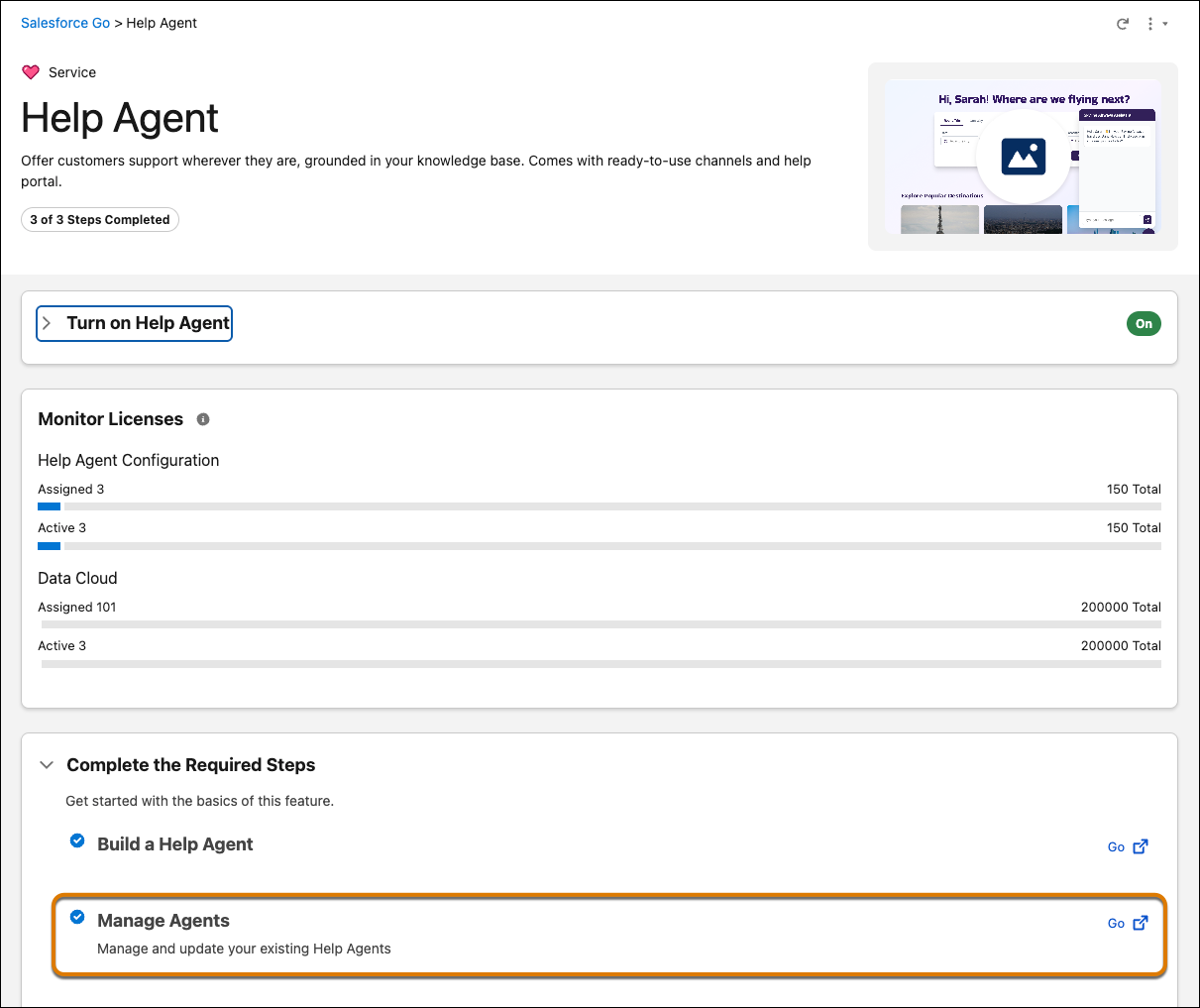
In the Manage Agents section of the Help Agent Salesforce Go page, click
Go.
The Build and Manage Your Agents page lists all Help Agents created with Quick Service Agent Configuration.
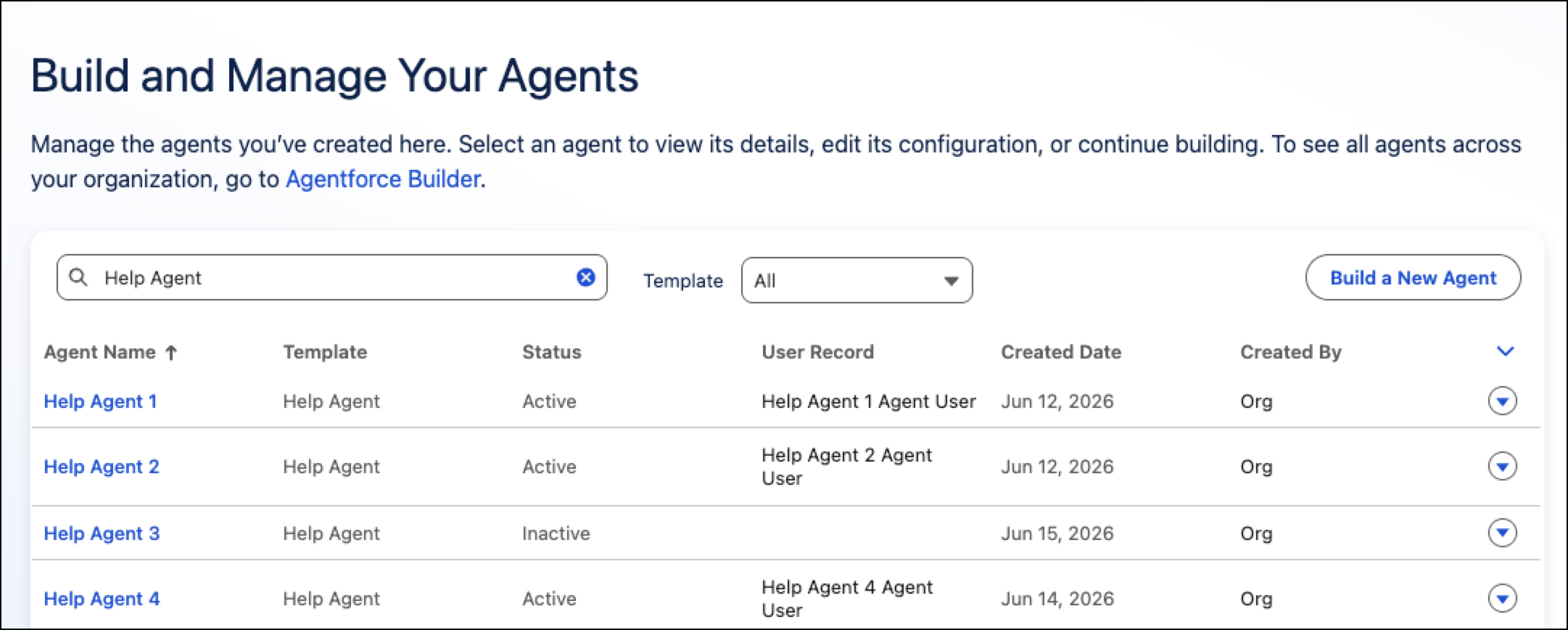
 Tip To see all agents across your organization, go to Agentforce Studio.
 - To delete an agent, click the dropdown to the right of an agent and select Delete.
-
To view the agent details, create a new version, or deactivate the agent, click the
name of the agent.
The details show the current version, version’s status, knowledge sources, and channels on which the agent is deployed.
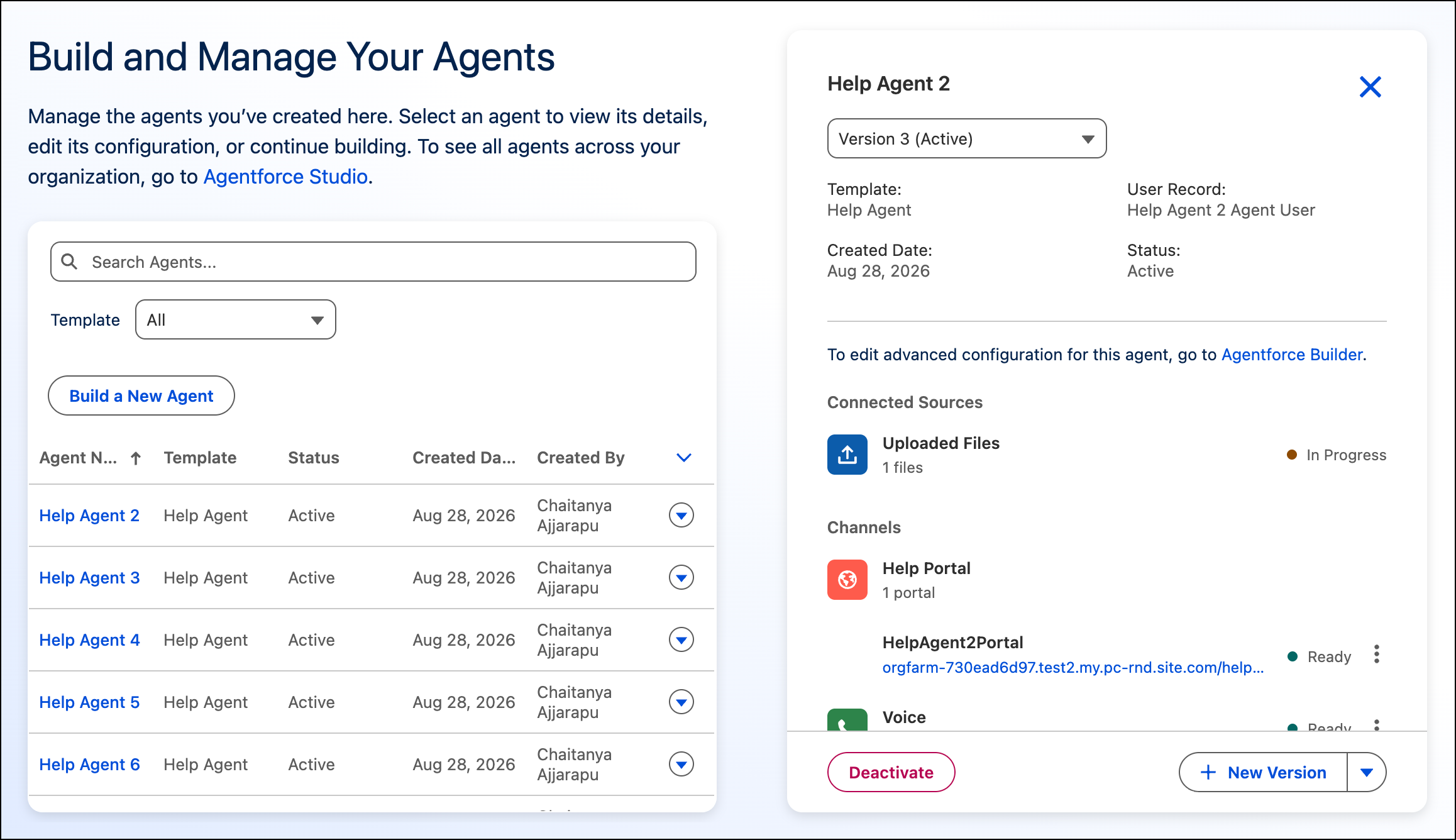
- To edit the agent version with an Active status, click New Version. The new version is in the Draft state. When you’re done, you’ll have to activate it.
-
To save your changes to this version of the agent, click
Save.
Although these changes are saved, they aren’t applied to your agent in production until you activate the agent.
- To activate the agent, click Activate, and then confirm by clicking Activate again.