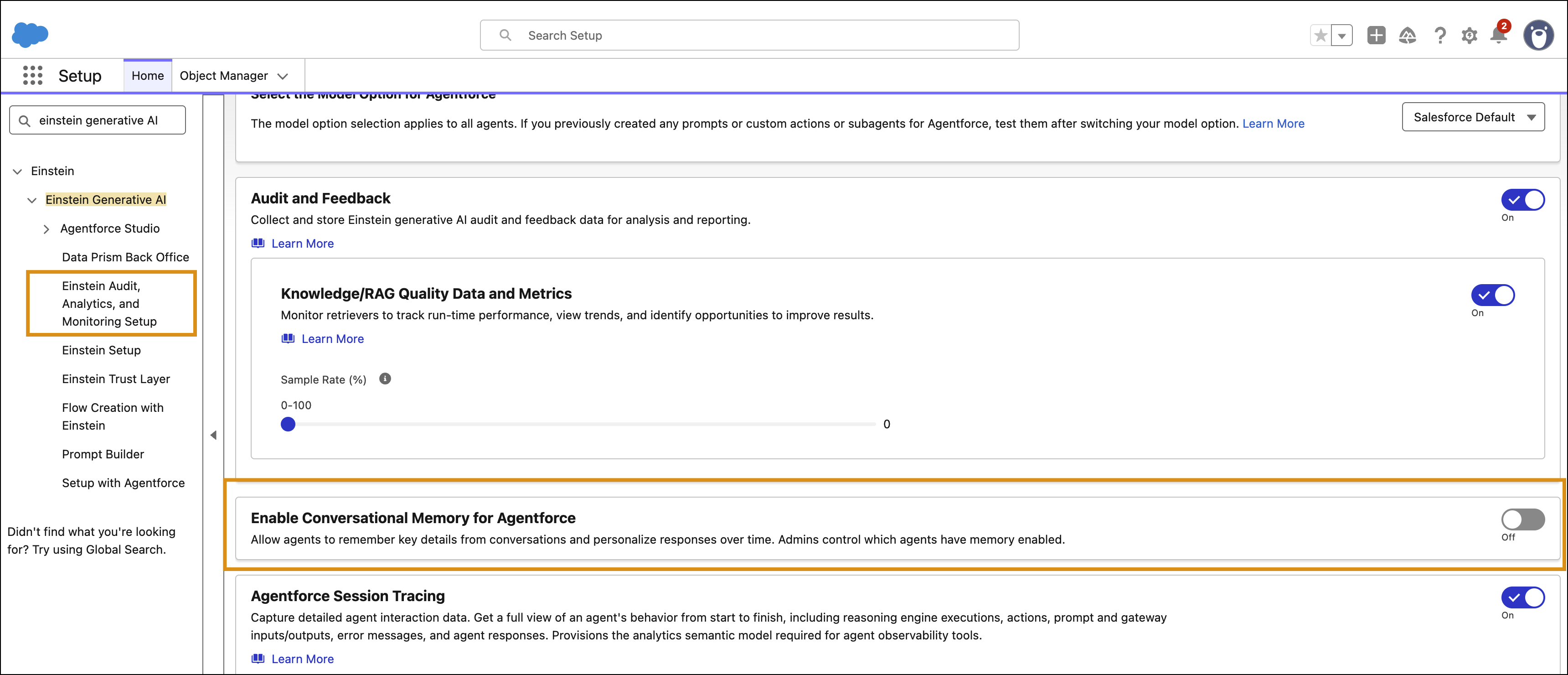
Turn off conversational memory for all AI agents in your org at once, instead of one by one.
Required Editions
| Available in: Lightning Experience |
| Available in: Enterprise, Performance, Unlimited, and Developer Editions. Required add-on licenses vary by agent type. |
| User Permissions Needed | |
|---|---|
| To turn off conversational memory: | View Setup |
| AND | |
| Customize Application | |
Conversational memory is on by default. When you turn it off, AI agents stop creating memories and using existing ones, even if individual agents have Agent Memory enabled. Agentforce preserves existing memories but doesn't use them while the setting is off. The Memory & Preferences icon also disappears from the Agentforce panel.
- From Setup, in the Quick Find box, enter Einstein Generative AI, and then select Einstein Audit, Analytics, and Monitoring Setup.
-
Turn off Enable Conversational Memory for Agentforce.