
Choose which agents can create memories from your conversations. Turning off access for an agent stops it from creating new memories, without deleting the ones it already created.
Required Editions
| Available in: Lightning Experience |
| Available in: Enterprise, Performance, Unlimited, and Developer Editions. Required add-on licenses vary by agent type. |

Note The first time an agent with memory turned on starts a conversation with you, a
one-time disclaimer appears. Review it before responding. Save memories from
your conversations is selected by default. Deselect it if you don't want the
agent to save memories.
Note Your admin can turn off conversational memory for the whole org. When it's off, the
Memory & Preferences icon disappears from the Agentforce panel.
-
Click the Agentforce icon to launch Agentforce.
The Agentforce icon appears in the global header on all pages when Agentforce is enabled for your org.
- From the Agentforce panel, click Memory & Preferences.
-
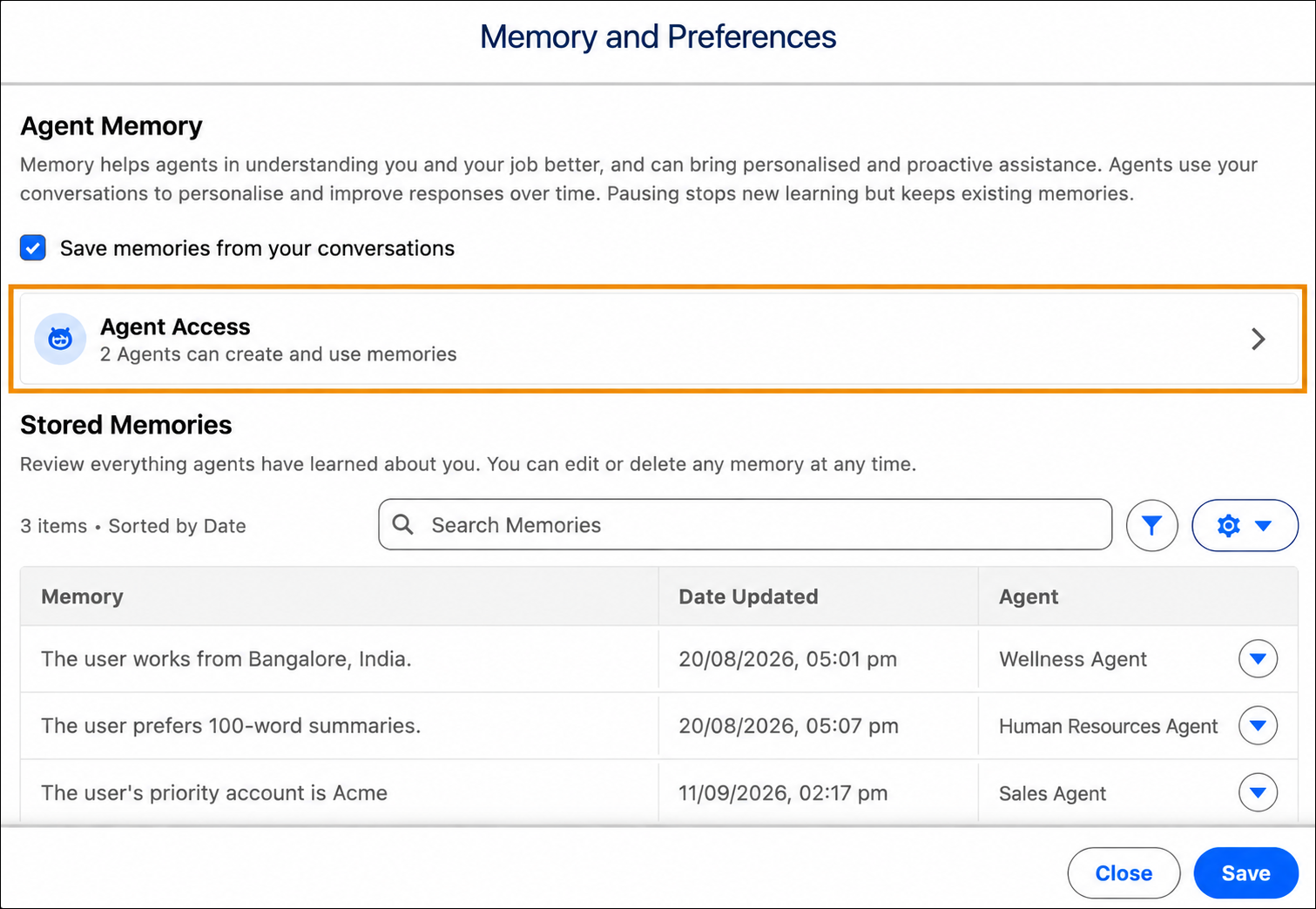
To modify agent access, click the arrow to expand Agent
Access.
-
Turn on the toggle for each agent you want to allow to create memories.
 Important Agents create memories only when you select Save memories from your conversations. If you deselect it, no agent creates memories, even if you turn on the switch for individual agents.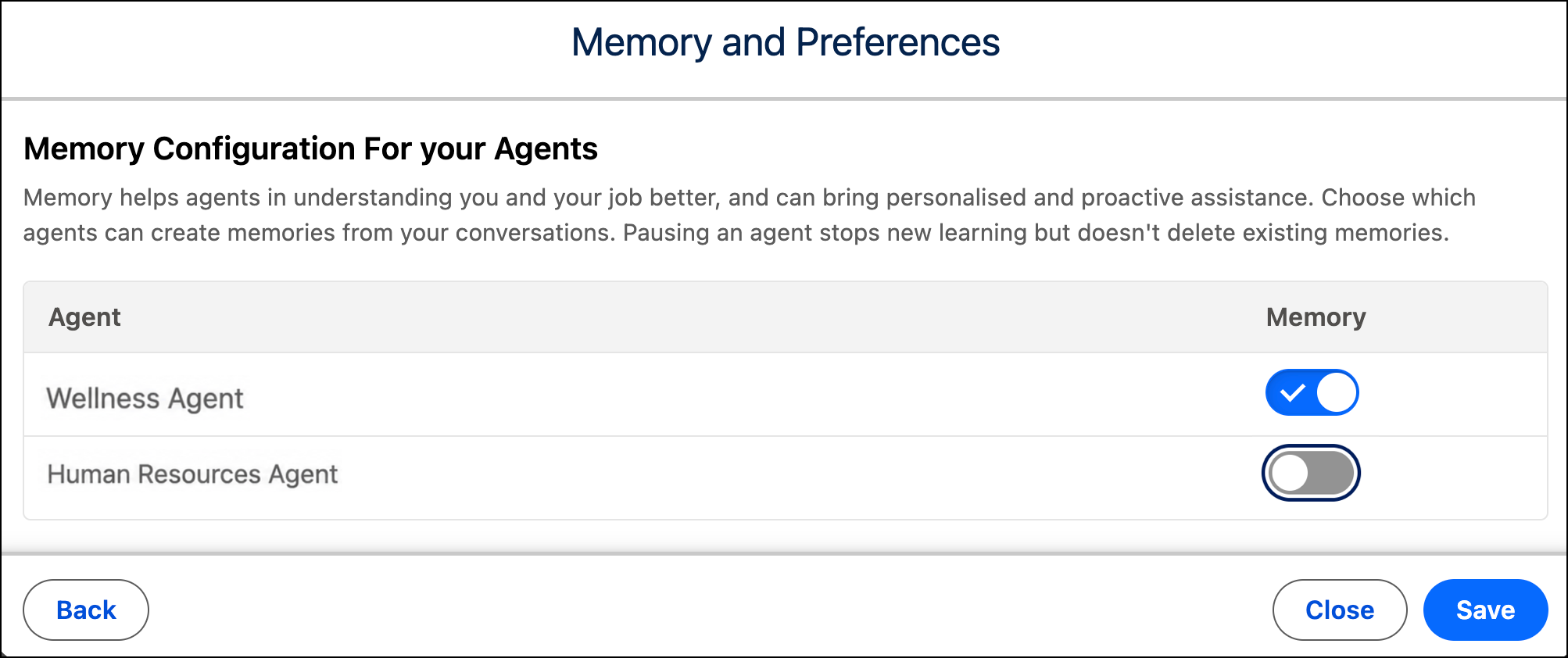
- Save your changes.
If you turn off memory for an agent, existing memories are preserved, and the agent uses them again if you turn memory back on.