
Delete individual memories from your agent's stored memories when they're no longer relevant or accurate.
Required Editions
| Available in: Lightning Experience |
| Available in: Enterprise, Performance, Unlimited, and Developer Editions. Required add-on licenses vary by agent type. |
-
Click the Agentforce icon to launch Agentforce.
The Agentforce icon appears in the global header on all pages when Agentforce is enabled for your org.
- From the Agentforce panel, click Memory & Preferences.
-
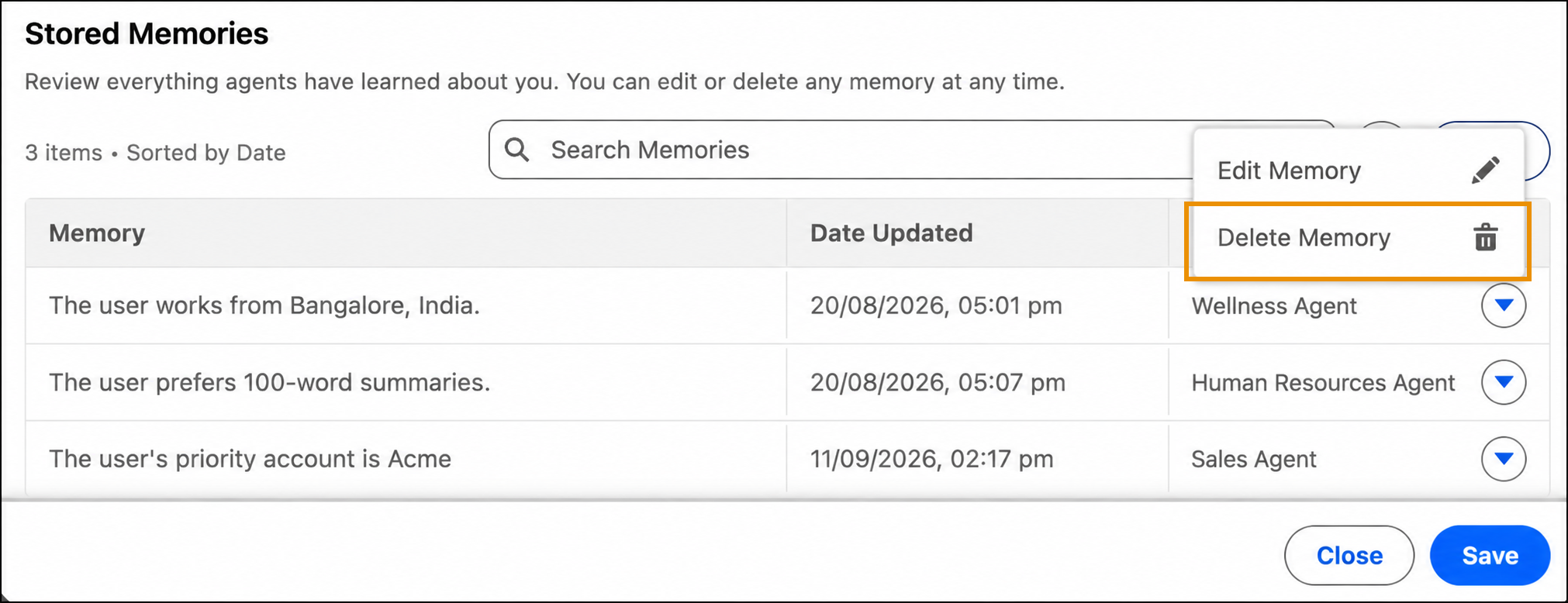
In Stored Memories, find the memory that you want to delete,
and select Delete Memory.
You can delete only one memory at a time.
-
In the confirmation dialog, confirm that you want to delete the memory.
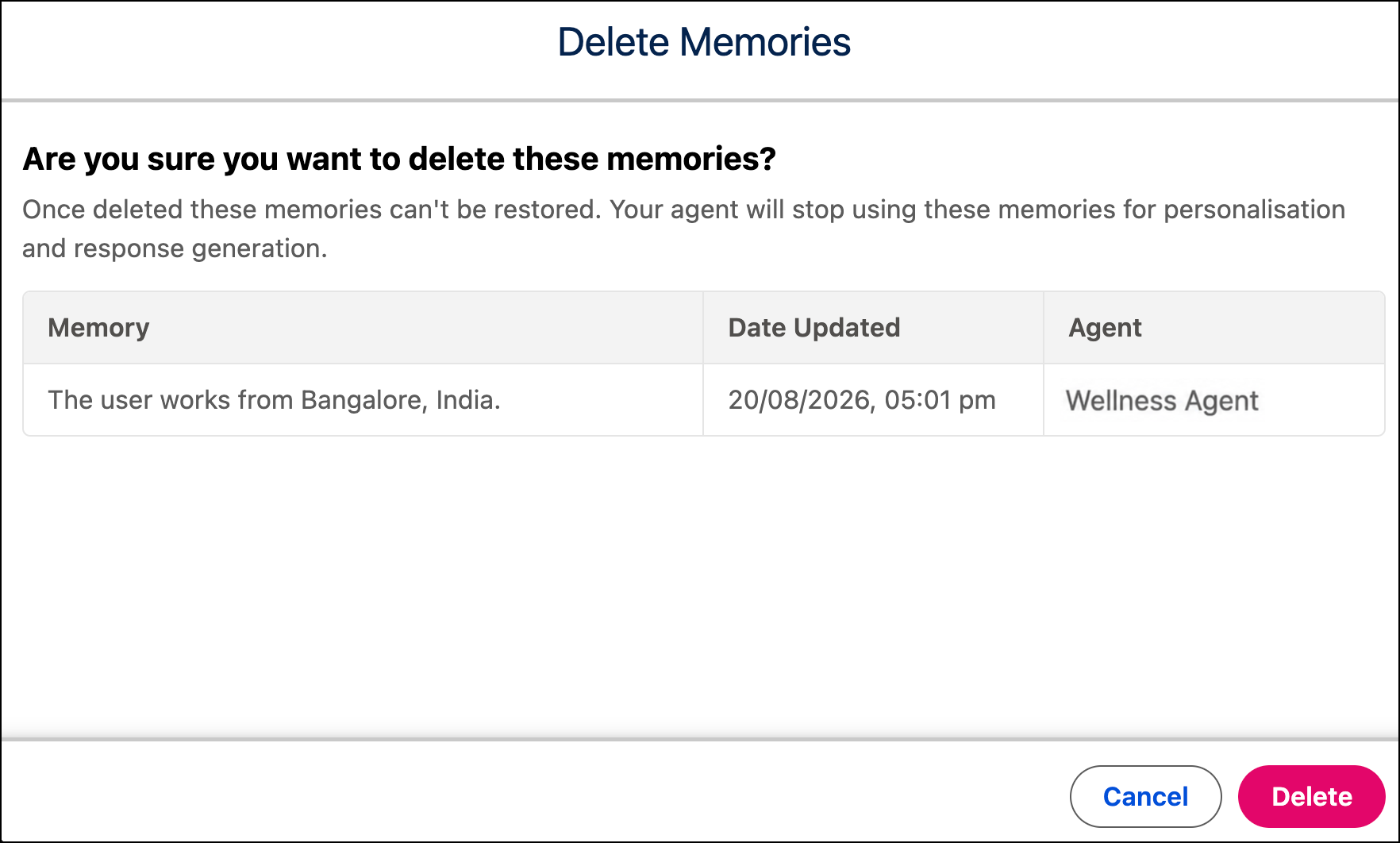
Your memory is permanently deleted from the stored memories list, and this action can't be undone. The agent no longer uses this information in future conversations. However, past conversation responses that were influenced by this memory remain unchanged.