
The start page in Tableau Desktop is a central location from which you can do the following:
- Connect to your data
- Open your most recently used workbooks
- Discover and explore content produced by the Tableau community
When you open Tableau Studio, the start page provides a centralized workspace to connect to data, launch AI-driven queries, access recent assets, and explore learning resources.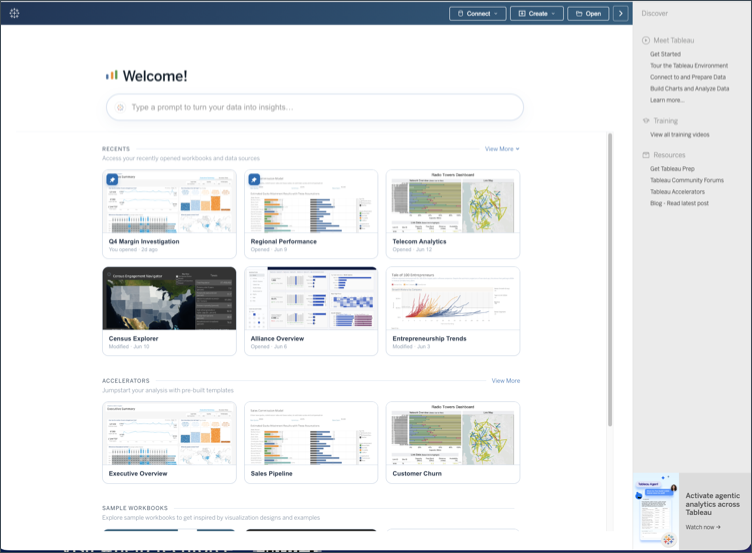
Action Controls
Located in the upper-right corner of the window, quick action buttons provide fast access to core workflows:
Connect: Dropdown menu to choose and connect to data sources.
Create: Dropdown menu to build new workbooks, data models, or assets.
Open: Button to select and open existing files or workbooks.
Tableau Agent search bar
Enter natural language queries to analyze data and automatically generate visualizations directly from the start screen.
Central content area
Recents
Displays your recently accessed workbooks and data sources.
Accelerators
Provides pre-built, domain-specific templates to jumpstart your analysis. Select View More to browse the full accelerator catalog.
Sample workbooks
Offers sample workbooks designed to showcase visual design inspiration, chart techniques, and best practices.
Discover Pane
Located along the right sidebar, the Discover pane provides access to onboarding material, official documentation, and community resources:
Meet Tableau: Quick-start links including Get Started, Tour the Tableau Environment, Connect to and Prepare Data, Build Charts and Analyze Data, and Learn more...
Training: Direct access to View all training videos.
Resources: Quick links to Get Tableau Prep, Tableau Community Forums, Tableau Accelerators, and the latest blog posts.
Feature Highlights: Promotional cards highlighting new tools and capabilities, such as agentic analytics features.
Tableau Desktop version 26.3 and earlier
The start page consists of three panes: Connect, Open, and Discover.
Connect
Connect to data.
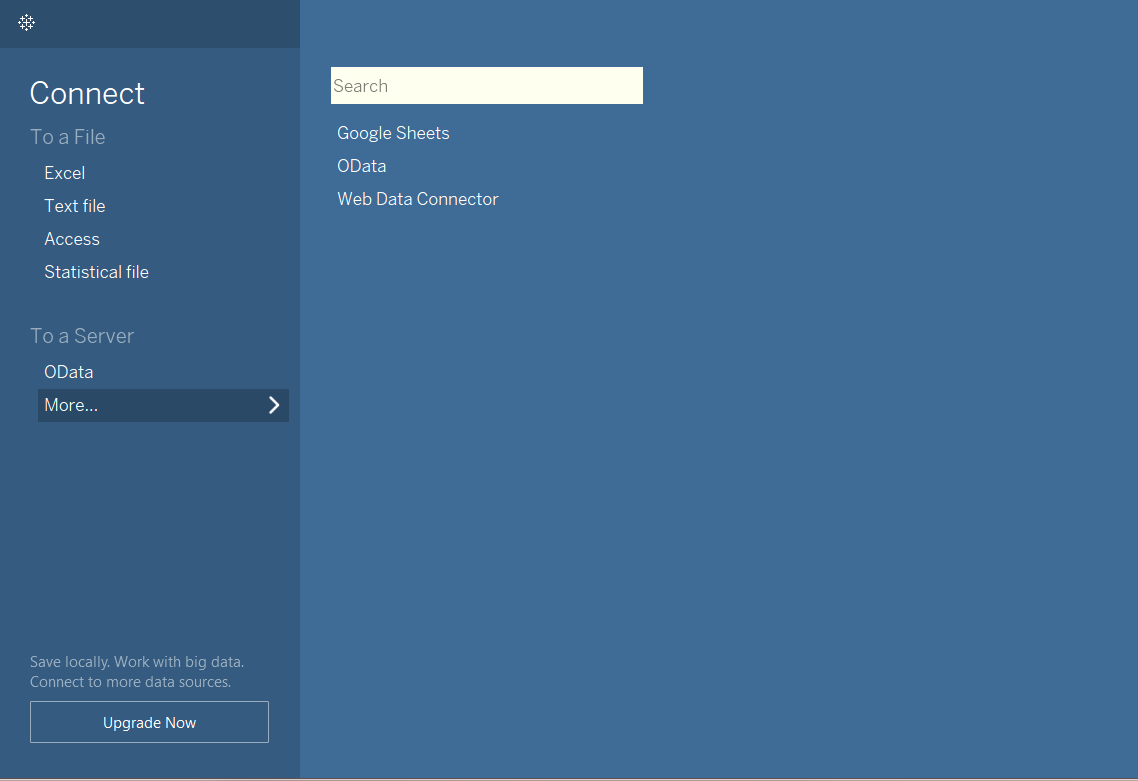
On the Connect pane, you can do the following:
-
Connect to data: Under To a File connect to data stored in Microsoft Excel files, text files, Access files, Tableau extract files, and statistical files, such as SAS, SPSS, and R. Under To a Server, connect to data stored in OData, Google Sheets or connect to data using the Web Data Connector. For more information about how to connect to Google Sheets, see Google Drive. For more information about the Web Data Connector, see Web Data Connector 2.0 (retired)
Open
Click the Open from Tableau Public link to find workbooks you have saved to Tableau Public.