
Reveal dynamic predictions from Einstein Discovery in your Tableau views and dashboards. In Tableau 2021.1 and later, you can access the power of Einstein Discovery predictions in these ways:
- Connect to the Einstein Discovery analytics extension to interact with Einstein Discovery-powered predictive models from Tableau.
- Embed predictions in a Tableau workbook by pasting generated table calculation scripts from Einstein Discovery into calculated fields in Tableau.
- Give users dynamic, on-demand predictions based on their Tableau data using the Einstein Discovery dashboard extension.
- In Tableau Prep, add Einstein Discovery prediction steps to flows to enrich your flow output with predictions and, optionally, improvements and top factors.
Note: For an introduction to Einstein Discovery in Tableau, see the Einstein Discovery in Tableau page and demo on tableau.com.
What is Einstein Discovery?
Einstein Discovery is an analytics tool that augments your data analysis with the power of artificial intelligence using machine learning models and comprehensive statistical analysis. Einstein Discovery quickly sifts through millions of rows of data to find important correlations, predict outcomes and suggest ways to improve those predicted outcomes.
For more information about Einstein Discovery, see Gain Insight with Einstein Discovery trail in Trailhead.
Note: Einstein Discovery in Tableau is powered by salesforce.com. Consult your agreement with salesforce.com for applicable terms.
Requirements for access
To configure and use Einstein Discovery predictions in Tableau, you and anyone who will be viewing predictions in a Tableau workbook will need certain licences, access and permissions in Salesforce and Tableau.
Salesforce Requirements
Tableau integration with Einstein Discovery is supported in Tableau version 21.1 or later. Integration requires:
| requirement | description |
|---|---|
Salesforce licence | One of the following licences:
These licences are available for an extra cost. |
Salesforce user account | Account that is configured to access Einstein Discovery. If you use the Einstein Discovery in Tableau licence, your user account must have the View Einstein Discovery Recommendations Via Connect API system permission assigned to it. If you use either the Tableau CRM Plus licence or Einstein Predictions licence:
To configure user accounts, see Set Up Einstein Discovery in Salesforce help. |
Administrator settings | Salesforce administrators will need to:
|
Tableau Requirements
| requirement | description |
|---|---|
Tableau licence and permissions | Authors who need to configure the Einstein Discovery dashboard extension will need a Creator or Explorer licence and permissions that allow them to edit and save workbooks. Creators, Explorers and Viewers will need to be signed in to the Salesforce org account to access predictions in the Einstein Discovery dashboard extension in Tableau. |
Tableau user account | In Tableau Cloud and Tableau Server, users can save Salesforce user account credentials along with their Tableau user account. |
Administrator settings | Tableau Server administrators will need to configure Tableau Server for OAuth (enables access to predictions from Tableau). For more information, see Configure Einstein Discovery Integration in Tableau Server help. To let users see predictions in published table calculations, Tableau Server administrators need to enable analytics extensions for the site. For more information, see Configure Connection with Analytics Extensions in Tableau Server help. For more information on Tableau Server configuration, see Configure Einstein Discovery Integration (Tableau Server). For more information on Tableau Cloud configuration, see Configure Einstein Discovery Integration (Tableau Cloud). |
Analytics extension support for Einstein Discovery predictions
Einstein Discovery in Tableau brings trusted, intuitive predictions and improvements from Einstein Discovery to every Tableau user across your organisation. Workbook authors can build and share visualisations and dashboards that dynamically integrate predictions from predictive models deployed in Salesforce Einstein Discovery.
Authors set up the Einstein Discovery analytics extension for use in a workbook, and then can embed Einstein Discovery-powered predictions directly in Tableau using calculated fields.
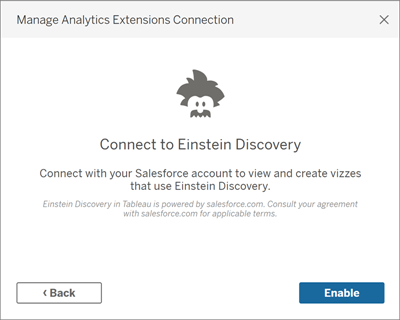
Access Einstein Discovery predictions in Tableau calculated fields
With Tableau connected to the Einstein Discovery analytics extension, you can embed predictions directly in calculated fields. In Salesforce, use Model Manager to auto-generate a Tableau table calculation script, and then paste that script into a calculated field for use in a Tableau workbook. The table calculation script accesses predictive models deployed in Salesforce by calling the prediction ID and passing the data required for the model.
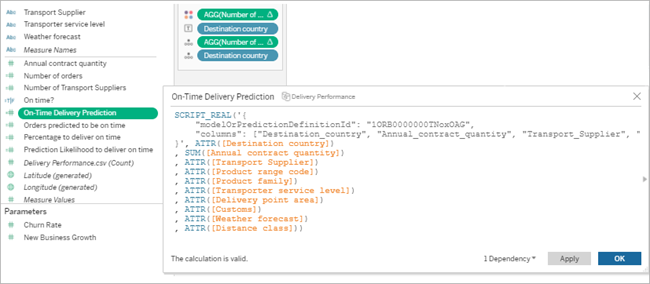
You can create prediction-enhanced visualisations in Tableau Desktop, Tableau Cloud or Tableau Server, or publish them to the web.
For more details, see Einstein Discovery in Pass Expressions with Analytics Extensions.
Einstein Discovery dashboard extension in Tableau
Integrate on-demand, interpretable predictions from Einstein Discovery in Tableau dashboards. Authors create worksheets and the dashboard, and then configure the Einstein Discovery dashboard extension to use a selected Einstein Discovery prediction definition, which uses source data available in the dashboard to derive predictions. Dashboard viewers and users can click different marks in the Tableau visualisation to explore predictions.
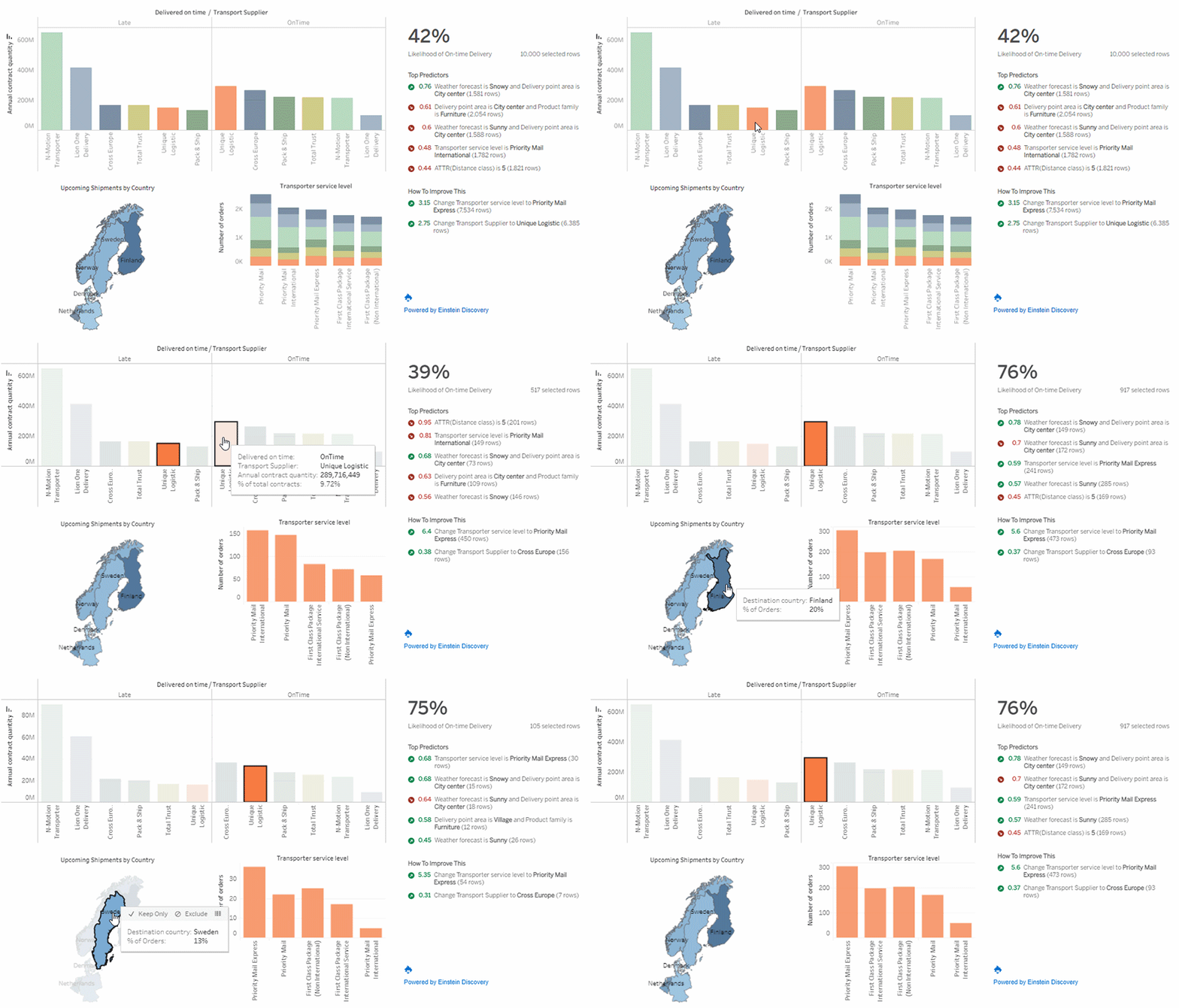
For more information, see Explore Predictions in Tableau with the Einstein Discovery Dashboard Extension.