
To use Kerberos delegation with Tableau Server, you must configure the Run As service account account to act as the operating system on each Tableau Server node.
-
On the computer that is running Tableau Server, select Start > Control Panel > Administrative Tools > Local Security Policy.
-
In the Local Security Settings window, expand Local Policies, click User Rights Assignments, and then right-click Act as part of the operating system and select Properties.
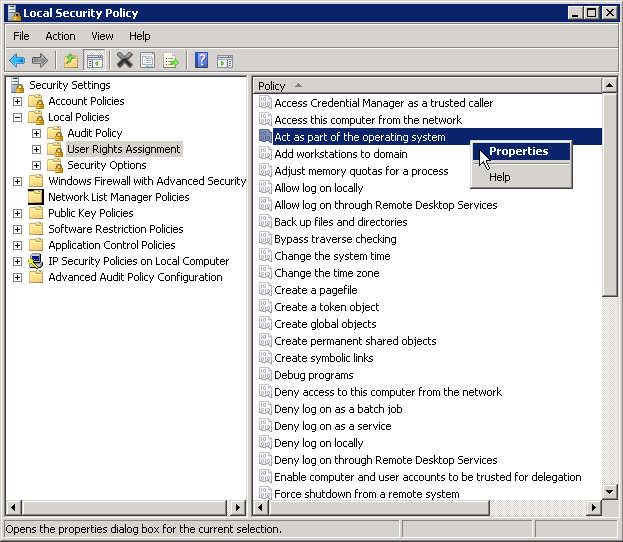
-
In the Act as part of the operating system Properties window, click Add User or Group.
-
Type the
<domain>\<username>for the Tableau Server Run As service account (for example:MYCOMPANY\tableau_server), and then click Check Names. -
When the account resolves correctly, it is underlined. Click OK.
-
Click OK to close the Local Security Policy windows.